Introduction: Why This Guide Exists
If you’ve ever stared at a blank WordPress page and wondered how other websites look so polished and professional — the answer, more often than not, is a page builder. Page builders have completely changed how websites are created. They put the power of a web designer into the hands of anyone: bloggers, small business owners, freelancers, agencies, and developers alike.
But with so many options — Elementor, Divi, Beaver Builder, Bricks, WPBakery, Gutenberg — choosing the right one can feel overwhelming. Each promises to be the best. Each has passionate advocates. And each has real trade-offs that could cost you time and money if you pick wrong.
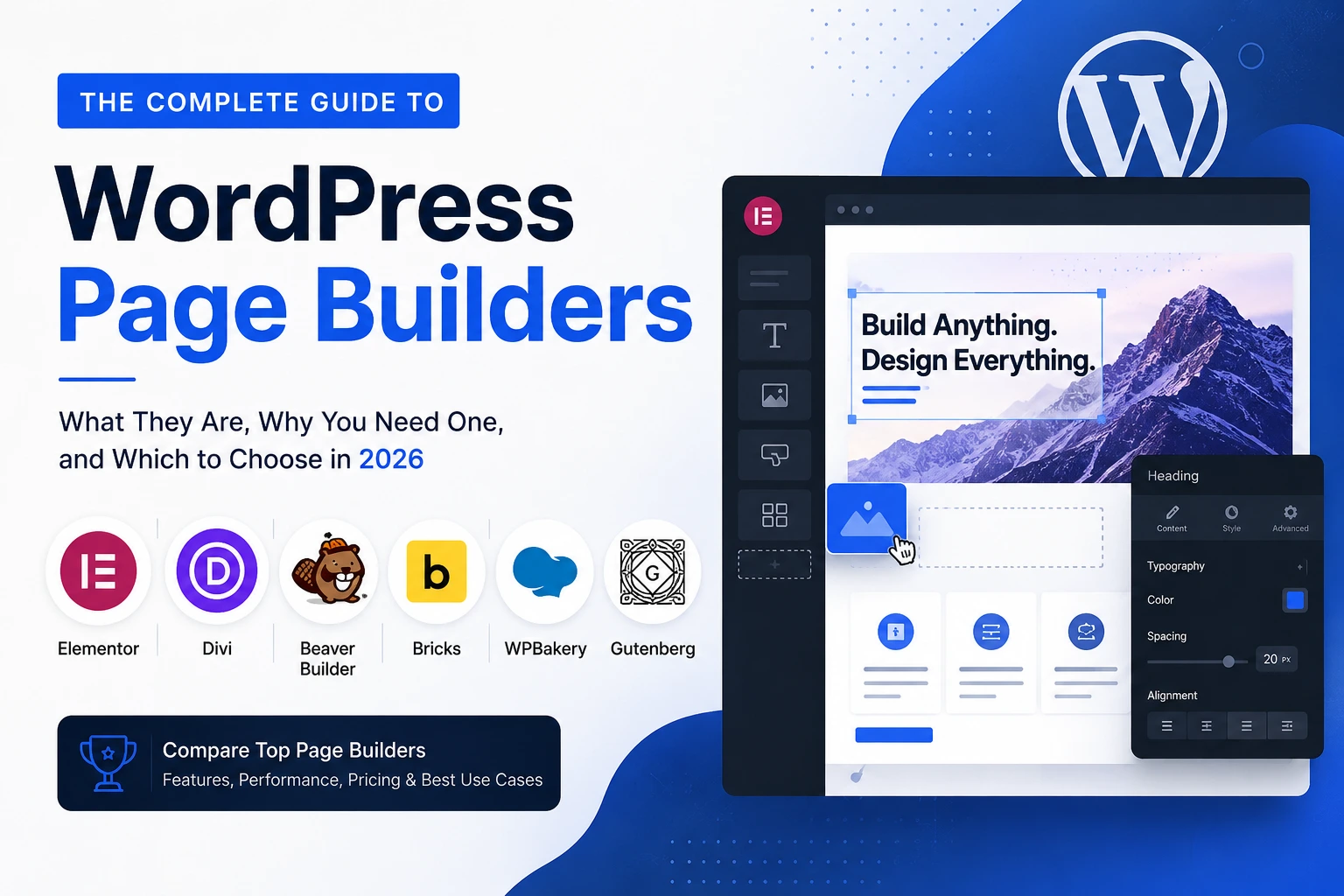
This guide exists to cut through the noise. By the end, you will understand exactly what page builders do, who needs one, which are the best in 2026, and — most importantly — which one is right for your specific situation.
| ⚡ Quick Answer For beginners: Elementor (free or Pro). For agencies and multi-site owners: Divi. For clean code and performance: Beaver Builder or Bricks. For zero cost: Gutenberg (built into WordPress). Read on for the full breakdown. |
1. What Is a WordPress Page Builder?
A WordPress page builder is a plugin (or sometimes a theme) that replaces — or extends — the default WordPress editor with a visual, drag-and-drop interface. Instead of writing HTML and CSS code, or wrestling with raw blocks, you simply drag elements (called widgets, modules, or blocks) onto a canvas and arrange them visually.
Think of it like this: WordPress is a blank canvas. A page builder is the set of brushes, colours, and tools that lets you paint anything you want — without needing to know how to mix paints from scratch.
How Do Page Builders Work?
Most page builders work by sitting on top of WordPress as a plugin. When you create or edit a page, you launch the builder’s interface instead of the standard editor. Inside, you build your page from:
- Sections / Rows: The horizontal containers that divide your page into chunks.
- Columns: Divide sections into side-by-side areas.
- Widgets / Modules / Blocks: The actual content elements — headings, paragraphs, images, buttons, forms, sliders, videos, pricing tables, and more.
Changes you make appear live on-screen as you drag, drop, and style. No code required. You can publish a page that looks like it was built by a professional designer — in hours, not weeks.
Frontend vs Backend Builders
There are two main approaches to how page builders display your edits:
- Frontend (Live) Builders: You edit directly on the page as it will appear to visitors. Elementor, Divi, and Bricks use this approach. What you see is exactly what your audience sees — WYSIWYG (What You See Is What You Get).
- Backend Builders: You edit in a separate interface and preview separately. WPBakery’s classic backend editor works this way. Beaver Builder offers both modes.
Frontend builders feel more intuitive and are generally preferred by beginners and designers. Backend builders can sometimes be faster for bulk editing.
2. Why Use a Page Builder? (And Who Needs One)
Before spending money on a page builder, it’s worth asking: do you actually need one? The honest answer is — it depends. Here’s a breakdown of who benefits most, and who might be better served by simpler alternatives.
The Core Benefits of Page Builders
- No coding required: Build complex, multi-column layouts, hero sections, pricing tables, and landing pages without writing a single line of HTML, CSS, or JavaScript.
- Speed of creation: Pre-built templates and blocks let you assemble a professional page in minutes. Import a template, swap out text and images, and you’re done.
- Full design control: Unlike standard WordPress themes that constrain your layout, page builders give you pixel-level control over spacing, typography, colours, animations, and responsive breakpoints.
- Live visual editing: See your changes in real time. No more saving, previewing, noticing a mistake, going back, adjusting, and previewing again.
- Consistent branding: Set global colours and fonts once, and every element respects them. Change a global colour and every button on your site updates automatically.
- Marketing features: Most premium builders include popups, sticky headers, A/B testing, WooCommerce builders, and form integrations — tools that used to require separate (expensive) plugins.
- Saves money: Instead of hiring a designer for every page tweak, you make changes yourself. The builder pays for itself in saved freelancer fees within months.
Who Should Use a Page Builder?
- Bloggers and content creators who want their site to look professional without hiring a developer.
- Small business owners building a website for the first time who need it done quickly and affordably.
- Freelancers and agencies who build websites for clients regularly and need to work fast and reuse designs.
- E-commerce store owners who need custom product pages, checkout flows, and landing pages beyond what their theme offers.
- Marketers running campaigns who need to launch and iterate landing pages rapidly.
- WordPress developers who want to prototype quickly or hand off a CMS that clients can edit without breaking things.
Who Might NOT Need a Page Builder?
- Simple bloggers: If your site is primarily a blog with standard posts, Gutenberg (built into WordPress) plus a good theme covers everything you need — for free, with better performance.
- Performance-obsessed sites: If hitting a 95+ PageSpeed score is critical, page builders add overhead. A custom theme or block-based approach may be better.
- Developer-built sites: If you or your team writes custom code, a full page builder may introduce more complexity than it solves.
| 💡 Good to Know Gutenberg, the native WordPress block editor, has improved significantly through 2025–2026 and now handles many simpler use cases without a third-party builder. If your needs are basic, try Gutenberg first — it costs nothing and adds zero performance overhead. |
3. What to Look for in a Page Builder
Not all page builders are equal. Here are the seven most important factors to evaluate before committing to one:
- Ease of use: How steep is the learning curve? Is the interface intuitive for your skill level?
- Performance impact: How much does it slow down your site? Faster sites rank better and convert more visitors.
- Design flexibility: Can you build what you envision, or does the builder impose design limitations?
- Template library: How many professional, ready-made layouts are available? A strong template library dramatically speeds up your workflow.
- Plugin ecosystem: How many third-party extensions, add-ons, and integrations are available?
- Pricing and licensing: How much does it cost? Can you use it on multiple sites? What do renewals look like?
- Support and longevity: Is the company financially stable? Is there active development, documentation, and community support?
| ⚠️ Important: Switching Builders Is Painful Each page builder stores your content in its own format. If you switch from Elementor to Divi later, you will likely have to rebuild your pages from scratch. Choose carefully — treat your builder as a long-term commitment, not a trial run. |
4. The Best WordPress Page Builders in 2026
We have tested and researched the five most widely used page builders in 2026. Below you will find an honest, detailed review of each — covering features, performance, pricing, pros, cons, and who it’s best for.
4.1 Elementor — The Market Leader
Elementor is the most popular WordPress page builder in the world by a significant margin. Launched in 2016, it has grown to power millions of websites and commands the largest third-party ecosystem of any builder — thousands of add-ons, templates, and integrations are available from developers who build specifically for Elementor compatibility.
Its drag-and-drop interface is genuinely intuitive. If you have never used a page builder before, Elementor is the one most likely to feel natural from day one. The 2025–2026 Editor V4 update introduced meaningful performance improvements — single div wrappers, unified CSS classes, better responsive controls — addressing some long-standing criticisms about code bloat.
Key Features
- 100+ free widgets including heading, image, button, slider, testimonial, counter, form, and many more
- Free version available on WordPress.org — surprisingly capable for basic sites
- Elementor Pro adds Theme Builder (headers, footers, single post templates, archives), WooCommerce Builder, Popup Builder, and Dynamic Content
- Over 300 professionally designed page templates, plus full-site template kits
- AI-powered content generation and layout suggestions (2025–2026 AI integration)
- Global Colours and Global Fonts for site-wide consistent branding
- Motion effects, parallax scrolling, and CSS animations built in
- WooCommerce integration for custom product pages and shop layouts
- Role Manager for client handoffs
Performance
Elementor adds meaningful CSS and JavaScript to every page. On a test page (hero, 3-column grid, testimonial slider, pricing table, contact form), Elementor Pro generated approximately 435 KB of assets. With proper server-side caching (e.g., via LiteSpeed Cache or WP Rocket) and a CDN, this is very manageable. However, sites where performance is critical should pair Elementor with quality managed WordPress hosting.
Pricing
| Plan | Sites | Price | Key Features |
| Free | 1 | Free forever | 40+ widgets, unlimited pages, basic templates |
| Essential | 1 | $59 / year | All Pro widgets, Theme Builder, Popup Builder |
| Advanced | 3 | $99 / year | 3 sites, all Pro features + priority support |
| Expert | 25 | $199 / year | 25 sites, all Pro features |
| Agency | 1000 | $399 / year | 1000 sites, all Pro features + agency toolkit |
Note: Elementor removed its lifetime deal in 2023. Renewal prices remain the same as the initial purchase — no hidden price hikes. Prices are in USD and may vary slightly by region.
Pros and Cons
| Pros | Cons |
| ✓ Largest community and tutorial ecosystem | ✗ More performance overhead than Bricks or Beaver Builder |
| ✓ Most intuitive drag-and-drop interface | ✗ Free version limited — Pro needed for most features |
| ✓ Biggest third-party add-on marketplace | ✗ Can feel bloated on complex pages without optimisation |
| ✓ Generous free version for basic sites | ✗ Per-site pricing gets expensive for agencies with many clients |
| ✓ WooCommerce builder included in Pro | ✗ Heavy reliance on third-party add-ons can cause conflicts |
| ✓ AI features for content and layout | |
| ✓ No price hikes at renewal | |
| ✓ Popup Builder and Theme Builder built-in |
Who Should Choose Elementor?
- Beginners building their first site who want the most learning resources available
- Freelancers building 1–3 client sites per year
- WooCommerce store owners who want a powerful shop builder
- Marketers who need popups, landing pages, and dynamic content
- Anyone who values ecosystem size and community over raw performance
| Try Elementor — Free version available, Pro from $59/year |
4.2 Divi (Elegant Themes) — The All-in-One Powerhouse
Divi is developed by Elegant Themes and has been a dominant force in the WordPress page builder market since its launch. What makes Divi unique is its dual nature: it is simultaneously a WordPress theme (the Divi Theme) and a standalone page builder plugin that works with any theme. This all-in-one approach gives you a complete website design system in a single purchase.
Divi’s inline editing system lets you click directly on any page element and edit it in place, which feels very natural for design work. Its library of layout packs — grouped by industry and niche — is enormous, making it easy to find a starting point for almost any type of website.
In 2025–2026, Divi introduced AI content generation features, bringing it closer to feature parity with Elementor’s AI tools. Performance with Divi 5.0 has improved significantly, though it still loads framework-level CSS and JavaScript regardless of which elements appear on a given page.
Key Features
- Visual builder with inline editing — click on any element and edit directly on the page
- Divi Theme included — use it as your theme, or run Divi Builder with any other theme
- 1,000+ pre-made layout packs organised by industry niche (restaurants, agencies, portfolios, courses, etc.)
- Theme Builder for headers, footers, single post templates, and archive pages (since Divi 4.0)
- Global modules and presets — update once, change everywhere
- A/B testing (split testing) built in for comparing page variants
- Role-based access control for client sites
- AI content generation and design assistance
- WooCommerce integration with custom product page templates
- Unlimited site licensing — one price for all your websites
Performance
Divi loads its full framework CSS and JavaScript on every page. On the same test setup used for Elementor, Divi 5.0 generated approximately 420 KB of assets — comparable to Elementor. Performance requires attention: framework-level assets load regardless of page content, so manual configuration with a caching solution is important. Divi is not the right choice if raw PageSpeed scores are your top priority.
Pricing
| Plan | Sites | Price | What’s Included |
| Yearly Access | Unlimited | $89 / year | Divi Theme + Builder + Extra Theme + Monarch + Bloom plugins, 1 year updates |
| Lifetime Access | Unlimited | $249 one-time | Everything above, permanently, all future updates included |
Note: The Lifetime plan at $249 is exceptional value for agencies or anyone building 4+ sites. A yearly plan at $89 for unlimited sites is also dramatically cheaper than Elementor’s per-site model at scale.
Pros and Cons
| Pros | Cons |
| ✓ Unlimited site license — best value for agencies | ✗ Performance requires more manual optimisation |
| ✓ $249 lifetime deal is outstanding long-term value | ✗ Interface can feel cluttered compared to Elementor |
| ✓ A/B testing built in at no extra cost | ✗ Steeper learning curve than Elementor |
| ✓ 1,000+ niche-specific layout packs | ✗ Divi’s code output is heavier than Bricks or Beaver Builder |
| ✓ All-in-one: theme + builder + plugins in one price | ✗ Inline editing can become confusing on complex layouts |
| ✓ Large and active community | ✗ Switching away from Divi is difficult — content is locked in |
| ✓ Theme Builder for full-site design | |
| ✓ AI content generation tools included |
Who Should Choose Divi?
- Agencies and freelancers managing 4+ client sites — unlimited licensing makes it dramatically cheaper
- Anyone willing to make a one-time $249 investment for lifetime access
- Designers who like working directly with inline editing
- Site owners who want built-in A/B testing without a separate tool
- Those who want a complete website solution (theme + builder) from one company
| Get Divi — Unlimited sites from $89/year or $249 lifetime |
4.3 Beaver Builder — The Agency Favourite
Beaver Builder has been in the WordPress ecosystem for over a decade and has built a loyal following among professional developers and agencies. Its reputation rests on three things: clean code output, rock-solid stability, and a predictable interface that clients can use without breaking things.
Where Elementor and Divi compete on feature count and template quantity, Beaver Builder competes on reliability. Its conservative development approach means fewer breaking changes, cleaner underlying HTML, and simpler debugging when something goes wrong. For agencies that hand off sites to clients who need to make content edits, this reliability is invaluable.
The 2025–2026 Version 2.10 update brought a significant accessibility overhaul — semantic HTML structure, ARIA attributes, keyboard navigation, and reduced-motion support — making it the most accessibility-conscious builder in this comparison.
Key Features
- Clean, lightweight front-end drag-and-drop editor with minimal UI complexity
- Both frontend and backend editing modes
- Saved rows, columns, and modules for reusing design patterns across sites
- Beaver Themer add-on extends building to headers, footers, and archive templates (sold separately)
- White-label option — rebrand as your own tool for client sites
- Multi-site support on higher plans
- WooCommerce integration with Beaver Themer
- Conditional loading of JavaScript — only loads what the page needs
- Full accessibility support (Version 2.10): ARIA attributes, keyboard navigation
- Smaller but high-quality template library
Performance
Beaver Builder is consistently the best performer among traditional drag-and-drop builders. Its conditional JavaScript loading means it only adds code for modules that are actually used on each page. In performance testing, Beaver Builder generates significantly fewer HTTP requests than Elementor or Divi. For agencies where client sites need to maintain solid PageSpeed scores without complex optimisation, this is a meaningful advantage.
Pricing
| Plan | Sites | Price | Key Features |
| Lite (Free) | Unlimited | Free | Limited modules, no templates, basic builder |
| Standard | Unlimited | $99 / year | All modules, unlimited templates, 1 year updates |
| Pro | Unlimited | $199 / year | Standard + Beaver Themer (headers, footers, templates), multi-site |
| Agency | Unlimited | $399 / year | Pro + white-label, agency tools |
Note: Beaver Builder’s Beaver Themer (needed for full-site design including headers and footers) is only included from the $199/yr Pro plan — unlike Elementor and Divi where theme-building is included in their standard plans. Factor this into your cost comparison if full-site design is important.
Pros and Cons
| Pros | Cons |
| ✓ Cleanest code output among traditional builders | ✗ Theme Builder requires separate Beaver Themer (included from $199/yr) |
| ✓ Best performance (least overhead after Gutenberg) | ✗ Smaller template library than Elementor or Divi |
| ✓ Rock-solid stability — rarely breaks with WordPress updates | ✗ Feature set is more conservative — fewer widgets and effects |
| ✓ Unlimited site licensing on all paid plans | ✗ Slower pace of new feature additions |
| ✓ Excellent for client handoffs — simple, hard to break | ✗ Third-party add-on ecosystem is smaller |
| ✓ Full accessibility support (Version 2.10) | ✗ Not ideal if you want lots of animation and visual effects |
| ✓ White-label option for agencies | |
| ✓ Trusted by developers for over a decade |
Who Should Choose Beaver Builder?
- Agencies that regularly hand off sites to non-technical clients
- Developers who value stability and clean code over feature quantity
- Sites where performance and accessibility are priorities
- Multi-site WordPress installations
- Anyone willing to pay slightly more (Pro) to get full-site design capabilities
| Try Beaver Builder — Free Lite version, Pro from $99/year |
4.4 Bricks Builder — The Performance Champion
Bricks Builder is the fastest-growing page builder in the WordPress space right now, and for good reason. It’s fundamentally different from Elementor and Divi: Bricks is an all-in-one theme-and-builder, meaning it replaces your WordPress theme entirely and gives you complete control over every part of your site — header, footer, single post templates, archive pages, and individual pages — all within one coherent interface.
The result is exceptionally clean, semantic HTML with fewer DOM elements and smaller page weights than any other builder tested. In performance benchmarks, Bricks generated approximately 490 KB on the same test page — with cleaner markup and fewer DOM nodes, meaning better rendering performance in practice.
The trade-off is a steeper learning curve. Bricks is unquestionably more complex than Elementor. But for performance-focused builders and developers who want maximum control without writing fully custom code, it is increasingly the tool of choice in 2026.
Key Features
- All-in-one theme and builder — no separate theme needed
- Builds entire site: pages, headers, footers, single post templates, archive layouts
- Produces cleaner, semantic HTML than any other visual builder
- Dynamic data and custom fields (native integration with ACF and Meta Box)
- Query Loop builder for custom post type displays
- CSS Grid and Flexbox support natively
- Custom CSS per element without leaving the editor
- Interactions and animations with precise CSS control
- WooCommerce builder for custom shop templates
- Rapidly growing template library
- One-time pricing model — pay once, use forever
Performance
Bricks is the performance leader among visual builders. Clean semantic HTML, fewer DOM elements, and efficient CSS generation produce sites that load faster and score higher on PageSpeed Insights with less manual optimisation. For agencies and developers whose clients demand high-performance sites, Bricks is the strongest argument in the page builder category.
Pricing
| Plan | Sites | Price | What’s Included |
| Starter | 1 | $99 one-time | 1 site, lifetime access to current version, 1 year of updates & support |
| Plus | Unlimited | $149 one-time | Unlimited sites, lifetime access, 1 year of updates & support |
| Agency | Unlimited | $299 one-time (lifetime) | Unlimited sites, all updates forever, priority support |
Note: After the first year, updates require a renewal fee (approximately the same as the initial purchase price, per year). The lifetime/Agency plan covers all updates permanently with no renewal. This one-time model is attractive for developers who don’t want ongoing subscription costs.
Pros and Cons
| Pros | Cons |
| ✓ Best performance output among all visual builders | ✗ Steeper learning curve than Elementor or Divi |
| ✓ Cleanest semantic HTML — great for SEO | ✗ Replaces your theme entirely — not for adding to an existing theme |
| ✓ Complete site control (pages, headers, footers, templates) | ✗ Smaller template library than Elementor or Divi |
| ✓ One-time pricing — no annual subscription | ✗ Third-party ecosystem still maturing |
| ✓ Dynamic data and custom fields integration | ✗ Fewer ready-made widgets for non-technical users |
| ✓ CSS Grid and Flexbox built in | ✗ Updates require annual renewal after first year (except Agency) |
| ✓ Rapidly growing ecosystem and community | |
| ✓ Ideal for developers who want visual + code control |
Who Should Choose Bricks?
- Developers and technical users who want maximum performance and control
- Agencies building high-performance sites where PageSpeed scores matter
- Those who want to manage the entire site (theme + content) from one interface
- Anyone using custom post types and dynamic data extensively
- Builders who prefer one-time pricing over annual subscriptions
| Try Bricks Builder — From $99 one-time (1 site) or $149 unlimited sites |
4.5 WPBakery — The Veteran (Bundled with Themes)
WPBakery (formerly Visual Composer) is the original WordPress page builder. It’s been around since 2011 and remains relevant today primarily because it is bundled with a huge number of ThemeForest premium themes. If you’ve ever purchased a theme from ThemeForest, there’s a good chance you’ve encountered WPBakery already.
WPBakery offers both a backend editor (classic, non-visual) and a frontend editor. However, in 2026, its interface and feature set feel noticeably dated compared to Elementor, Divi, and Bricks. Its development pace has slowed significantly, and it is no longer recommended as a first choice for new projects. That said, if your theme bundles it and you only need basic layout control, it remains functional.
Key Features
- Both backend (classic) and frontend visual editing modes
- Large library of content elements
- Widely bundled with ThemeForest themes
- Templates and saved layouts
- WooCommerce compatibility
Pricing
| Plan | Sites | Price | Notes |
| Standard | 1 | $69 one-time | 1 site, 6 months support, lifetime usage |
| Extended | Unlimited (clients) | $299 one-time | Use on client sites, 6 months support |
Pros and Cons
| Pros | Cons |
| ✓ Often included free with ThemeForest themes | ✗ Interface feels outdated compared to Elementor, Divi, Bricks |
| ✓ Familiar to many longtime WordPress users | ✗ Development pace has slowed — fewer new features |
| ✓ Works with a huge range of existing themes | ✗ Produces messy shortcode-based HTML (SEO and portability concerns) |
| ✓ One-time pricing model | ✗ Frontend editor is less polished than competitors |
| ✗ Not recommended for new sites in 2026 |
Who Should Choose WPBakery?
- Only if your existing theme bundles it and switching builders would require a full rebuild
- Users already familiar with WPBakery who don’t want the disruption of migrating
- Strongly consider migrating to Elementor or Bricks for new projects
| Get WPBakery — $69 one-time (1 site) |
5. Side-by-Side Comparison
Use this table to quickly compare the most important factors across all five builders:
| Factor | Elementor | Divi | Beaver Builder | Bricks | WPBakery |
| Best for | Beginners / Marketers | Agencies (multi-site) | Agencies / Devs | Devs / Performance | Legacy / Bundled |
| Ease of use | Excellent | Good | Very Good | Moderate | Moderate |
| Performance | Good* | Good* | Very Good | Excellent | Fair |
| Free version | Yes | No | Yes (limited) | No | No (if bundled) |
| Pricing model | Annual | Annual / Lifetime | Annual | One-time | One-time |
| Entry price | $59/yr (1 site) | $89/yr (unlimited) | $99/yr (unlimited) | $99 one-time (1 site) | $69 one-time (1 site) |
| Unlimited sites | $399/yr | $89/yr or $249 lifetime | $99/yr | $149 one-time | $299 one-time |
| Theme Builder | Yes (Pro) | Yes | Themer add-on ($199+) | Yes (built-in) | Limited |
| WooCommerce | Yes (Pro) | Yes | With Themer | Yes | Basic |
| Template library | Largest | Very large | Smaller | Growing | Moderate |
| Ecosystem / add-ons | Largest | Large | Moderate | Growing | Moderate |
| Code quality | Good | Good | Very clean | Cleanest | Messy (shortcodes) |
| AI features | Yes | Yes | No | No | No |
| Accessibility | Good | Good | Excellent | Good | Fair |
* Performance rated with proper caching configured. Uncached performance varies. Gutenberg (not shown) outperforms all of the above, as it is built into WordPress core.
6. Which Page Builder Should You Choose?
Here is a clear, situation-based recommendation guide to help you make your decision:
| Your Situation | Our Recommendation | Why |
| First website, limited budget | Elementor (free) | Easiest to learn, largest community, free version is capable for basic sites |
| First website, willing to invest | Elementor Pro ($59/yr) | Full design control, Theme Builder, WooCommerce — best beginner Pro option |
| Managing 4+ client sites | Divi ($89/yr or $249 lifetime) | Unlimited site license makes it dramatically cheaper than Elementor at scale |
| Agency wanting client-friendly CMS | Beaver Builder Pro ($199/yr) | Cleanest code, most stable, easiest for clients to use without breaking things |
| Developer / performance-focused | Bricks ($149 one-time) | Best performance output, cleanest HTML, full site control, one-time price |
| Running a WooCommerce store | Elementor Pro or Bricks | Elementor for ease of use; Bricks for performance + custom product templates |
| Already using a ThemeForest theme | Check if WPBakery included | If yes, use it; otherwise consider migrating to Elementor or Bricks on next project |
| Tight budget, simple blog | Gutenberg (free, built-in) | Free, zero overhead, capable for content-focused sites — no page builder needed |
| Want to pay once, never again | Bricks Agency ($299 lifetime) | One-time payment covers unlimited sites and all future updates permanently |
| Need A/B testing built in | Divi | Only builder in this list with native split testing at no extra cost |
| 🔑 The Golden Rule If you are unsure, start with Elementor’s free version. It costs nothing, has the most tutorials, and gives you a genuine feel for whether you need a page builder at all. If you outgrow it, upgrading to Pro or migrating to another builder becomes a more informed decision. |
7. Free vs Paid: Do You Need to Pay?
Several page builders offer free versions. Here’s an honest look at what you actually get without paying:
| Builder | Free Version Exists? | What You Get Free | What Requires Paid |
| Elementor | Yes | 40+ widgets, unlimited pages, basic templates, responsive editing | Theme Builder, Popup Builder, 60+ Pro widgets, dynamic content, WooCommerce builder, priority support |
| Divi | No (30-day money-back) | Nothing — free trial only via Elegant Themes demo | Everything — no free tier |
| Beaver Builder | Yes (Lite) | Basic builder with limited modules, no templates | Full module library, templates, multi-site, white label |
| Bricks | No | Nothing — demo available on bricksbuilder.io | Everything — no free tier |
| WPBakery | Bundled only | Free if included with your theme | Standalone purchase required otherwise |
| Gutenberg | Yes (built-in) | Everything — full block editor, free forever, no premium version | Nothing — completely free |
For most serious projects, the free versions of Elementor and Beaver Builder are genuine starting points — not just teaser tools. But if you want Theme Builder functionality (custom headers, footers, post templates), you will need to upgrade to paid on any builder.
8. Common Mistakes to Avoid
Based on experience with thousands of WordPress sites, these are the most costly mistakes people make when choosing and using page builders:
Mistake 1: Choosing Based on Price Alone
A cheaper builder that’s wrong for your workflow will cost you far more in wasted time than a slightly pricier option that fits perfectly. Evaluate fit first, then price.
Mistake 2: Not Thinking About Scale
If you plan to build multiple sites, the per-site cost of a builder like Elementor can compound quickly. Divi’s unlimited license may seem expensive upfront but becomes dramatically cheaper at 4+ sites.
Mistake 3: Installing Too Many Add-ons
Every additional plugin you install — especially page builder add-ons — increases the chance of conflicts and performance degradation. Stick to essential, well-maintained extensions.
Mistake 4: Ignoring Performance
Page builders add overhead. Ignoring this and not pairing your builder with proper caching (WP Rocket, LiteSpeed Cache) and a CDN can result in slow sites that rank poorly and convert less.
Mistake 5: Not Testing on Mobile
Every page you build should be checked on multiple screen sizes. All major builders offer responsive controls — use them. A page that looks stunning on desktop but broken on mobile will drive away the majority of your visitors.
Mistake 6: Switching Builders Mid-Project
Each builder stores content differently. Switching from Elementor to Divi halfway through a project typically means rebuilding every page from scratch. Commit to your builder before you build your first page.
9. Final Recommendations & Our Verdict
Best for Beginners: Elementor
No other page builder matches Elementor’s combination of ease of use, community size, template variety, and tutorial availability. Start with the free version and upgrade to Pro when you need Theme Builder, WooCommerce design, or Popup Builder functionality.
| Get Elementor — Start Free, Upgrade to Pro from $59/year |
Best for Agencies & Multi-Site: Divi
If you manage four or more websites, Divi’s unlimited site license makes it the most cost-effective option available. The $249 lifetime deal is arguably the best value in the WordPress page builder market.
| Get Divi — Unlimited sites from $89/year or $249 lifetime |
Best for Performance & Clean Code: Bricks Builder
If performance scores and code quality are your primary concern, Bricks produces the cleanest output of any visual builder. Its one-time pricing model is also uniquely attractive in a market dominated by annual subscriptions.
| Get Bricks Builder — From $99 one-time (1 site) or $149 unlimited sites |
Best for Stability & Client Handoffs: Beaver Builder
For agencies that need to hand off sites to non-technical clients with confidence, Beaver Builder’s stability, clean interface, and rock-solid reliability make it the professional’s choice.
| Get Beaver Builder — Free Lite version, Pro from $99/year |
10. Frequently Asked Questions
Can I use a page builder with any WordPress theme?
Elementor, Divi (as a plugin), Beaver Builder, and WPBakery all work with most WordPress themes. Bricks is different — it replaces your theme entirely. Always check compatibility with your specific theme before purchasing.
Do page builders hurt SEO?
Page builders can negatively impact SEO indirectly by slowing down your site — page speed is a Google ranking factor. However, with proper caching, hosting, and optimisation, the impact is manageable. Bricks and Beaver Builder produce the cleanest HTML, which is inherently more SEO-friendly. Gutenberg remains the best option for SEO-focused, content-heavy sites.
Can I switch page builders later?
Technically yes, but practically it means rebuilding every page from scratch. Each builder stores content in its own proprietary format. Plan your builder choice as a long-term commitment. If in doubt, start with Elementor (free) before committing to a paid plan.
Which page builder is fastest?
In performance testing in 2026: Gutenberg (built-in, zero overhead) > Bricks > Beaver Builder > Elementor (with caching) > Divi. However, all builders perform acceptably well with proper server-side caching and a CDN.
Is Elementor free version good enough?
For very basic sites — a few pages, simple layouts, no WooCommerce, no popups — yes. For anything more ambitious, Elementor Pro at $59/year delivers significantly more value and is worth the investment.
What about Gutenberg (the native WordPress editor)?
Gutenberg has improved dramatically and now handles many common use cases — especially for blogs and content-focused sites — without any page builder. If your needs are relatively simple, try Gutenberg first. It’s free, fast, and built into WordPress. Full Site Editing (FSE) in 2025–2026 extends its capabilities further.
Do I need separate hosting for a page builder?
No — page builders are plugins that run on your existing WordPress hosting. However, heavier builders (Elementor, Divi) benefit from managed WordPress hosting with server-side caching. If you’re on basic shared hosting and experiencing slow loading times, upgrading your hosting will often make a bigger difference than switching builders.
Conclusion
WordPress page builders have matured enormously. In 2026, there is a genuinely excellent option for every type of user — from the absolute beginner to the performance-obsessed developer. The key is matching the right tool to your specific situation rather than chasing the most popular name.
To summarise the core recommendations:
- Beginners: Start with Elementor free. Upgrade to Pro ($59/yr) when ready.
- Agencies managing many sites: Divi is the most cost-effective at scale ($89/yr or $249 lifetime).
- Performance-focused developers: Bricks Builder produces the fastest, cleanest output ($149 one-time, unlimited sites).
- Agencies handing off to clients: Beaver Builder’s stability and simplicity make it the professional favourite.
- Simple blogs and content sites: Gutenberg (built in, free) is all you need.