Everything you need to know — and how to fix your game connection today for free
Platforms: PC | Mobile | PlayStation | Xbox | Nintendo Switch | Steam Deck
Still Losing Matches Because of Lag? This Post Is for You.
You have the reflexes. You have the hardware. But the moment a match heats up, your ping spikes to 180ms, packets drop, and you get rubber-banded across the map. Your shots don’t register. Your abilities activate half a second late.
If this sounds familiar, the problem is almost certainly not your computer or even your internet plan. The real culprit is the route your game traffic takes across the internet to reach the game server — and that is exactly what GearUP Booster was built to fix.
In this complete 2026 guide, we cover what GearUP Booster is, how it works, which games and platforms it supports, what real users are experiencing, how to sign up for free, and everything else you need to make an informed decision.
What Is GearUP Booster?
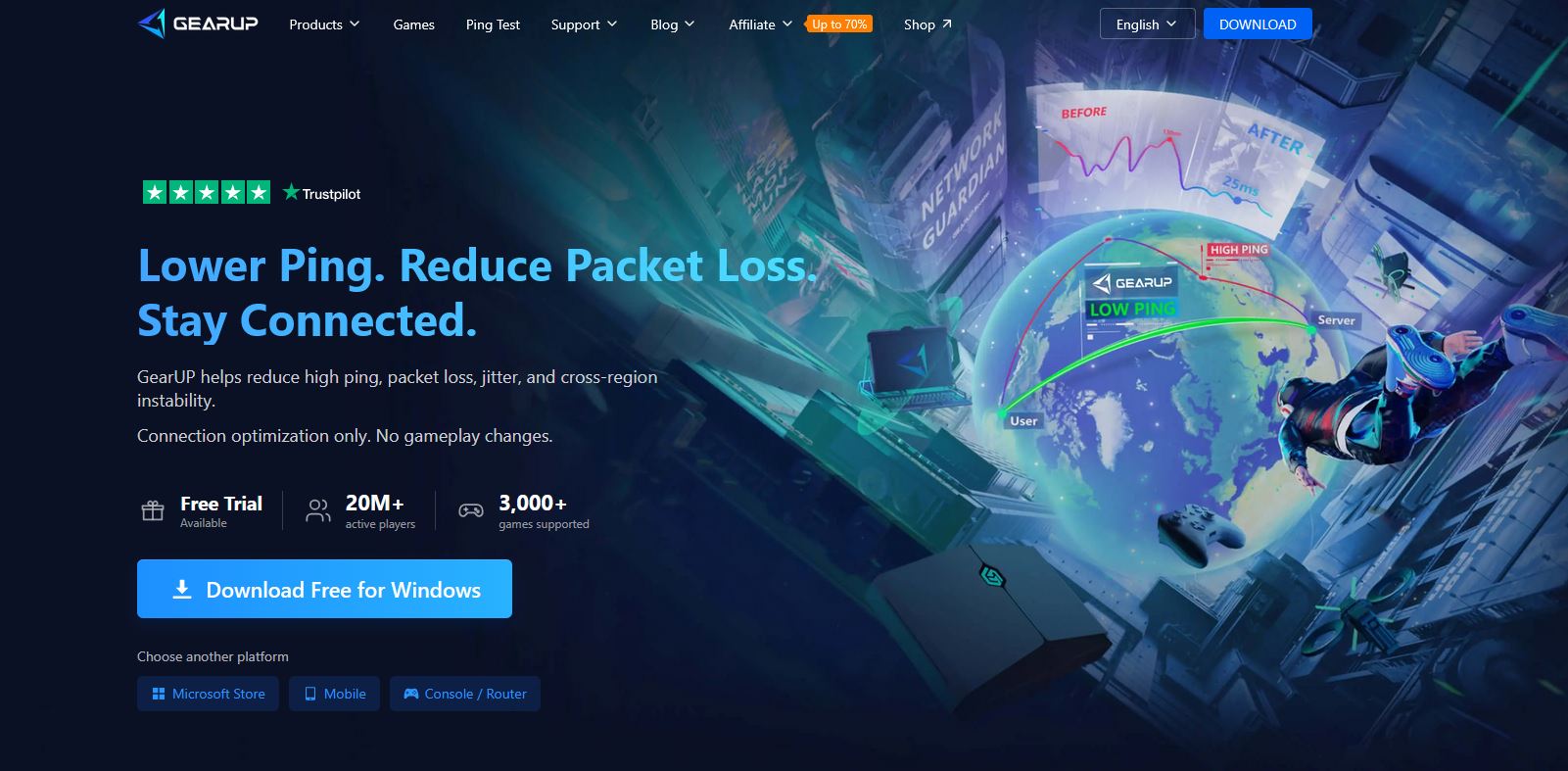
GearUP Booster is a dedicated game network optimizer used by more than 20 million active players globally. It is available for Windows PC, Android, iOS, and all major gaming consoles.
Unlike a standard gaming VPN that routes all your internet traffic through a single overseas server, GearUP focuses exclusively on your game’s network traffic and uses intelligent, real-time path selection to find the fastest, most stable route to the game server.
The result is lower ping, less packet loss, and a far more stable connection — without changing anything about how you play, what your game looks like, or how your computer performs.
| GearUP Booster — At a Glance (2026) |
| Trusted by 20M+ active players worldwide |
| 3,000+ games supported across all platforms |
| Available on Windows, Android, iOS, PlayStation, Xbox, Nintendo Switch, Steam Deck, Oculus Quest, PICO |
| Microsoft Editor’s Pick on the Microsoft Store |
| Endorsed by 100+ YouTube gaming influencers |
| Official partner: Discord, ASUS, PUBG, TSM esports, NARAKA, Delta Force, Fragpunk, and more |
| Free trial available — no credit card required |
The 5 Network Problems GearUP Booster Solves
Problem 1: High Ping / Latency
Ping is the round-trip time between your device and the game server, measured in milliseconds. Even 40-50ms of unnecessary latency can cost you a kill, a dodge, or an entire match. GearUP reroutes your game traffic through its global network of optimized nodes, cutting unnecessary hops and reducing your ping significantly.
Problem 2: Packet Loss
Packet loss occurs when data packets sent between you and the game server never arrive. You see abilities that don’t register, shots that don’t connect, and characters teleporting. GearUP’s optimized paths avoid the congested or unreliable segments of the public internet where packet loss is most common.
Problem 3: Jitter (Unstable Ping)
A ping that alternates between 30ms and 200ms is worse than a stable 80ms. Jitter makes gameplay feel unresponsive and unpredictable. GearUP’s Adaptive Intelligent Routing (AIR) monitors and adjusts your route continuously in real time to keep latency stable throughout your session.
Problem 4: Cross-Region Connection Instability
Trying to play on Asian servers from Europe? Joining NA friends from Southeast Asia? Long-distance game connections are notoriously poor on standard ISP routing. GearUP maintains global node infrastructure specifically designed for cross-region routing with dramatically lower latency.
Problem 5: ISP Throttling & Poor Routing Policies
Many internet service providers use routing policies that prioritize cost over performance, adding unnecessary latency to your game traffic. Some actively throttle gaming connections during peak hours. GearUP bypasses these ISP-level inefficiencies by routing your game data through premium, purpose-built infrastructure.
The Technology: Adaptive Intelligent Routing (AIR)
The technology at the core of GearUP Booster is its patented Adaptive Intelligent Routing system, known as AIR. Here is how it works:
- GearUP continuously scans hundreds of available network paths between your device and the game server.
- It evaluates each path in real time for latency, packet loss rate, stability, and current load.
- It automatically selects and connects through the best available path for your specific game and server region.
- If conditions change — for example, a node becomes congested — GearUP instantly and silently switches to a better path without interrupting your game session.
This is not a set-and-forget VPN tunnel. It is a continuously adaptive system that responds to real-time network conditions throughout your entire gaming session.
The practical impact: consistently lower ping, minimal jitter, and dramatically reduced packet loss — even during peak internet hours when public network congestion is at its worst.
Supported Platforms: Every Gamer Is Covered
GearUP supports more platforms than almost any competing booster on the market in 2026:
| Platform | Access Method | Notes |
| Windows PC | Download from gearupbooster.com or Microsoft Store | Primary platform; supports console game boosting too |
| Android | GearUP Mobile app (Google Play) | One-tap boost for mobile games |
| iOS (iPhone/iPad) | GearUP Mobile app (App Store) | Full mobile game optimization |
| PlayStation (PS4/PS5) | Via GearUP Router (HYPEREV) | No software install needed on console |
| Xbox (One/Series) | Via GearUP Router (HYPEREV) | Full console support |
| Nintendo Switch | Via GearUP Router (HYPEREV) | Reduces lag in online games |
| Steam Deck | Via GearUP for Windows | Optimizes PC game connections |
| Oculus Quest / PICO | Via GearUP for Windows | Reduces VR multiplayer latency |
3,000+ Games Supported — All Major Titles Included
GearUP covers an enormous library spanning competitive shooters, battle royales, MOBAs, MMORPGs, sports games, and mobile titles. A sample of supported games includes:
- Valorant
- Call of Duty: Warzone / Modern Warfare III
- Apex Legends
- PUBG / PUBG Mobile
- Fortnite
- League of Legends / Wild Rift
- Genshin Impact
- DOTA 2
- Overwatch 2
- Rocket League
- Minecraft (Java & Bedrock)
- NARAKA: BLADEPOINT
- Delta Force
- Fragpunk
- Arena Breakout: Infinite
- Once Human
- Blood Strike
- Strinova
- Fate Trigger: The Novita
- Harry Potter: Magic Awakened
- … and 3,000+ more, with regular additions
The full supported game list is available and regularly updated at gearupbooster.com/games
GearUP Product Lineup: Which One Should You Get?
Option 1: GearUP for Windows (Most Popular)
The flagship desktop application. Install it on your PC and it optimizes game traffic for PC titles as well as console games connected through your home network. Lightweight, one-click setup, minimal system resource usage.
- OS: Windows 7 / 8 / 10 / 11 (32-bit and 64-bit supported)
- Storage: Only 200 MB required
- Connection: Broadband internet (wired or Wi-Fi)
- Trial: Free trial available — no credit card needed
Option 2: GearUP for Mobile
A dedicated app for Android and iOS that brings one-tap game optimization to your phone or tablet. Built specifically for mobile gaming titles like PUBG Mobile, Mobile Legends, Genshin Impact, Free Fire, and more.
Option 3: GearUP Router (HYPEREV)
A dedicated hardware gaming router that brings GearUP’s network optimization to every device in your home simultaneously. No software installation required on individual devices — plug it in and every console, PC, and phone benefits instantly.
- One-click boost for all connected devices
- Ideal for households with multiple gamers
- Available at shop.gearupbooster.com
Is GearUP Safe? Can It Get You Banned?
This is the most common concern from new users, and the answer is straightforward:
| GearUP Is 100% Safe — Zero Ban Risk |
| GearUP operates exclusively at the network layer. It does NOT: |
| x Modify game files, code, or memory |
| x Inject scripts or use automation tools |
| x Alter gameplay mechanics, aim, or in-game behavior |
| x Trigger anti-cheat software (EAC, BattlEye, Vanguard, FACEIT, etc.) |
| From the perspective of the game server and anti-cheat systems, GearUP is |
| indistinguishable from a normal optimized internet connection. |
| GearUP is fully compliant with the Terms of Service of all major games. |
This has been validated by multiple professional esports players, YouTube creators, and thousands of Trustpilot reviewers. GearUP is an official partner of the TSM esports organization and is used openly by competitive players across all skill levels worldwide.
What Real Users Are Saying
GearUP has been tested and reviewed by gamers in more than 50 countries. Here is a selection of verified user experiences:
| User / Location | Game | Experience |
| Garit Dewana (Indonesia) 813K YouTube subscribers | PUBG | Ping dropped immediately after enabling GearUP. Smoother than ever with no technical issues. |
| Tito3697 (Italy) 123K YouTube subscribers | Call of Duty | Reduced ping from 68ms to ~50ms on Wi-Fi. Stabilizes connection for CoD, Apex, Valorant, and Rocket League. |
| Jonathan Fischer (Poland) | Fortnite EU | Suffered constant disconnects due to location. Now plays anytime with excellent ping. Back on the podium. |
| ItsMeOliverrr (England) | Apex Legends NA | Could not connect to NA servers before. Now plays with American friends smoothly. |
| Truong Anh (Vietnam) | NARAKA SEA | GearUP reduced his latency by over 50%, directly improving win rate in competitive matches. |
| Togepy (Japan) | PUBG KR | Eliminated nighttime ping spikes and packet loss on Korea server. Now plays stress-free. |
| Rudya (Russia – Far East) | DOTA 2 JP | Achieved sub-50ms ping to Japan server — previously impossible from his geographic location. |
| Macalinao (Philippines) | Valorant HK | Cross-region connection to Hong Kong server went from unstable to smooth for his entire group. |
Industry Partnerships & Recognition
GearUP has earned the trust of major organizations across the gaming and technology space:
- Microsoft: Featured as Editor’s Pick on the Microsoft Store
- Discord: Joint Discord Nitro promotion for eligible GearUP players
- ASUS: Bundled with selected ASUS gaming routers
- PUBG Corporation: Official network optimization collaborator
- TSM: Official esports team partner (North America)
- NARAKA: BLADEPOINT: Official collaboration — recommended by the game developer
- Delta Force: Official launch partner for network optimization
- Fragpunk: Official collaborator
- Reyee & ZTE: Official hardware partners
- SafeShell VPN: Technology partner
How to Get Started with GearUP (Step-by-Step)
For PC / Windows Users
- Go to gearupbooster.com — click Download Free for Windows (or install from the Microsoft Store)
- Run the installer — it takes under 2 minutes and uses only 200 MB of storage
- Create a free account using your email address
- Open GearUP and search for your game in the library (3,000+ titles available)
- Select your preferred game server region
- Click Boost — GearUP identifies the optimal route and begins optimization in seconds
- Launch your game normally. GearUP runs quietly in the background. That is all.
For Mobile (Android / iOS) Users
- Download GearUP for Mobile from Google Play or the Apple App Store
- Create or log into your GearUP account
- Select your game from the library and tap Boost
- Open your game and notice the difference
For Console Users (PlayStation / Xbox / Switch)
- Order the GearUP Router (HYPEREV) at shop.gearupbooster.com
- Connect the router to your home network following the included setup guide
- All devices connected to the router are automatically optimized — no per-device configuration needed
| Free Trial — Try Before You Buy |
| GearUP offers a free trial with no credit card required. |
| You can test the product on your actual games and see real results before committing. |
| Live ping statistics are displayed in the GearUP interface so you can compare before/after. |
| Multiple subscription tiers are available for casual and dedicated gamers. |
| Visit gearupbooster.com for current pricing and active promotions. |
Pricing Overview
GearUP operates on a subscription model. A free trial is included for all new users. Paid plans provide unlimited access to all supported games on your chosen platform.
| Plan | Best For | Key Benefit |
| Free Trial | New users who want to test results first | Try on real games with no payment required |
| Short-term / Day Pass | Occasional gamers and tournament players | Pay only for the days you need it |
| Monthly Subscription | Regular gamers who play weekly | Full access at a predictable monthly rate |
| Annual Subscription | Dedicated / daily gamers | Best value per month; lowest cost long-term |
For the most current and accurate pricing, visit gearupbooster.com directly. Plans and promotions are updated regularly, and seasonal deals are available throughout the year.
Ready to Fix Your Connection? Here Is What to Do Right Now
Lag and high ping are not inevitable. They are fixable network routing problems — and GearUP Booster is one of the most proven tools available to fix them, backed by 20 million users, major industry partnerships, and a free trial that lets you see results before spending anything.
- Step 1: Download GearUP for free at gearupbooster.com (no credit card needed)
- Step 2: Search for your game, select your server region, and click Boost
- Step 3: Compare your ping before and after — GearUP shows live stats in the interface
- Step 4: If you see improvement (most users do), choose the subscription plan that suits you
- Step 5: Enjoy lag-free, stable gaming across all your favorite titles and platforms
Get GearUP Booster Free: www.gearupbooster.com
Frequently Asked Questions
Does GearUP work over Wi-Fi, or do I need a wired connection?
GearUP works with both wired Ethernet and Wi-Fi connections. It is particularly effective on Wi-Fi where network paths tend to be more variable and unstable.
Will GearUP slow down the rest of my internet or affect other devices?
No. GearUP only routes your game’s network traffic through its optimized paths. All other internet activity on your device and home network is completely unaffected.
Can I use GearUP on multiple devices simultaneously?
Yes. Check the current plan details at gearupbooster.com for the number of simultaneous device connections available on each subscription tier.
How is GearUP different from a gaming VPN?
A standard gaming VPN routes all your traffic through one fixed server and may actually increase latency. GearUP uses Adaptive Intelligent Routing (AIR) to dynamically select the best path specifically for game traffic in real time — it only touches game packets, not your entire connection, and it continuously adapts as network conditions change.
What if GearUP does not improve my connection?
The free trial lets you test GearUP on your actual games before purchasing. GearUP also provides customer support to help troubleshoot any connection issues you experience.
Is GearUP available in my country?
GearUP is available in most regions globally. For specific regional availability and any restrictions, check gearupbooster.com or contact their support team directly.
How many games does GearUP support?
GearUP currently supports 3,000+ games across PC, mobile, and console platforms. The library is updated regularly to include new titles.
Affiliate Disclosure: This post contains affiliate links. If you sign up for GearUP Booster through links in this article, I may earn a commission at no additional cost to you. I only recommend products I believe provide genuine value to gamers. All product information sourced directly from gearupbooster.com. Last verified: May 2026.