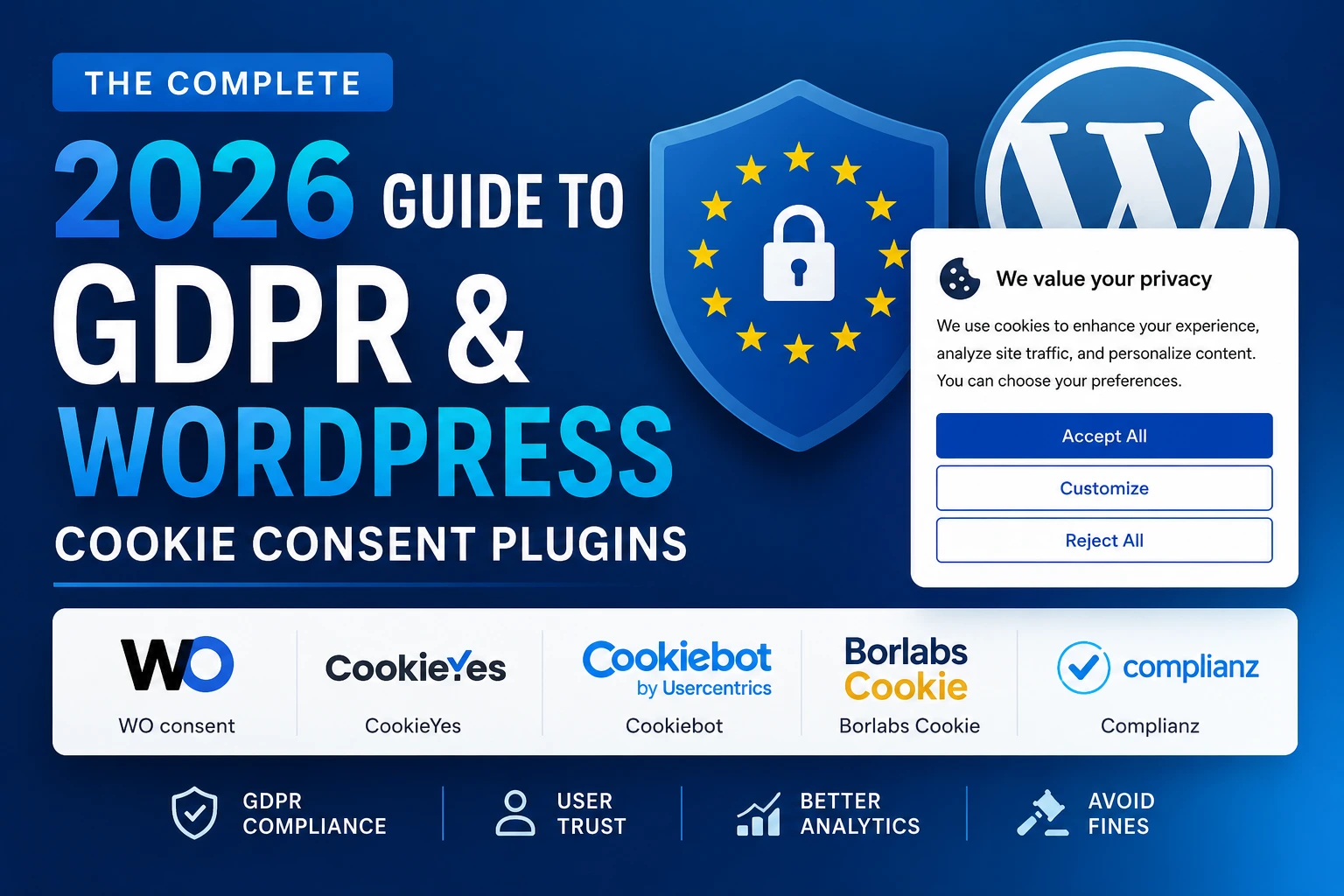
What Is GDPR, Why Your Website Needs Compliance, and Which Plugin to Install
1. What Is GDPR? And Why Does It Affect Your Website?
If you run a website that receives visitors from Europe — and in 2026, virtually every website does — you have almost certainly heard the term GDPR. But what exactly is it, what does it require, and what happens if you ignore it?
1.1 Understanding GDPR in Plain English
GDPR stands for the General Data Protection Regulation. It is a comprehensive data privacy law passed by the European Union that came into force on 25 May 2018. Its core purpose is to give individuals in the EU and UK meaningful control over how their personal data is collected, stored, and used.
Before GDPR, websites routinely tracked visitors, set cookies, and collected personal data with little to no transparency. GDPR changed the rules fundamentally: websites must now ask for permission before collecting personal data, explain clearly what they collect and why, and give visitors an easy way to withdraw consent or request their data be deleted.
Personal data under GDPR includes: names, email addresses, IP addresses, location data, device identifiers, and — most relevant to your website — cookies that track user behaviour, preferences, or identity.
1.2 Which Laws Apply to Your Website?
GDPR is the most widely known privacy law, but it is far from the only one. The global privacy law landscape in 2026 includes:
- GDPR (EU & UK): The most comprehensive. Applies to any website collecting data from EU or UK residents, regardless of where the website is hosted.
- ePrivacy Directive (EU): The ‘Cookie Law.’ Specifically governs the use of cookies and similar tracking technologies. Works alongside GDPR.
- CCPA / CPRA (California, USA): Requires disclosure and opt-out options for the sale or sharing of personal data. Applies to businesses meeting certain thresholds.
- LGPD (Brazil): Brazil’s equivalent of GDPR. Applies to sites with Brazilian visitors.
- PIPEDA (Canada): Canada’s federal privacy law governing data collection from Canadian residents.
- POPIA (South Africa): South Africa’s Protection of Personal Information Act.
- DSGVO / TTDSG (Germany): Germany’s implementation of GDPR, with stricter local enforcement — a reason Borlabs Cookie was built specifically for German compliance standards.
The bottom line: If your website uses Google Analytics, any advertising pixels (Facebook Pixel, Google Ads), embedded YouTube videos, live chat tools, email marketing integrations, or any third-party service that sets cookies or collects user data — you need a cookie consent mechanism. This applies regardless of where your website is hosted or where your business is based.
1.3 What Are the Penalties for Non-Compliance?
GDPR enforcement is not theoretical. As of 2026, total GDPR fines have surpassed €4.5 billion, with a 22% year-over-year increase in enforcement actions targeting small and medium-sized businesses directly. The days of SMBs flying under the radar are over.
- Maximum fines under GDPR: Up to €20 million or 4% of annual global turnover — whichever is higher.
- Typical SMB fines: Ranging from €5,000 to €50,000 for non-compliant websites, depending on the violation and jurisdiction.
- Reputational damage: Beyond financial penalties, non-compliance undermines visitor trust. Displaying a cookie banner signals to visitors that you take their privacy seriously.
| Real Enforcement in 2026 Enforcement agencies across the EU are actively scanning websites for compliance failures. A missing or non-functional consent banner is not a minor technical oversight — it is a documented legal violation. Installing a proper cookie consent plugin is one of the most important steps you can take to protect your website legally. |
2. What Are Cookies — and Why Do They Need Consent?
2.1 What Is a Cookie?
A cookie is a small text file that a website places on a visitor’s device (computer, phone, or tablet) when they visit. Cookies remember information about the visitor — their preferences, login status, shopping cart contents, or browsing behaviour — so that experience can be personalised or tracked over time.
Cookies themselves are not inherently bad. Many are essential: session cookies keep you logged into your online banking, shopping cart cookies remember your items. The problem arises with non-essential cookies that track behaviour without clear consent — particularly advertising and analytics cookies.
2.2 Types of Cookies (and Which Need Consent)
| Cookie Type | Examples | Consent Required? | Notes |
| Essential / Strictly Necessary | Login sessions, shopping cart, security tokens | No | Cannot be blocked — required for site to function |
| Functional / Preference | Language settings, theme preferences, remembered choices | Recommended | Enhance experience but not essential |
| Analytics / Statistics | Google Analytics, Matomo, Hotjar | Yes (EU/UK) | Track visitor behaviour — require explicit opt-in under GDPR |
| Marketing / Advertising | Facebook Pixel, Google Ads, LinkedIn Insight | Yes (mandatory) | High-risk tracking — must be blocked until consent given |
| External Media / Social | YouTube embeds, Twitter widgets, Google Maps | Yes | Set third-party cookies even for embedded content |
2.3 What Does Proper Cookie Consent Require?
A mere notice that says ‘We use cookies’ is not sufficient under GDPR. Proper cookie consent in 2026 must be:
- Freely given: Consent must be a genuine choice. Pre-ticked boxes and ‘implied consent’ (continuing to browse) do not constitute valid consent under GDPR.
- Specific: Visitors must consent to each category of cookie separately — not a blanket ‘accept all.’
- Informed: The banner must explain what cookies are used, by whom, and for what purpose.
- Unambiguous: Consent must be given through a clear, affirmative action — clicking ‘Accept’ or toggling individual categories.
- Withdrawable: Visitors must be able to change or withdraw their consent at any time, as easily as they gave it.
- Documented: You must be able to demonstrate that consent was obtained. Consent logs are essential for audit readiness.
| The ‘Reject’ Button Requirement Showing an ‘Accept All’ button without an equally prominent ‘Reject All’ or ‘Manage Preferences’ option is not compliant. EU data protection authorities have consistently ruled that making rejection harder than acceptance (a ‘dark pattern’) violates GDPR. Your cookie banner must make refusing as easy as accepting. |
3. What Does a Cookie Consent Plugin Actually Do?
A WordPress cookie consent plugin automates the entire compliance process. Without one, achieving genuine GDPR compliance would require custom development work costing thousands of dollars. A plugin handles this with a few clicks.
Specifically, a good cookie consent plugin does the following:
- Scans your website automatically: Detects all cookies set by your site, your theme, and all your plugins — including third-party tracking scripts you may not even know exist.
- Categorises cookies: Sorts detected cookies into categories (essential, analytics, marketing, etc.) based on a database of known services.
- Displays a consent banner: Shows a GDPR-compliant banner to visitors, clearly explaining what cookies are used and giving them genuine choices.
- Blocks scripts until consent: Prevents analytics scripts, pixels, and third-party embeds from loading until the visitor has explicitly consented to the relevant cookie category.
- Records consent: Creates a timestamped consent log for each visitor — essential for demonstrating compliance if your website is ever audited.
- Generates a cookie policy page: Creates and maintains a live cookie declaration on your website that automatically updates when new cookies are detected.
- Handles geo-targeting: Shows consent banners only to visitors in regions where they are legally required (e.g., showing the GDPR banner only to EU visitors, and a CCPA notice only to California visitors).
- Integrates with Google Consent Mode v2: Mandatory since March 2024, this Google requirement means your analytics and advertising data in EU markets depends on proper consent mode integration. Without it, your Google Analytics data for EU visitors is unreliable.
| Google Consent Mode v2 — Non-Negotiable Since March 2024, Google requires all websites using Google Analytics or Google Ads to implement Consent Mode v2 for EU traffic. Without it, your ad conversions are either uncounted or miscounted, and your Analytics data is incomplete. Ensure any plugin you choose explicitly supports Google Consent Mode v2. |
4. The Best WordPress Cookie Consent Plugins in 2026
We have researched and tested all five plugins in depth. Here is an honest, detailed review of each — including features, pricing, pros, cons, and who each is best for.
4.1 WPConsent — Best WordPress-Native Solution
Active installs: 100,000+ Best for: WordPress-first users, data sovereignty, agencies Free version: Yes — generous free tier
WPConsent is the newest entrant in this comparison and arguably the most compelling option for pure WordPress users. Built by the team behind WPForms, AIOSEO, and WPBeginner — some of the most trusted names in the WordPress ecosystem — WPConsent was designed from the ground up as a native WordPress solution, not a generic SaaS tool adapted for WordPress.
The fundamental difference that sets WPConsent apart is data sovereignty. Unlike cloud-based solutions such as CookieYes and Cookiebot, WPConsent stores all consent data in your own WordPress database on your own server. Nothing is sent to external servers. This matters deeply for GDPR compliance: the data about your visitors’ consent preferences should ideally live on your infrastructure, not a third party’s cloud.
Setup is genuinely fast. An automatic wizard scans your site, detects cookies, suggests categories, and walks you through the configuration. Most users are compliant in under ten minutes. The visual banner editor requires no coding, and the resulting banners look professional and modern out of the box.
Key Features
- 100% WordPress-native: All consent data stored in your own WordPress database — no external servers, no cloud dependencies
- Automatic cookie scanner: Detects all cookies set by your site, plugins, and theme
- Visual banner editor: Customise colours, text, position, and style without touching code
- Google Consent Mode v2: Full support — essential for accurate Google Analytics and Ads data in EU markets
- Geo-targeted consent rules: Show GDPR banners only to EU visitors, CCPA notices only to California visitors
- Consent logging: Timestamped audit trail of every consent event, stored in your database
- Script blocking: Blocks non-essential scripts (analytics, pixels) until consent is given for the relevant category
- IAB TCF support: Industry-standard Transparency and Consent Framework for advertising consent
- Multi-language support: Translate your consent banner for international audiences
- WooCommerce compatible: Works correctly with WooCommerce tracking and payment scripts
- No pageview limits: Unlike SaaS competitors, no traffic-based pricing tiers
Pricing
| Plan | Sites | Price | Key Features |
| Free | 1 | Free forever | Core consent banner, cookie scanner, Google Consent Mode v2, basic customisation |
| Basic | 1 | $49.50/year | Everything free + geo-targeting, advanced consent logs, priority support, more templates |
| Plus | 3 | $99.50/year | Basic features on 3 sites |
| Pro | Unlimited | $199.50/year | All features on unlimited sites — ideal for agencies |
Note: WPConsent’s free version is notably more capable than most competitors’ free tiers. The Pro tier at $199.50/year for unlimited sites represents excellent value for agencies managing multiple client sites. No pageview limits apply at any tier.
Pros and Cons
| Pros | Cons |
| ✓ All data stored on your own WordPress server — true data sovereignty | ✗ Newer plugin — smaller community than CookieYes or Cookiebot |
| ✓ No pageview limits at any pricing tier | ✗ Documentation still growing compared to established competitors |
| ✓ Built by the trusted WPBeginner / Awesome Motive team | ✗ No standalone SaaS dashboard — WordPress-only |
| ✓ Generous free tier with Google Consent Mode v2 included | ✗ Auto cookie scan database still growing vs. Cookiebot’s larger cloud database |
| ✓ Fast, intuitive setup wizard | ✗ Geo-targeting requires paid plan |
| ✓ Geo-targeted consent rules included in paid plans | |
| ✓ WordPress-native = no external API calls or dependencies | |
| ✓ IAB TCF support for advertising networks |
Who Should Choose WPConsent?
- WordPress-centric users who want full control over where consent data is stored
- Sites concerned about GDPR implications of sending consent data to third-party cloud servers
- Agencies managing multiple WordPress sites — the unlimited plan is excellent value
- Anyone who wants a trusted, WordPress-native team (WPBeginner ecosystem) behind their compliance tool
- Sites needing no pageview limits regardless of traffic volume
| Get WPConsent — Free version available. Pro from $49.50/year click here |
4.2 CookieYes — Most Popular and Easiest to Set Up
Active installs: 1.5 million+ Best for: Beginners, multi-platform sites, fast deployment Free version: Yes (limited to 5,000 pageviews/month)
CookieYes is the most widely installed cookie consent plugin in the world, with over 1.5 million active websites relying on it. Its popularity is built on one core strength: it is exceptionally fast and easy to get running. The setup wizard is intuitive, the automatic cookie scanner works reliably, and the consent banners look polished without any design effort.
As a Google-certified Consent Management Platform (CMP), CookieYes has gone through Google’s official certification process — an important credential that signals genuine compliance competency and ensures correct Consent Mode v2 implementation.
CookieYes operates as a SaaS (Software as a Service) platform. Your WordPress plugin connects to the CookieYes cloud dashboard, where you manage your settings, review consent analytics, and handle multi-site configurations. Consent data is stored on CookieYes’s EU-based servers, which is GDPR compliant — but does mean your consent records live outside your WordPress database, on a third-party platform.
The free tier is genuinely functional — but critically limited to 5,000 pageviews per month. Any active website will hit this ceiling quickly, at which point you need to upgrade. Factor this into your cost planning.
Key Features
- Google-certified CMP: Official Google certification for Consent Management Platform compliance
- Automatic cookie scanner: Regular automated scanning to detect new cookies as you add plugins or scripts
- 40+ language auto-translation: Banner automatically translates based on visitor’s browser language — a unique differentiator for multilingual sites
- Google Consent Mode v2: Full integration with Google’s consent signalling requirements
- IAB TCF 2.2 support: Industry consent framework for advertising networks
- Geo-targeted consent: Show different banners to visitors based on their location
- Consent analytics dashboard: Cloud dashboard showing acceptance rates, rejection rates, and consent trends
- Multi-site management: Manage multiple websites from a single CookieYes dashboard
- Multi-platform: Works on WordPress, Shopify, Squarespace, Wix, and other platforms — ideal for agencies managing diverse client site stacks
- Cookie declaration page: Auto-generated and auto-updated cookie policy page
- Consent logs: Stored on EU-based servers with full audit trail
Pricing
| Plan | Pageviews / Month | Price | Key Features |
| Free | 5,000 | Free | Core features, basic scanner, Google Consent Mode v2, 1 domain |
| Starter | 50,000 | $10/month per domain ($100/yr) | Geo-targeting, advanced customisation, consent logs, all regulations |
| Growth | 150,000 | $20/month per domain ($240/yr) | Everything Starter + A/B testing, custom branding, more scan URLs |
| Business | 500,000 | $40/month per domain ($480/yr) | Everything Growth + priority support, advanced analytics |
| Enterprise | Unlimited | Custom pricing | Unlimited pageviews, dedicated support, SLA |
Note: CookieYes pricing is per domain. If you manage multiple websites, costs multiply per site. The pageview-based pricing model means growing websites face increasing costs. A site receiving 100,000+ monthly pageviews needs the Growth plan at $240/year per domain. Plan for this when budgeting.
Pros and Cons
| Pros | Cons |
| ✓ Fastest and easiest setup of any plugin in this comparison | ✗ Free tier limited to 5,000 pageviews/month — most sites need paid |
| ✓ Google-certified CMP — important official credential | ✗ SaaS model: consent data stored on third-party servers |
| ✓ 40+ language auto-translation is genuinely unique | ✗ Per-domain pricing adds up quickly for multi-site managers |
| ✓ Largest installed base — 1.5 million+ sites | ✗ Monthly pageview limits means costs rise with your success |
| ✓ Works across multiple platforms (not just WordPress) | ✗ External dashboard breaks WordPress-native workflow |
| ✓ Polished consent analytics in the cloud dashboard | ✗ Dependency on CookieYes infrastructure — if they have issues, you do too |
| ✓ EU-based server storage for consent data (GDPR compliant) | |
| ✓ Regular automated cookie scanning keeps declarations updated |
Who Should Choose CookieYes?
- Beginners who want the fastest possible path to a working, compliant consent banner
- Multi-platform agencies managing WordPress, Shopify, and Wix sites from one dashboard
- Multilingual websites that need automatic banner translation into 40+ languages
- Sites where Google-certified CMP status is a specific requirement (e.g., for an ad network partner)
- Small sites under 5,000 pageviews/month who can use the free tier indefinitely
| Get CookieYes — Free up to 5,000 pageviews/month. Paid plans from $10/month per domain Click here |
4.3 Cookiebot (by Usercentrics) — Enterprise-Grade Cloud Scanning
Active installs: 500,000+ Best for: Enterprise, corporate, large multi-page sites Free version: Yes (up to 50 sub-pages)
Cookiebot, now operating under the Usercentrics brand, is the gold standard for enterprise-grade cookie compliance. Its defining capability is automated cloud scanning: every month (or on demand), Cookiebot’s servers crawl every page of your website, identify every tracker and cookie using a global database of thousands of known services, and automatically update your cookie declaration. This ‘set and forget’ approach is what enterprise legal teams pay for.
For large websites with hundreds or thousands of pages — where manually auditing cookies is simply not feasible — Cookiebot’s automated detection is a genuine operational necessity. Corporate legal departments value it because the scanning and categorisation happen autonomously, reducing the risk of undiscovered tracking scripts causing compliance violations.
However, Cookiebot’s pricing model is its most significant weakness. It scales with the number of sub-pages (URLs) on your website, meaning large sites face steeply increasing costs. Users also consistently report unexpected price hikes and billing complexity. For small to medium sites, Cookiebot’s pricing and SaaS overhead are harder to justify when alternatives like WPConsent and Complianz deliver comparable compliance at lower cost.
Key Features
- Automated cloud-based scanning: Monthly crawl of your entire website detects all cookies and trackers without any manual effort
- Global tracker database: Automatically identifies and categorises thousands of known marketing pixels, analytics tools, and third-party services
- Google Consent Mode v2: Full integration — certified by Google
- IAB TCF 2.2 support: Advertising industry consent framework
- Geo-targeted banners: Apply different consent requirements by visitor geography
- 40+ language support: Banner displayed in visitor’s language
- Consent analytics: Dashboard reporting on consent rates across your domains
- Multi-domain management: Manage multiple websites from a centralised dashboard
- Subpage limit scaling: Pricing scales with number of sub-pages scanned
- Extensive enterprise integrations: Connects with Adobe Experience Cloud, Salesforce, HubSpot, and other enterprise tools
Pricing
| Plan | Pages Scanned | Price | Notes |
| Free | Up to 50 sub-pages | Free | Limited customisation, basic compliance for very small sites |
| Premium (Starter) | Up to 150 sub-pages | ~$8/month per domain (~$96/yr) | Full features, analytics, geo-targeting, all regulations |
| Premium (Business) | Up to 500 sub-pages | Higher tier — check current pricing | For medium-sized multi-page sites |
| Enterprise | Unlimited pages | Custom pricing | Dedicated account management, SLA, volume discounts |
Note: Cookiebot’s per-sub-page pricing model means costs scale directly with your site’s size. A website with 500+ pages can face costs several times higher than smaller-site plans. Always calculate your actual page count before choosing a Cookiebot plan. Check Usercentrics/Cookiebot’s current pricing at their website as pricing has been subject to changes.
Pros and Cons
| Pros | Cons |
| ✓ Most comprehensive automated cookie scanning on the market | ✗ Sub-page based pricing escalates steeply for larger sites |
| ✓ Ideal for large sites where manual cookie auditing is impractical | ✗ Users report unexpected billing issues and sudden price hikes |
| ✓ Trusted by enterprise and corporate legal teams | ✗ SaaS dependency — consent data on external servers |
| ✓ Google-certified CMP | ✗ Overkill and overly expensive for small to medium websites |
| ✓ Automatically updates cookie declarations without manual effort | ✗ Interface complexity higher than WPConsent or CookieYes |
| ✓ Extensive enterprise tool integrations | ✗ Cloud scanning can impact site performance if not configured correctly |
| ✓ Strong track record and brand recognition | ✗ Free tier very limited (50 sub-pages only) |
Who Should Choose Cookiebot?
- Large corporate or enterprise websites with hundreds of pages where automated detection is necessary
- Legal and compliance teams that need the highest level of automated audit documentation
- Sites already using Usercentrics enterprise tools and want a unified consent platform
- Not recommended for: Small to medium websites where WPConsent or Complianz deliver comparable compliance at far lower cost
| Get Cookiebot (Usercentrics) — Free for up to 50 sub-pages. Premium from ~$8/month Click here |
4.4 Borlabs Cookie — Best for German / DACH Compliance and Developers
Active installs: 50,000+ Best for: DACH region, strict EU compliance, developers, technical users Free version: No — premium only
Borlabs Cookie is a premium WordPress-only plugin with a particularly strong following among developers and agencies operating in Germany, Austria, and Switzerland (the DACH region). This is not accidental: Germany’s data protection authorities (DSBs) are among the most aggressive in Europe, and the TDDDG (Germany’s specific implementation of the ePrivacy rules) imposes stricter requirements than GDPR alone. Borlabs Cookie was built specifically to meet these demanding standards.
Unlike CookieYes and Cookiebot, which operate as cloud SaaS platforms, Borlabs Cookie is self-hosted — all data stays in your WordPress database, giving you the same data sovereignty as WPConsent. This is a significant compliance and privacy advantage: your visitors’ consent preferences are stored on your server, not on a third party’s infrastructure.
The Version 3.x release (with the 3.4 update in early 2026 adding a long-requested setup wizard) significantly improved usability. The plugin now includes an automatic cookie scanner, geo-restriction, IAB TCF 2.2 support, and a library of 350+ pre-configured service packages for popular tools like Google Analytics, YouTube, Facebook Pixel, and many more. Installation and setup of known services is essentially one-click.
Borlabs Cookie’s pricing is in Euros (net, excluding VAT) and is a subscription model. At €39/year for one site, it represents excellent value for a premium, self-hosted solution.
Key Features
- 100% self-hosted: All consent data stored in your WordPress database — no third-party cloud storage
- 350+ pre-configured service packages: One-click integration with Google Analytics, YouTube, Facebook Pixel, Hotjar, and hundreds more
- Automatic cookie scanner: Detects cookies on your site and suggests correct categorisation
- Granular opt-in by category: Essential, Statistics, Marketing, External Media — visitors control each category individually
- Script blocking until consent: Third-party scripts are blocked until the visitor explicitly consents to the relevant category
- Consent logging with timestamps: Full audit trail for regulatory compliance
- Geo-restriction: Show consent banners only to visitors from regions requiring them
- IAB TCF 2.2: Industry consent framework for advertising networks
- WCAG 2.1 Level AA accessibility: The entire dialog can be customised for colour contrast, ensuring accessibility compliance
- Multilingual: Works with WPML, Polylang, and Weglot for multilingual sites
- TDDDG / DSGVO compliant: Specifically built for German privacy law requirements — the most demanding in the EU
- Setup wizard (v3.4): Guided setup process added in 2026 improves the initial configuration experience
- iFrame blocking: Prevents embedded iFrames (YouTube, Google Maps, etc.) from loading until consent given
Pricing
| Plan | Sites | Price | Notes |
| 1 Website | 1 | €39/year (~$42/yr) | Full features, 1 year updates and support |
| 3 Websites | 3 | €89/year (~$96/yr) | Full features, 3 sites |
| 10 Websites | 10 | €149/year (~$161/yr) | Full features, 10 sites |
| 30 Websites | 30 | €199/year (~$215/yr) | Full features, 30 sites |
| 99 Websites | 99 | €299/year (~$323/yr) | Full features, up to 99 sites |
Note: All Borlabs Cookie prices are in Euros, net (excluding VAT). VAT is added at checkout for EU customers (and is usually reclaimable for business customers). No free version is available; a demo cannot be tested before purchase. Renewal is at the same price as the initial purchase — no hidden hikes.
Pros and Cons
| Pros | Cons |
| ✓ Self-hosted — full data sovereignty, no third-party cloud | ✗ No free version — must pay before trying |
| ✓ Best DACH / German compliance (TDDDG, DSGVO) | ✗ Historically had a steeper learning curve (setup wizard added in 2026) |
| ✓ 350+ pre-configured service packages for instant setup | ✗ Pricing in Euros adds complexity for non-EU buyers |
| ✓ WCAG 2.1 AA accessibility built in | ✗ WordPress-only — no multi-platform support |
| ✓ Stable, consistent renewal pricing | ✗ Smaller English-language community than CookieYes or WPConsent |
| ✓ iFrame blocking for embedded content | ✗ Some advanced features require technical understanding |
| ✓ Active development — library updated almost daily | |
| ✓ Granular per-category consent controls |
Who Should Choose Borlabs Cookie?
- Websites primarily serving visitors in Germany, Austria, or Switzerland (DACH region)
- Developers and agencies who need the strictest possible GDPR/ePrivacy/TDDDG compliance
- Sites that want a self-hosted solution (no cloud dependency) with deep service integration
- Users who need to block iFrame content (YouTube, Google Maps) until consent is given
- Technical users comfortable with the WordPress backend who value precision over beginner simplicity
| Get Borlabs Cookie — From €39/year (1 site). Premium only — no free version. |
4.5 Complianz — Best Multi-Region Compliance with Policy Generation
Active installs: 1 million+ Best for: Multi-region compliance, legal document generation, businesses without legal teams Free version: Yes — functional free tier
Complianz takes a distinctly different approach to cookie compliance from every other plugin in this comparison. Where WPConsent and Borlabs focus on technical cookie blocking, and CookieYes on ease of setup, Complianz positions itself as a comprehensive legal compliance tool that happens to include cookie consent.
Its flagship feature is its guided compliance wizard. When you set up Complianz, you answer a series of detailed questions about your business — where you’re based, what services you use, what type of site you run, which regulations apply to you. Based on your answers, Complianz automatically generates a Privacy Policy, a Cookie Policy, a Terms of Service page, and a compliant cookie consent banner — all tailored to your specific situation. For small business owners without a dedicated legal team, this is an extraordinary time and money saver.
Complianz also excels at multi-region compliance breadth. Beyond GDPR and CCPA, it covers ePrivacy, DSGVO, TTDSG, POPIA, APA, RGPD, PIPEDA, and more. If your website serves visitors across many different jurisdictions with different legal requirements, Complianz’s automatic geo-targeting adjusts banner content and consent requirements for each visitor’s location automatically.
Technically, Complianz is self-hosted — all data stays in your WordPress database. And in performance testing, Complianz adds only 3 HTTP requests and approximately 13 KB to your page — exceptionally lightweight. Its integration with Google Tag Manager means it blocks GTM completely until consent is given, which in testing reduced total page weight from ~498 KB to ~198 KB on GTM-heavy sites.
Key Features
- Compliance wizard: Step-by-step guided setup generates all required legal documents based on your specific business and technology stack
- Auto-generated legal documents: Privacy Policy, Cookie Policy, Terms of Service — all generated and maintained automatically
- Multi-region compliance: GDPR, CCPA/CPRA, ePrivacy, LGPD, PIPEDA, POPIA, DSGVO, TTDSG, and more
- Automatic geo-targeting: Different consent rules and banner content applied based on visitor’s country — no manual configuration needed
- Cookie scanner: Detects and categorises cookies across your entire WordPress installation
- Script blocking: Blocks non-essential scripts, including Google Tag Manager, until consent obtained
- Google Consent Mode v2: Full support for Google’s consent signalling
- Self-hosted: All consent data stored in your WordPress database — no external cloud
- A/B testing for banners: Test different banner configurations to optimise consent acceptance rates
- Region-specific legal text: Cookie declaration and policy text adjusted per visitor’s jurisdiction
- WooCommerce integration: Handles e-commerce tracking compliance, including payment and analytics scripts
- TCF 2.2 compatibility: Industry advertising consent framework support
- WCAG accessible design: Consent banners built to accessibility standards
Pricing
| Plan | Sites | Price | What’s Included |
| Free | 1 | Free | Core compliance wizard, cookie scanner, basic banner, auto-generated policy pages |
| Pro (1 site) | 1 | $49/year (~$49/yr) | Everything free + geo-targeting, A/B testing, all regulations, TCF 2.2, priority support |
| Pro (3 sites) | 3 | $89/year | Pro features on 3 sites |
| Agency | Unlimited | Contact for pricing | Pro features on unlimited sites with agency tools |
Note: Complianz’s free version is genuinely functional for basic compliance on a single site. The Pro upgrade at $49/year unlocks geo-targeting and all regional regulations, which is important if your audience spans multiple countries. Pricing is stable — renewal costs match the initial purchase price.
Pros and Cons
| Pros | Cons |
| ✓ Auto-generates Privacy Policy, Cookie Policy, and Terms of Service | ✗ Setup wizard can feel lengthy and overwhelming for beginners |
| ✓ Broadest multi-region compliance coverage of any plugin here | ✗ Interface is functional but less visually polished than WPConsent or CookieYes |
| ✓ Self-hosted — all data stays in your WordPress database | ✗ Some users find the question-based setup complex initially |
| ✓ Exceptionally lightweight — ~13 KB page impact | ✗ Multi-site / agency pricing requires direct contact |
| ✓ Blocks Google Tag Manager entirely until consent given | ✗ Smaller template library for banner visual design |
| ✓ Stable, predictable pricing — no surprise renewal hikes | |
| ✓ A/B testing to optimise banner acceptance rates | |
| ✓ Free version genuinely useful for basic compliance | |
| ✓ Wizard-based setup accessible to non-technical users |
Who Should Choose Complianz?
- Small business owners who need a full legal compliance package (cookie banner + privacy policy + terms of service) without hiring a lawyer
- Sites serving visitors across multiple countries with different privacy laws — Complianz’s multi-region automation handles this automatically
- Businesses that want a self-hosted solution with the broadest regulatory coverage available
- Sites running Google Tag Manager heavily — Complianz’s GTM blocking is particularly effective
- Anyone who wants stable, predictable pricing without the pageview-based cost increases of SaaS competitors
| Get Complianz — Free version available. Pro from $49/year (1 site) Click here |
5. Side-by-Side Comparison: All Five Plugins
Use this table to compare the most important factors across all five plugins at a glance:
| Factor | WPConsent | CookieYes | Cookiebot | Borlabs Cookie | Complianz |
| Best for | WP-native, data sovereignty | Ease of use, multi-platform | Enterprise, large sites | DACH/German, developers | Multi-region, legal docs |
| Self-hosted vs SaaS | Self-hosted | SaaS (cloud) | SaaS (cloud) | Self-hosted | Self-hosted |
| Free version | Yes (generous) | Yes (5K PV/mo) | Yes (50 sub-pages) | No | Yes (basic) |
| Entry paid price | $49.50/yr | $10/mo ($120/yr) | ~$8/mo (~$96/yr) | €39/yr (~$42/yr) | $49/yr |
| Unlimited sites price | $199.50/yr | Per domain | Custom | €299/yr (~$323/yr) | Contact |
| Pageview limits | None | Yes (scales with plan) | Sub-page based | None | None |
| Cookie scanner | Yes | Yes (automated) | Yes (cloud crawl) | Yes | Yes |
| Google Consent Mode v2 | Yes | Yes (certified) | Yes (certified) | Yes | Yes |
| Geo-targeting | Paid | All paid plans | Premium plans | Yes | Pro plan |
| IAB TCF 2.2 | Yes | Yes | Yes | Yes | Yes |
| Legal doc generation | No | Cookie policy only | Cookie policy only | No | Yes (full suite) |
| Script blocking | Yes | Yes | Yes | Yes | Yes (incl. GTM) |
| iFrame blocking | Yes | Yes | Yes | Yes | Yes |
| Multi-language | Yes | 40+ auto-translate | 40+ languages | Yes (via WPML) | Yes |
| Renewal pricing | Stable | Same rate | Subject to hikes | Stable | Stable |
| Data storage location | Your server | CookieYes EU servers | Usercentrics servers | Your server | Your server |
| WordPress only? | Yes | Multi-platform | Multi-platform | Yes | Yes + Shopify |
6. Which Cookie Consent Plugin Should You Choose?
Here is a clear, situation-based recommendation guide:
| Your Situation | Our Recommendation | Why |
| First-time WordPress user, want simplest possible setup | CookieYes (free up to 5K PV/mo) | Fastest setup, most intuitive, good for getting compliant quickly |
| WordPress site, want full data sovereignty (no cloud) | WPConsent (free or $49.50/yr) | Self-hosted, no pageview limits, built by trusted WP team |
| Agency managing multiple WordPress sites | WPConsent Pro ($199.50/yr unlimited) | Unlimited sites, no pageview limits, self-hosted — best agency value |
| Need Privacy Policy + Cookie Policy auto-generated | Complianz ($49/yr) | Only plugin that auto-generates full legal document suite |
| Serving visitors across many countries/jurisdictions | Complianz or WPConsent Pro | Best multi-region coverage; geo-targeting handles each law automatically |
| German / DACH business, strictest EU compliance needed | Borlabs Cookie (€39/yr) | Purpose-built for TDDDG/DSGVO — the most demanding German standards |
| Large enterprise site with 500+ pages | Cookiebot (Enterprise) | Automated full-site scanning at scale — no alternative matches this |
| Multi-platform: WordPress + Shopify + Wix | CookieYes | Only plugin here with genuine multi-platform dashboard management |
| Need 40+ language auto-translation for banner | CookieYes | Unique feature — auto-translates banner based on browser language |
| Heavily using Google Tag Manager | Complianz | Blocks GTM entirely until consent — most complete GTM handling |
| Want to pay once per year with no pageview surprises | WPConsent, Borlabs, or Complianz | All three use flat annual pricing with no traffic-based limits |
| Running a WooCommerce store in the EU | WPConsent or Complianz | Both handle e-commerce tracking compliance effectively |
| The Most Important Factor: Self-Hosted vs SaaS The single most important decision when choosing a cookie consent plugin is whether you want your consent data stored on your own server (WPConsent, Borlabs, Complianz) or on a third-party cloud (CookieYes, Cookiebot). Under GDPR, the consent records you generate are themselves personal data. Where that data lives matters. Self-hosted solutions give you full control; SaaS solutions offer convenience but add dependency. |
7. Setting Up Cookie Consent: What You Need to Do
Installing a cookie consent plugin is step one, but there are several additional steps to ensure genuine compliance. Use this checklist once you have installed your chosen plugin:
- Run the cookie scanner: After installation, run a full cookie scan to identify all cookies set by your site, your theme, and every plugin you have installed. Review the results carefully — you may discover tracking scripts you did not know were running.
- Categorise your cookies correctly: Ensure each detected cookie is assigned to the correct category (essential, analytics, marketing, etc.). Miscategorisation — particularly marking non-essential cookies as essential — is itself a compliance violation.
- Block non-essential scripts before consent: Verify that analytics scripts (Google Analytics, Facebook Pixel) are not loading until the visitor has given consent. Test this in a private browsing window by checking your browser’s Network tab before clicking ‘Accept.’
- Add a clearly visible ‘Reject All’ option: Your banner must make rejecting cookies as easy as accepting them. Check that the reject option is at least as prominent as the accept button — not hidden in a secondary menu or in smaller text.
- Create a cookie policy page: Add a dedicated Cookie Policy page to your website that lists all cookies used, their purpose, and their duration. Most plugins generate this automatically. Link to it from your consent banner.
- Update your Privacy Policy: Ensure your Privacy Policy references your cookie use, explains the consent mechanism, and includes information on how users can withdraw consent.
- Test on mobile: More than 58% of global web traffic is from mobile devices. Verify that your consent banner is fully functional, readable, and compliant on smartphones and tablets.
- Enable geo-targeting: Configure your plugin to show the GDPR banner to EU/UK visitors and a different CCPA notice to California visitors. Visitors from regions with no cookie consent law do not need a banner — reducing unnecessary friction on your conversion funnel.
- Verify Google Consent Mode v2 integration: In your Google Tag Manager or direct Google Analytics configuration, confirm that Consent Mode v2 signals are being sent correctly. Without this, your ad conversion data for EU visitors is incomplete.
- Test consent withdrawal: Verify that visitors can easily change or withdraw their consent at any time. A ‘Manage Preferences’ or ‘Cookie Settings’ link should be accessible on every page — typically in the footer.
| Test Before You Publish After setting up your cookie consent plugin, open your site in a private/incognito browser window to simulate a first-time visitor. You should see the consent banner. Check your browser’s developer tools (Network tab) to verify that analytics and advertising scripts are not loading before you click ‘Accept.’ This is the single most important functional test for genuine GDPR compliance. |
8. Frequently Asked Questions
Do I really need a cookie consent plugin if I only use Google Analytics?
Yes. Google Analytics sets cookies that collect personal data (IP addresses, user identifiers, session data). Under GDPR, these require explicit consent from EU and UK visitors before the analytics script is allowed to run. Since March 2024, Google also requires Consent Mode v2 integration for EU traffic — without it, your analytics data is incomplete. Simply having a cookie banner that says ‘We use cookies’ is not sufficient; the plugin must block the Analytics script until consent is given.
What is Google Consent Mode v2 and why does it matter?
Google Consent Mode v2 is a framework Google introduced to allow websites to signal a visitor’s consent choices directly to Google’s services (Analytics, Ads, Tag Manager). When a visitor declines analytics cookies, Consent Mode v2 signals this to Google, which then uses modelling to estimate aggregate data without collecting personal data from that visitor. Without Consent Mode v2, EU visitors who decline cookies simply disappear from your analytics entirely, creating significant data gaps and affecting your ad conversion tracking and ROAS calculations.
Is showing a cookie banner enough for GDPR compliance?
No. A banner that merely informs visitors about cookies (without blocking them and obtaining explicit consent) is not GDPR compliant. The script or cookie must not run until the visitor has actively consented. Additionally, the banner must offer a genuine ‘Reject’ option that is as easy to use as ‘Accept,’ and you must maintain consent logs proving that consent was obtained.
What is the difference between self-hosted and SaaS cookie consent plugins?
Self-hosted plugins (WPConsent, Borlabs Cookie, Complianz): Store all consent data in your own WordPress database on your own server. Nothing leaves your infrastructure. Full control over your data. SaaS plugins (CookieYes, Cookiebot): Store consent data on the provider’s cloud servers. Setup is often easier and cloud features (like centralised multi-site dashboards and automated scanning) are more capable — but your consent records live on a third-party platform, and you’re dependent on their service availability and pricing decisions.
Can I use a free plugin to be GDPR compliant?
Yes — for basic compliance. WPConsent’s free version, CookieYes’s free tier (for sites under 5,000 pageviews/month), and Complianz’s free version all support genuine cookie blocking, consent recording, and Google Consent Mode v2. For advanced features like geo-targeting (which avoids unnecessary friction for visitors outside the EU), A/B testing, and expanded multi-regulation coverage, a paid plan is needed.
Does having a cookie consent plugin make me 100% GDPR compliant?
A cookie consent plugin addresses the cookie consent requirement of GDPR. Full GDPR compliance involves several other requirements beyond cookie consent: a compliant Privacy Policy, lawful basis for all data processing activities, data subject rights processes (right of access, erasure, portability), data breach notification procedures, and potentially a Data Protection Officer (DPO) for certain organisations. A plugin is an important component of compliance — not the entirety of it. For complete compliance, consider consulting a data protection lawyer or specialist.
Which plugin is best for WooCommerce?
WPConsent and Complianz both handle WooCommerce compliance effectively — blocking tracking pixels and analytics scripts until consent, while allowing essential shopping cart cookies to function without requiring consent. Borlabs Cookie also integrates well with WooCommerce for its DACH-region audience. Avoid plugins that break the checkout flow by accidentally blocking essential WooCommerce cookies.
How often do I need to update my cookie consent setup?
You should review your cookie consent configuration whenever you: add a new plugin that might set cookies, install new analytics or marketing tools, change your theme, or when the privacy laws in your target markets change. Plugins with automatic scanning (CookieYes, Cookiebot) will detect new cookies automatically. For self-hosted plugins, run a manual scan after any significant change to your WordPress installation.
9. Final Verdict: Our Recommendations
Best WordPress-Native Solution: WPConsent
For WordPress site owners who want full data sovereignty, no pageview limits, and a plugin built by one of the most trusted teams in the WordPress ecosystem, WPConsent is our top recommendation. The free version is genuinely capable, and the Pro plan at $49.50/year offers excellent value with geo-targeting and advanced consent logs.
| Get WPConsent — Free version available. Pro from $49.50/year Click here |
Easiest Setup and Most Popular: CookieYes
For users who want to be compliant in the shortest possible time, CookieYes is the fastest path from zero to a working, certified consent banner. Its Google-certified CMP status, 40+ language auto-translation, and massive user base make it the most trusted choice for quick deployment. Watch the pageview-based pricing as your traffic grows.
| Get CookieYes — Free up to 5,000 pageviews/month. Paid plans from $10/month per domain Click here |
Best for Enterprise and Large Sites: Cookiebot (Usercentrics)
For large corporate websites with hundreds of pages where automated detection and enterprise-grade audit documentation are essential, Cookiebot remains the market standard. Its sub-page-based pricing is a limitation, but for enterprise legal teams, the automated compliance peace of mind justifies the investment.
| Get Cookiebot — Free up to 50 sub-pages. Premium from ~$8/month Click here |
Best for German / DACH Compliance: Borlabs Cookie
For websites primarily serving German, Austrian, or Swiss audiences — where local privacy enforcement is the strictest in the EU — Borlabs Cookie is the purpose-built solution that handles TDDDG requirements better than any alternative. Self-hosted, developer-friendly, and actively maintained with 350+ service integrations.
| Get Borlabs Cookie — From €39/year (1 site). Premium only — no free version. |
Best Multi-Region Compliance with Legal Document Generation: Complianz
For small business owners who need a complete legal compliance package — privacy policy, cookie policy, terms of service, and cookie consent — all generated automatically from a guided wizard, Complianz is uniquely positioned. The broadest multi-regulation coverage of any plugin here, self-hosted, and at a competitive $49/year.
| Get Complianz — Free version available. Pro from $49/year Click here |
Conclusion: Don’t Delay — Compliance Is Not Optional
GDPR compliance in 2026 is not optional, theoretical, or something you can put off until next year. Enforcement is active, fines are real, and the tools to achieve compliance have never been easier to use or more affordable. A proper cookie consent plugin can be installed and configured in under an hour, often for free or less than $50 per year.
The five plugins covered in this guide each represent a genuinely good solution for different situations. Whether you choose the WordPress-native data sovereignty of WPConsent, the ease and scale of CookieYes, the enterprise automation of Cookiebot, the German-law precision of Borlabs, or the all-in-one legal document suite of Complianz — you are making a meaningful step towards protecting your visitors, protecting your business, and building the kind of trust that keeps people coming back to your site.
If you are unsure where to start: install WPConsent’s free version or CookieYes’s free tier today. Both are functional, free, and get you compliant in under 30 minutes. You can always upgrade or switch as your needs evolve.
The cost of non-compliance far exceeds the cost of any plugin in this guide. Install one today.
Affiliate Disclosure (Final Reminder) This post contains affiliate links to WPConsent, CookieYes, Cookiebot (Usercentrics) and Complianz. If you click and purchase through our links, we earn a small commission at no extra cost to you. This helps us keep writing free, honest guides like this one. All opinions are entirely our own — we recommend only what we genuinely believe delivers value.