Let’s be honest — most of us waste time hunting for a simple online tool, only to land on a site that asks you to sign up, pay for premium, or sit through ads just to do something basic like resizing an image or generating a QR code.
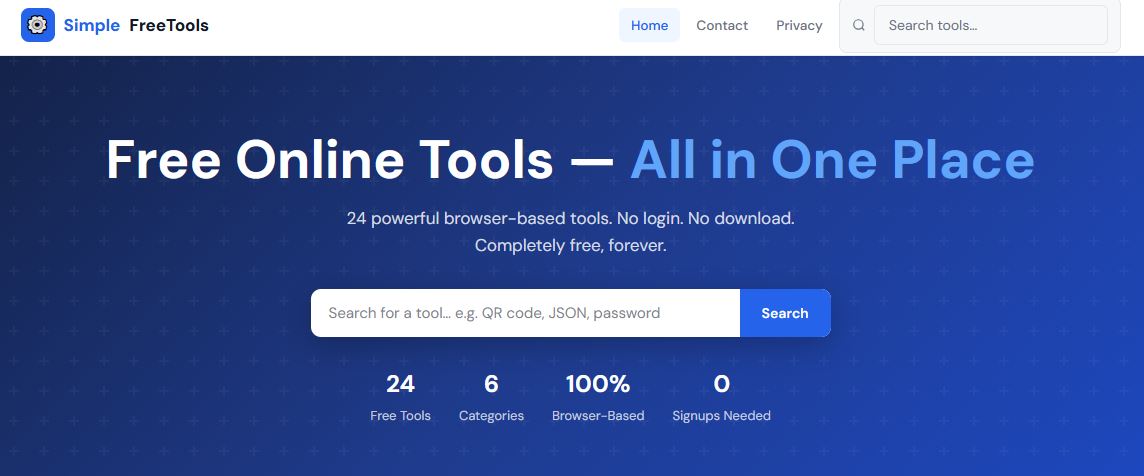
SimpleFreetoolsOnline.com was built to fix exactly that. It brings together 24 powerful, browser-based tools across 6 categories — and every single one is completely free, forever, with no account needed. Everything runs right in your browser, so your data never leaves your device.
In this post, we walk through all 24 tools — what they do, who they’re for, and when to use them. Bookmark this page. You’ll come back to it.
Whether you’re a blogger, designer, developer, or someone managing photos for social media, these image tools will save you hours. No Photoshop. No subscriptions. Just open, upload, and done.
Change image dimensions instantly — enter the width and height you need and download the resized version in seconds. Runs entirely in your browser; no image data is ever uploaded to a server.
Best for
Bloggers resizing featured images, developers optimising assets, anyone submitting photos with specific size requirements.
Got a PNG but need a JPG? Or a WEBP that needs to be a PNG? Upload your image, pick the output format, and download. Supports the most common web image formats with zero hassle.
Best for
Converting images for websites, social media, email attachments, or compatibility requirements.
Reduces file size while preserving as much visual quality as possible. Faster loading images mean better SEO and happier website visitors — a must-have for any site owner.
Best for
Website owners, bloggers, e-commerce sellers, and anyone tired of images taking forever to load.
Converts an image into a text string that can be embedded directly inside HTML or CSS — eliminating extra HTTP requests for small icons. Upload your image and get the Base64 string instantly.
Best for
Web developers embedding icons, data URI usage in CSS, and email templates with inline images.
From writing and editing to generating placeholder content, these text tools handle the everyday tasks that writers, students, and developers run into all the time.
Gives you a real-time count of words, characters, sentences, and paragraphs. Paste your text in and see the stats instantly — no waiting, no page reload.
Best for
Students, writers, bloggers, social media managers, and anyone working with content that has length requirements.
Instantly transforms text into UPPERCASE, lowercase, Title Case, Sentence case, or alternating case. Fix accidental CAPS LOCK mistakes or format headings in one click.
Best for
Fixing case mistakes, formatting headings, preparing text for presentations or social media posts.
Creates realistic-looking placeholder text in seconds — choose how many paragraphs, words, or sentences you need. The classic go-to for filling UI mockups and design prototypes.
Best for
UI/UX designers, web developers, and graphic designers creating mockups or wireframes.
Highlights differences between two blocks of text side by side — like Track Changes in Word, but instant and without the overhead. Paste two versions and see what changed.
Parses and pretty-prints JSON with proper indentation, making it easy to read and debug. Also validates your JSON and highlights errors if the format is incorrect.
Best for
Backend developers, API testers, and data analysts working with JSON files or API responses.
Encode any text into Base64 or decode a Base64 string back to readable text — instantly. Useful for working with authentication tokens, email attachments, and API payloads.
Best for
Developers working with APIs, auth tokens, data encoding for web apps, or debugging encoded strings.
Encodes special characters in a URL so they transmit correctly, or decodes an encoded URL back to readable text. Handles both directions — paste a URL in, get the result out.
Best for
Developers building links, debugging API query parameters, and fixing broken URL strings.
Select any colour and instantly get the corresponding HEX, RGB, and HSL values — the exact codes you need for CSS or any design software. Great for matching brand colours.
Best for
Web designers, frontend developers, graphic artists, and anyone working on branding or UI design.
Converts CSV spreadsheet data to properly structured JSON instantly. Many APIs and databases prefer JSON but data often arrives as CSV — this tool bridges that gap with no manual reformatting.
Best for
Developers importing spreadsheet data into apps, analysts converting exports, and anyone bridging Excel and code.
Converts JSON data into a clean CSV file that opens in Excel or Google Sheets. Great when you receive API data and need to share it with non-technical stakeholders in a readable format.
Best for
Data analysts, developers exporting API results, and product managers sharing structured data in reports.
Generate a QR code for any URL, text, or contact info in seconds. Creates high-quality, downloadable QR codes — no watermark, no cost. QR codes are everywhere: menus, business cards, event tickets, and more.
Best for
Business owners, event organisers, marketers, teachers, restaurant owners, and anyone sharing links offline.
Converts your Markdown into clean, ready-to-use HTML. Ideal for bloggers, documentation writers, and developers who write in Markdown but need the HTML output for their websites.
Best for
Developers writing README files, technical writers, bloggers using static site generators, and content teams.
These calculators solve specific, real-world problems quickly. They’re more useful than a basic calculator app and faster than searching for formulas online.
Find out exactly how old someone is — down to the number of days, months, and years — by entering a date of birth. Also shows upcoming birthday countdowns.
Best for
Anyone filling out documents, HR teams, parents tracking milestones, or simply satisfying curiosity.
Calculate exactly how much you’ll pay each month on a loan based on amount, interest rate, and tenure. Breaks down total interest paid and the full repayment schedule — so you can make smarter financial decisions before signing anything.
Best for
Anyone planning a home loan, car loan, or personal loan in India or abroad.
Convert between hundreds of units across categories like length, weight, temperature, speed, and area. Whether it’s kilometres to miles, kilograms to pounds, or Celsius to Fahrenheit — all in one place.
Best for
Students, travellers, engineers, cooks, fitness enthusiasts, and anyone working with international units.
Solves all common percentage problems: What is X% of Y? What percentage is X of Y? What is the percentage increase or decrease? Simple, fast, and surprisingly handy in daily life.
Best for
Students, shoppers calculating discounts, business owners computing margins, and anyone doing quick maths.
Simple but important tools for developers, sysadmins, and anyone who takes online security seriously. All tools run entirely in your browser — nothing is sent to any server.
Creates cryptographically strong passwords — long, random, with a mix of upper/lowercase letters, numbers, and symbols. Choose the length and character types, copy, and store it in a password manager.
Best for
Creating secure passwords for new accounts, improving old weak passwords, and IT administrators setting up accounts.
Converts any input text into a fixed 32-character MD5 hash. Commonly used for checksums, file integrity verification, and legacy system compatibility — even though MD5 is no longer recommended for cryptographic security.
Best for
Developers verifying file integrity, checking data consistency, or working with legacy systems that use MD5.
Generates a SHA-256 hash for any input text — a secure cryptographic function used in modern security systems, blockchain technology, digital signatures, and SSL certificates.
Best for
Developers, security researchers, blockchain learners, and anyone needing to hash sensitive data securely.
Generates a UUID (Universally Unique Identifier) — a 128-bit identifier used in software development to uniquely tag records, sessions, files, or database entities without a central authority.
Best for
Software developers, database administrators, backend engineers, and technical learners.
There are plenty of online tool sites out there — but most of them come with a catch. Paywalls. Account requirements. Upload limits. Ads that hijack your screen. Or worse, your data getting stored somewhere without your knowledge.
SimpleFreetoolsOnline.com takes a completely different approach:
Feature
What it means for you
Everything runs in your browser
No data is sent to any server. Your files and text stay private.
No signup, ever
Open a tool, use it, leave. No account creation, no email required.
No download required
Works on desktop, tablet, and mobile — any modern browser.
Completely free
No hidden fees, no premium tiers, no trials. Free forever.
24 tools in one place
Image, Text, Developer, File, Calculator, and Security tools.
Whether you’re a student, a developer, a small business owner, a content creator, or just someone who occasionally needs to compress an image or generate a QR code — these 24 tools were built for you.