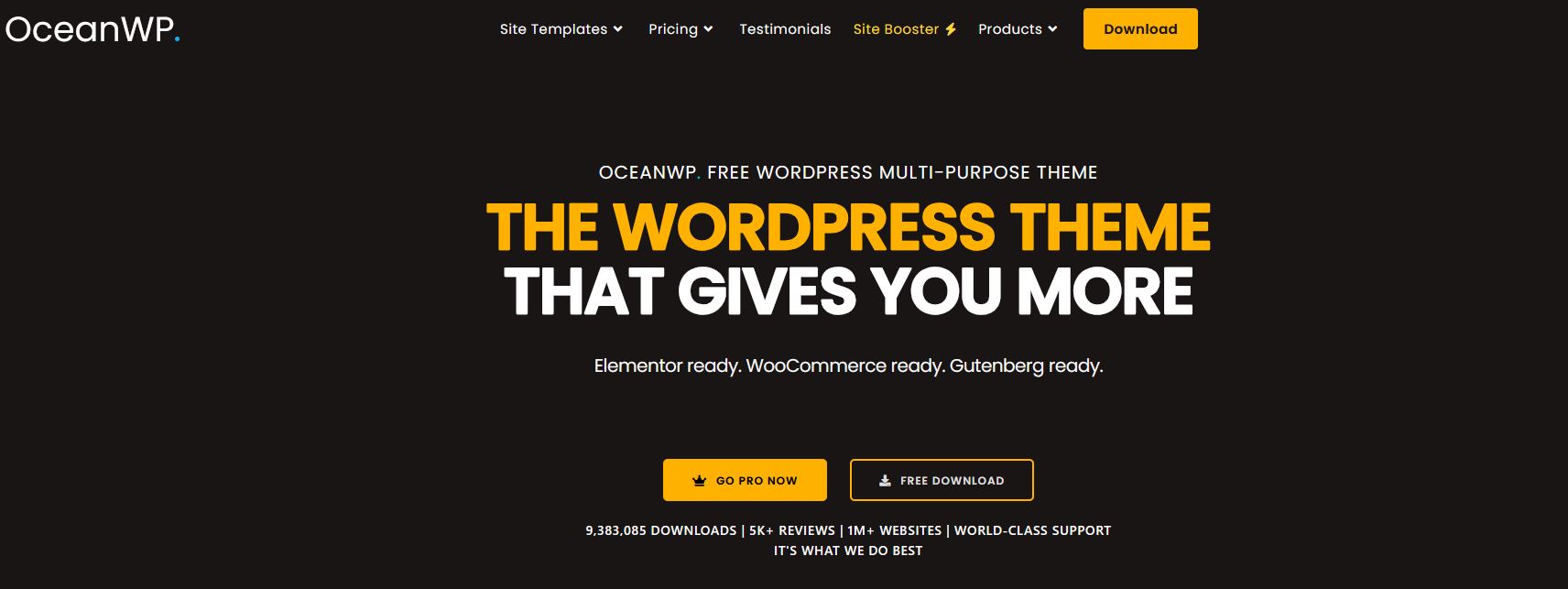
700,000+ Active Sites. 5,000+ Five-Star Reviews. The King of Free WordPress Themes
Picking the right WordPress theme is one of the most consequential decisions you’ll make for your website. It affects your speed, your design, your SEO rankings, your eCommerce performance, and how much you’ll end up spending on additional plugins. With thousands of themes available, the choice is genuinely overwhelming.
OceanWP has been cutting through that noise since 2016, and in 2026 it remains one of the most beloved free WordPress themes in the world. With over 700,000 active installations, nearly 5,000 five-star reviews on WordPress.org, and a free version that offers features most themes charge a premium for — OceanWP has earned its reputation.
But is it the right theme for YOUR website? In this deeply detailed review, we cover everything: the free version, premium extensions, performance benchmarks, WooCommerce integration, demo templates, target users, honest pros and cons, and FAQs. By the end, you’ll know exactly whether OceanWP deserves a place on your site.
| ⭐ Quick Verdict: OceanWP is the most feature-generous free WordPress theme available in 2026. Its WooCommerce integration, customization depth, and page builder compatibility rival themes that cost hundreds per year. The free version alone is powerful enough for most sites — and the premium bundle is surprisingly affordable for what you get. |
Table of Contents
What Is OceanWP? The Origin Story
OceanWP was created by Nicolas Lecocq, a French freelance developer who was frustrated that free WordPress themes either looked like amateur projects or were so crippled they forced users into expensive upgrades just for basic functionality. In 2016, he set out to build a genuinely free, premium-quality multipurpose theme — and the WordPress community responded enthusiastically.
OceanWP is built as a modular theme. The core theme is free and available on WordPress.org. A free companion plugin called Ocean Extra is installed alongside it to unlock the customization framework, demo import, and widget areas. From there, a library of free and premium extensions lets you add features progressively — only paying for what you actually need.
This philosophy — start free, extend as you grow — is what sets OceanWP apart. It’s not a teaser. The free version is genuinely powerful, and the extensions are remarkably affordable compared to buying standalone plugins for the same features.
👉 Visit the Official OceanWP Website (OceanWP Bundle )
👉 Visit the Official OceanWP Website (Ocean eComm Treasure Box )
OceanWP By the Numbers: Why People Love It
The statistics behind OceanWP’s popularity tell a clear story:
- 700,000+ active installations on WordPress.org
- 5 million+ total downloads since launch
- 5,000+ five-star reviews — nearly a perfect rating
- 220+ free and premium demo templates covering every niche
- 7 different header styles available in the free version
- 13 free extensions, 13+ premium extensions
- 100+ custom Elementor widgets in the premium extension
- 5/5 stars on WordPress.org — consistently maintained since launch
For a theme that costs nothing to install, these numbers represent extraordinary community trust. OceanWP’s 5-star average is maintained by thousands of real users, not manufactured ratings — and that consistency over nearly a decade is a meaningful signal of quality.
OceanWP Free Version: What Do You Actually Get?
Let’s be honest about something that’s frustratingly common with “free” WordPress themes: they’re usually little more than a demo version, stripped of anything useful to push you toward a paid plan. OceanWP is different. Genuinely, meaningfully different.
Here is what you get at zero cost:
Design & Layout
- 7 distinct header styles — Top Bar, Centered, Full Width, Vertical, and more
- Multiple blog layouts — grid, list, and masonry post displays
- Multiple store, product archive, and single product layouts
- Full-width, boxed, and separate content layouts
- Right sidebar, left sidebar, and no sidebar options
- Custom page title areas and background control
- Transparent and full-screen header options
- Archive, search results, and 404 page customization
Customizer Options (Free)
- Typography controls — font family, weight, size, line height for every element
- Color controls for headers, footers, body, links, and buttons
- Custom logo upload with size control
- Breadcrumbs, mobile-specific menus, and responsive layout controls
- Footer column layouts — 1, 2, 3, or 4 column configurations
- Conditional content display by device type
- Performance settings — disable specific scripts and styles you don’t use
WooCommerce (Free)
- Floating Add to Cart bar that sticks as users scroll product pages
- Quick View popup for product preview without leaving the shop
- Off-Canvas slide-in cart panel when items are added
- Shop layout options — list and grid, 1-6 columns
- Product gallery with thumbnail navigation, zoom, and lightbox
- Category display customization with description placement
- Mini cart icon in the header
Page Builder Compatibility
- Full compatibility with Elementor (free and Pro)
- Full compatibility with Beaver Builder
- Full compatibility with native WordPress Gutenberg block editor
- Full compatibility with Brizy, Divi, and other major builders
SEO & Performance
- Semantic, clean HTML5 markup for search engine readability
- Schema.org microdata markup built in
- Mobile-first responsive design on all devices
- Google Fonts integration with preload options
- AMP (Accelerated Mobile Pages) compatible
- Lazy loading for images
- Minification options for CSS and JavaScript
| 💡 Important Note: The free WooCommerce features in OceanWP — floating add-to-cart bar, quick view, and off-canvas cart — are features that Astra and most other themes lock behind paid plans. OceanWP gives them to you for nothing. |
👉 Visit the Official OceanWP Website (OceanWP Bundle )
👉 Visit the Official OceanWP Website (Ocean eComm Treasure Box )
Ocean Extra: The Essential Free Companion Plugin
OceanWP’s full customization experience requires the Ocean Extra plugin — a free companion plugin that acts as the engine powering many of the theme’s advanced options. It’s not bundled into the theme itself (for performance reasons), but installing it is a one-click process from your WordPress dashboard.
Ocean Extra adds:
- The demo import system for one-click template installation
- Metabox options on individual posts and pages — overriding global settings per page
- Additional widget areas for headers, sidebars, and footers
- The Theme Panel — a centralized hub linking to key Customizer sections
- Ability to disable/enable individual Customizer panels you’re not using
- Custom post types management
One particularly useful feature of Ocean Extra is the ability to disable Customizer panels for sections you’re not using on a given site. This keeps the interface clean and marginally improves performance by not loading unnecessary CSS for unused components.
OceanWP Demo Templates: Launch a Full Website in Minutes
OceanWP’s demo template library is one of the most impressive in the free theme space. With 220+ professionally designed website templates covering virtually every industry and website type, you can go from blank WordPress install to complete, polished site in under 30 minutes.
Free Demo Templates
The free version includes a solid selection of templates compatible with Elementor, Beaver Builder, and Gutenberg. These cover the most common use cases — blogs, small business sites, portfolios, and basic eCommerce. The import is one-click and pulls in pages, content, images, Customizer settings, widgets, and menus.
Premium Demo Templates (Pro Bundle)
The Pro Bundle unlocks the full library of 220+ templates, including advanced designs for:
- eCommerce: Online stores, product showcases, fashion boutiques, tech shops
- Business: Corporate, consulting, finance, real estate, law firm
- Creative: Photography, design agency, videography, art portfolio
- Health & Wellness: Medical clinic, gym, yoga studio, personal trainer
- Food & Hospitality: Restaurant, cafe, bakery, hotel, travel agency
- Education: Online course platform, school, coaching, tutoring
- Nonprofit: Charity, NGO, foundation, community organization
- Technology: SaaS, app landing page, startup, IT services
Each premium template comes with:
- Multiple inner pages — not just a homepage
- Royalty-free images already included in the design
- Icons from Flaticon integrated within the layout
- Mobile-optimized designs for all device sizes
- Full Customizer settings imported alongside the design
👉 Visit the Official OceanWP Website (OceanWP Bundle )
👉 Visit the Official OceanWP Website (Ocean eComm Treasure Box )
OceanWP Extensions: The Complete Guide
OceanWP’s modular extension system is one of its defining characteristics. Rather than bundling every possible feature into the theme (which would make it bloated for sites that don’t need those features), OceanWP lets you install only the extensions relevant to your project.
Here is a complete breakdown of every available extension:
| Extension | Type | What It Does |
| Ocean Extra | FREE | Core companion plugin — Customizer enhancements, demo import, widgets |
| Stick Anything | FREE | Make any element sticky on scroll — header, sidebar, menu |
| Modal Window | FREE | Create lightbox popups for images, video, and content |
| Posts Slider | FREE | Beautiful carousel/slider for blog posts on any page |
| Custom Sidebar | FREE | Assign different sidebars to individual pages or posts |
| Social Sharing | FREE | Add share buttons for Facebook, Twitter, Pinterest, LinkedIn, etc. |
| Product Sharing | FREE | Social sharing buttons specifically for WooCommerce product pages |
| Sticky Header | PREMIUM | Header that follows users as they scroll with animation options |
| Elementor Widgets | PREMIUM | 100+ custom Elementor widgets exclusively designed for OceanWP |
| Popup Login | PREMIUM | Elegant popup-style login and registration form |
| Portfolio | PREMIUM | Full-featured portfolio display with filtering and lightbox |
| Side Panel | PREMIUM | Slide-in offscreen content panel for widgets or menus |
| Footer Callout | PREMIUM | Eye-catching call-to-action bar above the footer |
| Full Screen | PREMIUM | Full-screen page sections and hero areas |
| White Label | PREMIUM | Replace OceanWP branding with your own — ideal for agencies |
| Woo Popup | PREMIUM | Add-to-cart popup animation for WooCommerce stores |
| Ocean Hooks | PREMIUM | Insert custom code (tracking scripts, breadcrumbs) at specific locations |
| Cookie Notice | PREMIUM | GDPR-compliant cookie consent notification banner |
| PREMIUM | Fetch and display your Instagram feed in a beautiful grid |
The key advantage of this modular approach is performance: if you’re running a simple blog, you don’t load the WooCommerce popup or portfolio code. Every extension you don’t install is CSS and JavaScript your visitors don’t have to download.
Performance & Speed: Honest Benchmarks
Speed is where OceanWP requires an honest conversation. The theme is well-optimized, but it occupies a different position than ultra-minimalist themes like GeneratePress or Astra when it comes to raw performance metrics.
What the Data Shows
- Base theme: Performs excellently on a clean install — fast load times and good Core Web Vitals scores.
- With Ocean Extra active: Adds a small amount of CSS and JavaScript for the customization framework.
- With premium extensions: Each additional extension adds its own assets. More active extensions = marginally more page weight.
- Google PageSpeed: Scores in the 80-95 range on desktop depending on configuration, hosting, and active extensions.
The critical insight is this: while OceanWP may not score quite as high as Astra or GeneratePress in pure speed tests, the comparison often isn’t apples-to-apples. OceanWP ships with more built-in functionality, meaning you need fewer additional plugins for common features — and third-party plugins often add more page weight than OceanWP’s native extensions do.
How to Optimize OceanWP Speed
- Install only the extensions you actually need on a given site
- Use the Theme Panel to disable unused Customizer sections (this stops their CSS from loading)
- Pair with a quality caching plugin like WP Rocket or W3 Total Cache
- Use a fast hosting environment — managed WordPress hosting like Cloudways or Kinsta makes a significant difference
- Enable lazy loading for images (built into OceanWP)
- Use a CDN to serve static assets from servers closer to your visitors
- Minify CSS and JavaScript using a performance plugin
| ⚡ Performance Tip: OceanWP includes a built-in performance section in the Theme Panel that lets you selectively disable scripts and styles. This is a feature most themes don’t offer — and it means you can fine-tune exactly what loads on your site without touching code. |
Customization: How Deep Can You Go?
OceanWP’s customization depth is one of the most frequently praised aspects of the theme — and rightfully so. Veteran WordPress developers often describe the Customizer options as more extensive than anything else they’ve used in a free theme.
The Theme Customizer
OceanWP extends the native WordPress Customizer significantly through Ocean Extra. Every major element of your site has dedicated controls:
- General settings — site identity, colors, page layout, scroll-to-top behavior
- Top Bar — background, text, link colors, enable/disable per device
- Header — multiple styles, height, padding, background, sticky behavior
- Logo — dimensions, retina logo, mobile logo control
- Navigation — colors, hover effects, dropdown animation, mobile breakpoint
- Page Title — background image, alignment, overlay, breadcrumbs
- Sidebar — position, width, sticky sidebar option
- Blog — single post layout, author box, related posts, comments
- WooCommerce — every store element from product archive to checkout
- Footer — columns, widgets, bottom bar, copyright text
- Typography — separate font controls for every heading level and element
Per-Page Metabox Options
A standout feature is OceanWP’s per-page metabox system. On any individual page or post, you can override the global theme settings:
- Different header style per page
- Different sidebar layout per page
- Custom footer settings per page
- Hide/show specific elements on individual pages
- Full-screen page without sidebar or header
This level of per-page control is rarely available in free themes and gives you enormous flexibility without needing a custom page builder solution for every layout variation.
WooCommerce Integration: OceanWP’s Crown Jewel
If you’re building a WooCommerce store, OceanWP deserves serious consideration — possibly above any other free theme on the market. Its WooCommerce integration is the most comprehensive among free themes, and it rivals what many premium themes provide.
WooCommerce Features (Free)
- Floating Add to Cart Bar: A sticky bar that tracks users as they scroll a product page, keeping the purchase button permanently visible. This alone can meaningfully improve conversion rates.
- Quick View Modal: A popup that shows product details, images, and the add-to-cart button without the user leaving the shop page. Reduces friction in the shopping experience.
- Off-Canvas Cart: When a product is added, a slide-in cart panel appears from the side — no full page reload required. Keeps momentum in the shopping experience.
- Shop Layouts: Grid and list views, with 1-6 column control for product grids.
- Product Gallery: Thumbnail navigation, image zoom on hover, and lightbox for enlarged product images.
- Category Pages: Customizable layouts with description placement control.
- Mini Cart in Header: Cart icon in the header with item count badge.
Additional WooCommerce Premium Features
- Woo Popup Extension: A premium extension that displays an attractive popup animation when a product is added to the cart — a proven conversion booster.
- Distraction-Free Checkout: Strip the header and footer from the checkout page to keep buyers focused on completing their purchase.
- Custom Checkout Layout: Control the visual appearance and structure of the checkout page.
| 🛒 Store Owner Insight: The floating add-to-cart bar, quick view, and off-canvas cart are features that Astra Pro charges for as part of its WooCommerce module. With OceanWP, you get all three for free. For budget-conscious store owners, this difference in value is significant. |
👉 Visit the Official OceanWP Website (OceanWP Bundle )
👉 Visit the Official OceanWP Website (Ocean eComm Treasure Box )
OceanWP Pricing: Free, Extensions, and Pro Bundle
OceanWP’s pricing model is unique in the WordPress theme market. You never have to pay for the theme itself — the core is free forever. Premium features are available either as individual extensions ($9.99/year each) or as the Ocean Pro Bundle, which includes all extensions plus premium templates at a flat annual or one-time rate.
| Feature | Free | Starter / Personal | Agency / Business |
| Price | $0 | $35–$54 / yr | $89–$159 / yr |
| Sites | Unlimited | 1–3 Sites | 10–Unlimited |
| Premium Extensions | ✗ | ✓ All | ✓ All |
| Pro Demo Templates | ✗ | 210+ | 220+ |
| Sticky Header | ✗ | ✓ | ✓ |
| Popup Login | ✗ | ✓ | ✓ |
| Footer Callout | ✗ | ✓ | ✓ |
| Elementor Widgets | ✗ | 100+ Widgets | 100+ Widgets |
| White Label | ✗ | ✗ | ✓ |
| Priority Support | Forum | Ticket | Priority |
| Freepik Images | ✗ | Included | Advanced |
| Money-Back | N/A | 14 days | 14 days |
Pricing Breakdown
- Free: $0 forever. Core theme + Ocean Extra plugin. Available directly from WordPress.org.
- Individual Extensions: $9.99/year per extension. Best if you only need 1-2 specific premium features.
- Starter Plan (~$35/year): All premium extensions + Pro demo templates for 1 site. Best for single-site owners.
- Personal Plan (~$54/year): All premium extensions + Pro templates for up to 3 sites.
- Business Plan (~$89/year): All premium extensions + Pro templates for up to 10 sites. Freepik images integration.
- Agency Plan (~$159/year): Unlimited sites. Priority support. White label. Advanced Freepik/Flaticon access. Agency advertisement listing.
Lifetime licenses are also available for all paid tiers — ideal for agencies and freelancers who manage client sites long-term and want to eliminate recurring costs.
Renewal discount: 20% off on annual renewals, making long-term use very affordable.
All paid plans come with a 14-day no-questions-asked money-back guarantee.
| 💰 Best Value Pick: The Individual extension model is brilliant if you only need one or two premium features. But the Starter Bundle ($35/year) makes more sense for most users — you get every premium extension for significantly less than buying two individually. |
👉 Visit the Official OceanWP Website (OceanWP Bundle )
👉 Visit the Official OceanWP Website (Ocean eComm Treasure Box )
Who Is OceanWP Best For? Target Users
OceanWP genuinely serves a wide spectrum of WordPress users. Here’s a clear breakdown of who benefits most:
Budget-Conscious Beginners
If you want a professional website without spending money on a premium theme, OceanWP is the best free starting point available. The free version gives you header controls, blog layouts, WooCommerce integration, and customization depth that takes other themes a premium plan to match. You can build a genuinely impressive website without spending a single rupee.
WooCommerce Store Owners
This is where OceanWP has the clearest advantage over competitors. The free floating add-to-cart bar, quick view, and off-canvas cart are conversion-focused features that many store owners pay significant extra for through plugins. If you’re launching or running a WooCommerce store on a budget, OceanWP is arguably the best theme choice available at any price.
Elementor Users
OceanWP is widely considered one of the best companion themes for Elementor — a sentiment shared consistently by professional Elementor users and agencies. The premium Elementor Widgets extension adds 100+ custom widgets that integrate specifically with OceanWP, creating a powerful combination for visual site building. For the majority of Elementor-based projects, you won’t need any other theme.
Bloggers & Content Creators
OceanWP’s blog layout options, author box controls, related posts, reading time display, and typography flexibility make it a solid platform for content-focused sites. The multiple blog archive layouts let you present your content in a way that matches your editorial identity — grid for visual content, list for text-heavy publications.
Portfolio & Creative Professionals
The premium Portfolio extension gives photographers, designers, videographers, and other creatives a dedicated portfolio display with filtering, category tags, and lightbox support. Combined with the vertical header option — unique among most free themes — OceanWP can create a striking, distinctive creative portfolio.
Freelancers & Small Agencies
The Pro Bundle’s white-label extension lets you replace all OceanWP branding with your own agency identity before handing a site off to a client. The affordability of the Agency Plan — covering unlimited sites for one annual fee — makes OceanWP an economically attractive foundation for client work.
Developers
OceanWP’s hook system (via the Ocean Hooks extension) lets developers insert custom code at specific locations throughout the theme without modifying template files. This combined with the clean, well-structured codebase and extensive filter and action hooks makes OceanWP a developer-friendly foundation for custom WordPress projects.
OceanWP: Honest Pros and Cons
✅ What OceanWP Does Exceptionally Well
- Most generous free version of any major WordPress theme
- WooCommerce integration — floating cart bar, quick view, and off-canvas cart are free
- Unmatched Customizer depth — more options than any competing free theme
- Per-page metabox overrides — different layouts on different pages without code
- Modular extension system — pay only for the features you need
- 7 free header styles — more variety than most premium themes offer
- 220+ demo templates covering virtually every niche
- Ocean Hooks — a developer-friendly way to insert custom code without file editing
- Active development — regular updates for WordPress and WooCommerce compatibility
- Genuine 5-star community rating maintained over 8+ years
- Freepik and Flaticon integration — royalty-free images built into templates
- 14-day money-back guarantee on all paid plans
⚠️ Where OceanWP Has Room to Improve
- Not as fast as ultra-minimalist themes like GeneratePress or Astra in raw speed benchmarks
- Multiple extension installations can feel complex for absolute beginners
- The pricing structure (individual extensions vs. bundle vs. plans) can be confusing at first
- Customizer options can feel overwhelming given the sheer volume of controls
- Some older premium extensions haven’t been updated as frequently as the core theme
- Real-time/live chat support isn’t available — ticket-based only
OceanWP vs. Competitors: A Fair Comparison
OceanWP vs. Astra
Astra and OceanWP are the two most popular free multipurpose WordPress themes. Astra wins on raw speed, a more polished Customizer experience, and a more extensive premium ecosystem (via the Essential and Business Toolkits). OceanWP wins on free WooCommerce features — its floating cart bar, quick view, and off-canvas cart are locked behind Astra Pro. OceanWP also provides significantly more free Customizer options. For eCommerce on a zero budget, OceanWP has the edge. For overall ecosystem and page builder flexibility, Astra competes strongly.
OceanWP vs. GeneratePress
GeneratePress is the speed champion — it’s lighter and faster than both OceanWP and Astra. But it’s primarily a developer-focused theme with fewer out-of-the-box design options and a smaller template library. For non-technical users or those who want rich free features without code, OceanWP is significantly more approachable. For performance-obsessed developers who want a blank, fast foundation, GeneratePress wins.
OceanWP vs. Divi
Divi is an all-in-one theme and page builder that costs $89/year or $249 lifetime. It’s powerful but locks you into its own ecosystem. OceanWP is theme-agnostic and works with whichever page builder you prefer. For existing Elementor or Gutenberg users, OceanWP provides similar design freedom without vendor lock-in at a fraction of the price.
OceanWP vs. Neve
Neve is a newer competitor that has gained traction with its clean, modern aesthetic and strong Gutenberg support. It’s a solid alternative, but OceanWP’s track record, larger community, more extensive free WooCommerce features, and deeper Customizer options give it the edge for most use cases.
How to Get Started with OceanWP: Step-by-Step
- Log in to your WordPress dashboard and go to Appearance → Themes → Add New.
- Search for “OceanWP” in the theme search bar. Click Install then Activate.
- You’ll see a prompt to install the Ocean Extra companion plugin. Install and activate it.
- Navigate to Appearance → Install Demos to browse the full template library.
- Choose a demo template that matches your niche. Select your page builder (Elementor, Gutenberg, etc.).
- Click Import — the process imports pages, content, images, and Customizer settings automatically (typically 2-5 minutes).
- Customize your logo, colors, fonts, and content via Appearance → Customize.
- Install any free extensions you need (Custom Sidebar, Social Sharing, etc.) from Plugins → Add New.
- When ready for premium features, purchase the Pro Bundle from oceanwp.org and install your chosen extensions.
| 🚀 Pro Tip: When importing a demo, always click “Import Demo Data” on a fresh WordPress install rather than an existing site with content. This gives you the cleanest starting point and avoids potential conflicts with existing settings. |
👉 Visit the Official OceanWP Website (OceanWP Bundle )
👉 Visit the Official OceanWP Website (Ocean eComm Treasure Box )
Frequently Asked Questions About OceanWP
| Q: Is OceanWP really free? |
| Yes, completely. The OceanWP theme is free and permanently available on WordPress.org. The companion Ocean Extra plugin is also free. The core theme can be used on unlimited websites at no cost. Premium extensions and the Pro Bundle are optional paid add-ons that unlock specific advanced features. |
| Q: Do I need Ocean Extra to use OceanWP? |
| Ocean Extra is technically optional, but practically essential. Without it, OceanWP functions as a basic theme with limited customization. Ocean Extra enables the demo import system, additional Customizer options, metabox controls, and widget areas. We strongly recommend installing it — and it’s free. |
| Q: Is OceanWP good for WooCommerce? |
| OceanWP is one of the best free themes for WooCommerce in 2026. Features like the floating add-to-cart bar, quick view modal, and off-canvas cart are included in the free version — features that most competing themes lock behind paid plans. For eCommerce on a budget, OceanWP is an outstanding choice. |
| Q: How does OceanWP compare to Astra for speed? |
| Astra is generally faster than OceanWP in raw speed benchmarks due to its more minimalist core. However, OceanWP ships with more built-in features, which means you may need fewer additional plugins. In practice, on optimized hosting with a good caching plugin, both themes deliver fast load times. If speed is your top priority above all else, Astra has a slight advantage. |
| Q: What page builders does OceanWP work with? |
| OceanWP works with all major WordPress page builders, including Elementor (free and Pro), Beaver Builder, Brizy, Divi, and the native Gutenberg block editor. The premium Ocean Elementor Widgets extension adds 100+ custom Elementor widgets specifically designed for OceanWP — making it a particularly powerful combination for Elementor users. |
| Q: Is there a lifetime license for OceanWP? |
| Yes. Lifetime licenses are available for all paid plans, allowing unlimited updates and support for a one-time payment. This is particularly cost-effective for agencies and freelancers who manage multiple client sites and want to eliminate recurring subscription costs. |
| Q: Can I use OceanWP for client websites? |
| Yes. OceanWP can be used on client sites. For agencies, the Agency Plan covers unlimited sites with priority support, white-label branding, and advanced features. The white-label extension allows you to replace all OceanWP branding with your own agency identity, giving clients a seamless branded experience. |
| Q: How many websites can I use OceanWP on? |
| The free version can be used on unlimited websites. Paid plans vary by tier — Starter (1 site), Personal (3 sites), Business (10 sites), and Agency (unlimited). Lifetime plans also vary by site count, with equivalent tier options. |
| Q: What is the OceanWP refund policy? |
| All premium OceanWP plans come with a 14-day no-questions-asked money-back guarantee. If you’re not satisfied within 14 days of purchase, you can request a full refund. |
| Q: What happens if I don’t renew my OceanWP subscription? |
| Your website continues to function normally. You keep the design you’ve built, and the extensions you’ve installed continue working. You’ll lose access to updates, new features, and support. You’ll also be unable to install extensions on new sites or download updated versions until you renew. |
| Q: Is OceanWP SEO-friendly? |
| Yes. OceanWP includes built-in Schema.org markup, clean semantic HTML5 structure, mobile-first responsive design, fast loading speeds, and AMP compatibility — all positive SEO signals. It doesn’t require a separate plugin for basic technical SEO markup. |
| Q: Can I switch from another theme to OceanWP? |
| Yes. Switching themes is always possible in WordPress. If you’re using a page builder like Elementor, your page content built with that builder is typically preserved when switching themes (since it’s stored in the database independently). Theme-specific settings like header configuration and colors will need to be reconfigured after switching. |
Final Verdict: Is OceanWP Worth It in 2026?
OceanWP remains one of the most compelling free WordPress themes available in 2026, and its longevity since 2016 speaks to its sustained quality and community trust. In a market crowded with superficially impressive themes that reveal their limitations the moment you try to customize them, OceanWP stands apart by delivering genuine power at zero cost.
The WooCommerce integration alone — with free floating cart bars, quick view, and off-canvas cart — justifies choosing OceanWP over competitors for eCommerce projects. The Customizer depth is unmatched in the free theme space. The modular extension system is economically intelligent. And the 220+ demo templates mean you’re never starting from scratch.
Is it perfect? No. The learning curve is real when you first encounter the breadth of customization options. It’s not quite as fast as Astra or GeneratePress in pure speed tests. And the premium extension system, while affordable, can feel complex for complete beginners.
But for the vast majority of WordPress users — particularly those building eCommerce stores, running blogs on a budget, working with Elementor, or simply wanting maximum features without spending money — OceanWP is an exceptional choice that punches far above its price point.
| ⭐ Our Final Rating: 4.8/5 — Outstanding free theme. Highly recommended for eCommerce, budget-conscious users, and Elementor developers. Start free and scale with premium extensions as your needs grow. |
👉 Visit the Official OceanWP Website (OceanWP Bundle )
👉 Visit the Official OceanWP Website (Ocean eComm Treasure Box )
Affiliate Disclosure
This post contains affiliate links. If you purchase OceanWP or its extensions through our links, we may earn a commission at no additional cost to you. We only recommend products we’ve reviewed and believe provide genuine value.