A comprehensive, no-fluff guide for bloggers, creators, and small business owners evaluating WordPress.com hosting.
Introduction
If you have been searching for a way to build a website without wrestling with servers, databases, or confusing control panels, you have probably landed on WordPress.com at some point. It is one of the most visited website-building platforms on the planet, powering millions of blogs, business sites, and online stores worldwide.
But is WordPress.com hosting actually good? Who is it best suited for? And what do you really get at each price tier? This wordpress.com review (hosting) answers all of those questions and more so that by the time you finish reading, you will know exactly whether WordPress.com is the right home for your website.
Table of Contents
- What Is WordPress.com? (And How It Differs from WordPress.org)
- Who Is WordPress.com Hosting For?
- WordPress.com Plans Explained: Free to Commerce
- Key Benefits of Hosting on WordPress.com
- WordPress.com vs Self-Hosted WordPress (WordPress.org)
- Security, Speed & Uptime — What the Platform Delivers
- SEO on WordPress.com: Can You Actually Rank?
- eCommerce on WordPress.com
- Limitations You Should Know About
- Common Questions About WordPress.com Hosting
- Final Verdict: Is WordPress.com Worth It?
- Ready to Get Started?
1. What Is WordPress.com? (How It Differs from WordPress.org – wordpress.com vs wordpress.org)
This is the question that trips up almost every new website owner: what is the difference between WordPress.com and WordPress.org?
WordPress.org is the free, open-source content management system (CMS). You download the software, find your own hosting provider, install WordPress, and manage everything yourself. You have unlimited freedom — but also unlimited responsibility.
WordPress.com is a fully hosted platform operated by Automattic, the company co-founded by WordPress creator Matt Mullenweg. It runs the WordPress software for you. Everything — hosting, updates, security patches, backups — is handled behind the scenes. You log in, pick a plan, and start building your site.
Think of it this way: WordPress.org gives you the ingredients and the kitchen. WordPress.com gives you the meal, already cooked and served — at varying levels of quality depending on which plan you choose.
The same underlying software powers both, which is why the writing and editing experience feels familiar. The difference is in who manages the infrastructure, and how much control you retain.
2. Who Is WordPress.com Hosting For?
WordPress.com is designed for people who want a professional web presence without the technical overhead of managing a server. It tends to be an excellent fit for:
- Bloggers who want to write and publish without dealing with hosting setup
- Freelancers and consultants who need a clean portfolio or service site
- Small business owners who want a simple, trustworthy website
- Non-profit organisations looking for an affordable, low-maintenance platform
- Content creators and journalists who want a distraction-free writing environment
- Beginners who are new to websites and want a guided, safe starting point
It is less suited to developers who need deep customisation, businesses that require specific third-party plugins (those are only available on Business and Commerce tiers), or large eCommerce operations that would benefit from a self-hosted WooCommerce setup.
3. WordPress.com Plans Explained: Free to Commerce
WordPress.com offers five plan tiers in 2026. Here is a clear breakdown of what each one includes.
Free Plan
The Free plan costs nothing and requires no credit card. It is a legitimate starting point, not a bait-and-switch. You get:
- A yoursite.wordpress.com subdomain (no custom domain name)
- Limited storage for images and media
- Access to the block editor
- WordPress.com branding displayed on your site
- Community forums for support
Best for: Testing the platform, hobby blogs, students, or anyone who just wants to start writing without any upfront cost.
Key limitation: WordPress.com ads appear on your site, and you cannot use a custom domain like yourname.com.
Personal Plan
The Personal plan removes the most visible limitations of the free tier. At approximately USD 4 per month (billed annually), it includes:
- A free custom domain for the first year (e.g., yourname.com)
- Removal of WordPress.com ads
- Access to email support
- More storage than the free plan
Best for: Personal blogs or simple portfolio sites that need a professional URL.
Key limitation: No custom plugin installation. No advanced design tools. Limited for any business use case.
Premium Plan
The Premium plan is a meaningful upgrade for creators who want design flexibility and basic monetisation. It typically runs around USD 8 per month (billed annually) and adds:
- Access to premium themes
- Basic monetisation tools (WordAds)
- Video hosting capabilities
- More storage
- Live chat support
Best for: Bloggers who want a polished site design and a way to earn from their content.
Key limitation: Still no custom plugin installation. Limited SEO control compared to self-hosted WordPress.
Business Plan
The Business plan is the first tier that gives you true WordPress power. It is where WordPress.com starts competing with self-hosted setups. At around USD 25 per month (billed annually):
- Full plugin installation — any WordPress plugin from the repository
- Upload custom themes
- Advanced SEO tools
- Google Analytics integration
- Automated backups with one-click restore
- SFTP and database access
- Priority support
Best for: Business websites, agencies, and serious content sites that need specific functionality and full design control.
Commerce Plan
The Commerce plan (around USD 45 per month, billed annually) is built for online stores. It adds everything in Business, plus:
- Full WooCommerce integration
- Payment acceptance from 60+ countries
- Shipping carrier integrations
- Premium store design tools
- No transaction fees on sales
Best for: Online retailers and service businesses that want a managed, all-in-one eCommerce solution.
Note: All paid plans include a free domain for the first year. Domain renewal pricing is billed separately after year one and varies depending on the extension (TLD) you choose.
Start your WordPress.com site today: Click here
4. Key Benefits of Hosting on WordPress.com
So why would you choose WordPress.com over setting up your own hosting? Here are the strongest reasons — written honestly, not as marketing copy.
4.1 Zero Technical Setup
With WordPress.com, there is no server to configure, no database to set up, no cPanel to navigate, and no WordPress installation wizard to run. You sign up, pick a plan, choose a theme, and start adding content. For a non-technical person, this alone is worth a significant amount of money and time.
4.2 Automatic Updates and Maintenance
WordPress core, theme files, and security patches are all updated automatically by Automattic. On a self-hosted site, staying on top of updates is your responsibility — and neglecting them is one of the most common causes of WordPress site hacks.
4.3 Enterprise-Grade Infrastructure
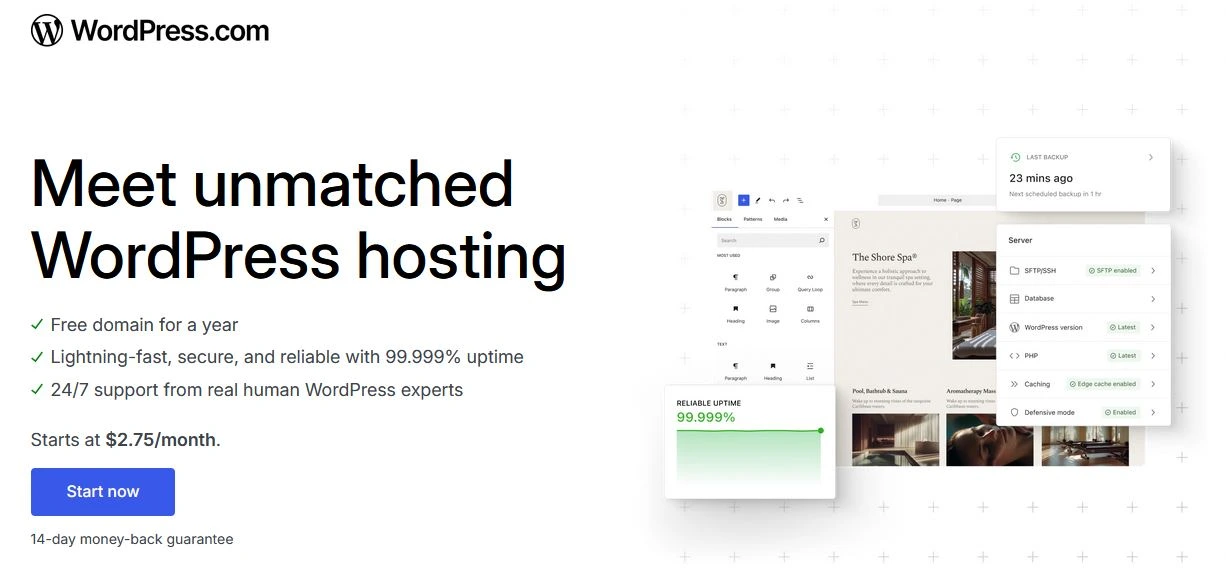
WordPress.com runs on infrastructure that handles enormous traffic without flinching. The platform powers some of the world’s most-visited media and publishing sites. When your post goes viral, your site does not go down. Smaller hosting providers often cannot promise the same.
4.4 Built-in CDN and Performance Optimisation
Content is delivered through a global CDN (Content Delivery Network), which means your pages load fast regardless of where your visitors are located. Performance optimisation that you would normally pay extra for on a self-hosted setup is included by default.
4.5 Automatic Backups
On the Business plan and above, your site is backed up automatically. If something goes wrong — a bad plugin, an accidental deletion, or anything else — you can restore to a previous version with a single click. This is a feature that many self-hosted site owners pay extra for through third-party backup plugins.
4.6 Built-in Security
WordPress.com handles brute-force attack protection, spam filtering (via Akismet), malware scanning, and SSL certificates. Your site runs on HTTPS by default. On a self-hosted setup, each of these would typically require a separate plugin or service.
4.7 Jetpack Included
Every WordPress.com site has Jetpack built in. Jetpack is a powerful plugin suite that includes site stats, social sharing, related posts, newsletter subscriptions, and more. Purchasing equivalent functionality for a self-hosted site would cost extra.
4.8 Excellent Uptime
WordPress.com consistently delivers very high uptime across its platform, backed by Automattic’s global server network. For most users, downtime is simply not a concern they ever need to think about.
4.9 Beginner-Friendly Support
Even on lower-tier plans, WordPress.com offers email support. On higher plans, live chat and priority support are included. The help centre documentation is also one of the most thorough in the industry. If you are stuck, help is available.
4.10 Built-in Audience Discovery
WordPress.com has its own social layer called the Reader, where users discover and follow blogs on the platform. Simply by publishing on WordPress.com, your content becomes discoverable to an existing audience of engaged readers — something you would have to build from scratch on a self-hosted site.
5. WordPress.com vs Self-Hosted WordPress (WordPress.org)
This is the question most people are really asking. Here is a balanced comparison.
Cost
Self-hosted WordPress can appear cheaper at first glance. Basic shared hosting starts at USD 3 to 5 per month. But add a premium theme, a backup plugin, a security plugin, an SEO plugin, and support time, and costs climb quickly. For sites that stay simple, WordPress.com’s Personal or Premium plans can be more cost-effective. For sites that need full plugin access, self-hosted WordPress often delivers more value dollar-for-dollar.
Control and Flexibility
Self-hosted WordPress wins on raw flexibility. You can install any plugin, upload any theme, modify code directly, and choose your own infrastructure. WordPress.com restricts plugins and themes to its approved catalogue on lower plans, and only opens up full flexibility at the Business tier and above.
Maintenance
WordPress.com wins here decisively. Automattic handles updates, security, and infrastructure. On a self-hosted site, you handle everything or pay someone to do it.
SEO
Self-hosted WordPress with the right plugins (such as Yoast SEO or Rank Math) gives you granular SEO control. WordPress.com has improved its SEO tools significantly — the Business plan in particular gives you solid SEO capabilities — but lower-tier plans have meaningful limitations in this area.
Portability
Self-hosted WordPress makes migrating to a new host straightforward. Moving away from WordPress.com can be more complex, especially if you have accumulated content and customisations. This is worth factoring in if you anticipate needing to scale substantially.
Verdict
For beginners, bloggers, and small business owners who want simplicity and reliability: WordPress.com is often the better starting point. For developers, agencies, and businesses that need full control: self-hosted WordPress typically wins in the long run.
6. Security, Speed, and Uptime — What the Platform Delivers
Security
WordPress.com provides several layers of built-in security that most users never need to think about:
- SSL certificates on every site, installed and renewed automatically
- Brute-force login protection
- Malware scanning and removal
- DDoS mitigation at the infrastructure level
- Akismet anti-spam protection built in
For context: on a self-hosted WordPress site, each of these protections typically requires a separate plugin, some of which have annual subscription costs.
Speed and Performance
WordPress.com’s global CDN ensures fast load times for visitors regardless of their location. The platform also handles server-side caching automatically, which keeps pages loading quickly even during traffic spikes. On a self-hosted site, you would configure caching plugins like WP Rocket or W3 Total Cache yourself.
Uptime
Automattic’s infrastructure is built for reliability. The platform serves hundreds of millions of page views without degradation. Expect consistently high uptime — comfortably above 99.9% for most users — without any action required on your part.
7. SEO on WordPress.com: Can You Actually Rank?
A very common concern about WordPress.com is whether you can rank on Google. The short answer is yes — with some important nuance.
What Works Well
- WordPress.com generates clean, well-structured HTML that search engines understand
- The platform handles technical SEO basics: sitemaps, canonical tags, and robots.txt
- On Business and Commerce plans, you get Yoast SEO and similar plugin access
- SSL is included by default, which is a ranking signal
- Fast load times from the CDN benefit page experience scores
Where Lower Tiers Fall Short
- Personal and Premium plans have limited control over meta titles and descriptions
- No access to advanced SEO plugins on lower tiers
- Subdomain sites (free plan) rank less effectively than custom domain sites
- Some structural elements are harder to customise without plugin access
If SEO is a priority from day one, the Business plan is the minimum recommended tier. It gives you plugin access, meaning you can install a full-featured SEO plugin and control your optimisation in the same way you would on a self-hosted site.
8. eCommerce on WordPress.com
If you want to sell products or services online, WordPress.com has invested significantly in its Commerce offering. Here is what you need to know.
Commerce Plan Features
- Full WooCommerce integration — the world’s most widely used eCommerce platform
- Accept payments from customers in more than 60 countries
- Integrate with major shipping carriers for real-time shipping rates
- No transaction fees charged by WordPress.com (payment processor fees still apply)
- Premium storefront design tools
- Automated tax calculations in supported regions
Is It Right for Your Store?
For small to medium-sized stores that want to launch quickly without managing server infrastructure, the Commerce plan is a strong option. The absence of a WordPress.com transaction fee is meaningful — many hosted eCommerce platforms take a percentage of every sale.
For large-scale operations with thousands of SKUs, complex fulfilment requirements, or highly custom store functionality, a self-hosted WooCommerce setup on managed may offer better performance and flexibility.
9. Limitations You Should Know About
No hosting platform is perfect. WordPress.com has real limitations, and you should know them before committing.
Plugin Restrictions on Lower Plans
The Free, Personal, and Premium plans do not allow custom plugin installation. This means you cannot add specific contact form plugins, advanced analytics, membership tools, or other functionality that requires a plugin. The Business plan removes this restriction entirely.
Theme Restrictions on Lower Plans
Below the Business tier, you are limited to themes available in the WordPress.com catalogue. You cannot upload a custom theme or a premium theme purchased from a third-party marketplace.
Domain Renewal Costs
The free domain included with paid plans covers the first year only. Renewal prices after year one vary by domain extension and can be higher than purchasing the same domain directly from a registrar like Namecheap or Google Domains. Check the renewal price before committing, especially for less common TLDs.
Migration Complexity
If you decide to move your site away from WordPress.com to a self-hosted setup in the future, the process is manageable but not entirely seamless. Some features and customisations may not transfer perfectly. This is a bigger consideration if you have years of content and an established audience.
Less Raw Flexibility Than Self-Hosted
Even on the Business plan, there are some server-level customisations you cannot make on WordPress.com. For developers who need to modify server configuration, access logs directly, or implement custom server-side logic, a self-hosted setup is necessary.
10. Common Questions About WordPress.com Hosting
Is WordPress.com hosting free?
There is a genuinely free plan with no credit card required. It comes with a subdomain and limited features. Paid plans start at a few dollars per month and unlock custom domains, more storage, and additional features.
Can I use my own domain on WordPress.com?
Yes. All paid plans include a free custom domain for the first year, and you can connect an existing domain you already own. The free plan is limited to a yoursite.wordpress.com subdomain.
Does WordPress.com host my email?
WordPress.com does not include email hosting directly, but you can set up Google Workspace or another email provider through your domain. This is an additional cost to factor into your budget.
Is WordPress.com good for blogging?
It is one of the best platforms available for blogging. The writing and publishing experience is clean, distraction-free, and intuitive. The Reader feature also helps your blog get discovered by other WordPress.com users organically.
What happens if I want to move away from WordPress.com?
You can export your content in a standard WordPress export format (XML file) at any time. Your content is portable. Moving to a self-hosted setup requires reinstalling WordPress, importing your content, and reconfiguring your theme and plugins, but your posts and pages will transfer cleanly.
Is WordPress.com GDPR compliant?
WordPress.com takes privacy and data compliance seriously and has tools in place to help site owners meet GDPR requirements, including cookie notice options and data export requests. For specific compliance needs, review Automattic’s privacy documentation in detail.
Can I monetise my site on WordPress.com?
Yes. From the Premium plan upward, you can monetise through WordAds (WordPress.com’s ad network), paid newsletters, and subscription content. The Commerce plan enables full eCommerce functionality.
11. Final Verdict: Is WordPress.com Worth It?
WordPress.com is a genuinely excellent platform — for the right user.
If you are a blogger, creator, or small business owner who values simplicity, reliability, and not having to think about servers, WordPress.com delivers exceptional value. The managed infrastructure, automatic updates, built-in security, and global CDN are worth real money. You pay a premium for convenience, but that premium buys you back something equally valuable: time and peace of mind.
If you are on a tight budget and technically comfortable, a self-hosted setup on a quality host can give you more flexibility at a lower cost per month. But for most people reading this guide, the technical overhead of self-hosting is not a trade-off they actually want to make.
Our Recommendation by Use Case
- Starting a personal blog: Free or Personal plan
- Freelancer or consultant portfolio site: Personal or Premium plan
- Content-rich site with SEO focus: Business plan
- Small online store: Commerce plan
- Developer or agency with complex requirements: Self-hosted WordPress
If you are ready to launch a blog, a business site, or an online store on a platform that just works — WordPress.com is a strong choice that you will not regret.
12. Ready to Get Started?
If this guide has helped you understand WordPress.com and you are ready to create your site, you can get started directly through the link below. Choosing a paid plan through this link supports this blog at no extra cost to you.
Start your WordPress.com site today: Click here
WordPress.com offers a free plan you can start with right now — no credit card required. If you decide to upgrade to a paid plan, you will unlock your custom domain, remove WordPress.com branding, and gain access to more powerful tools depending on the tier you choose.
Whether you are starting a personal blog, launching a business site, or building an online store, WordPress.com gives you a reliable, professionally managed platform to grow on.
Disclosure: This post contains an affiliate link. If you purchase a WordPress.com plan through this link, I may earn a commission at no additional cost to you. I only recommend products I genuinely believe in.Thank you for reading. If you found this guide useful, share it with someone who is considering starting a website.