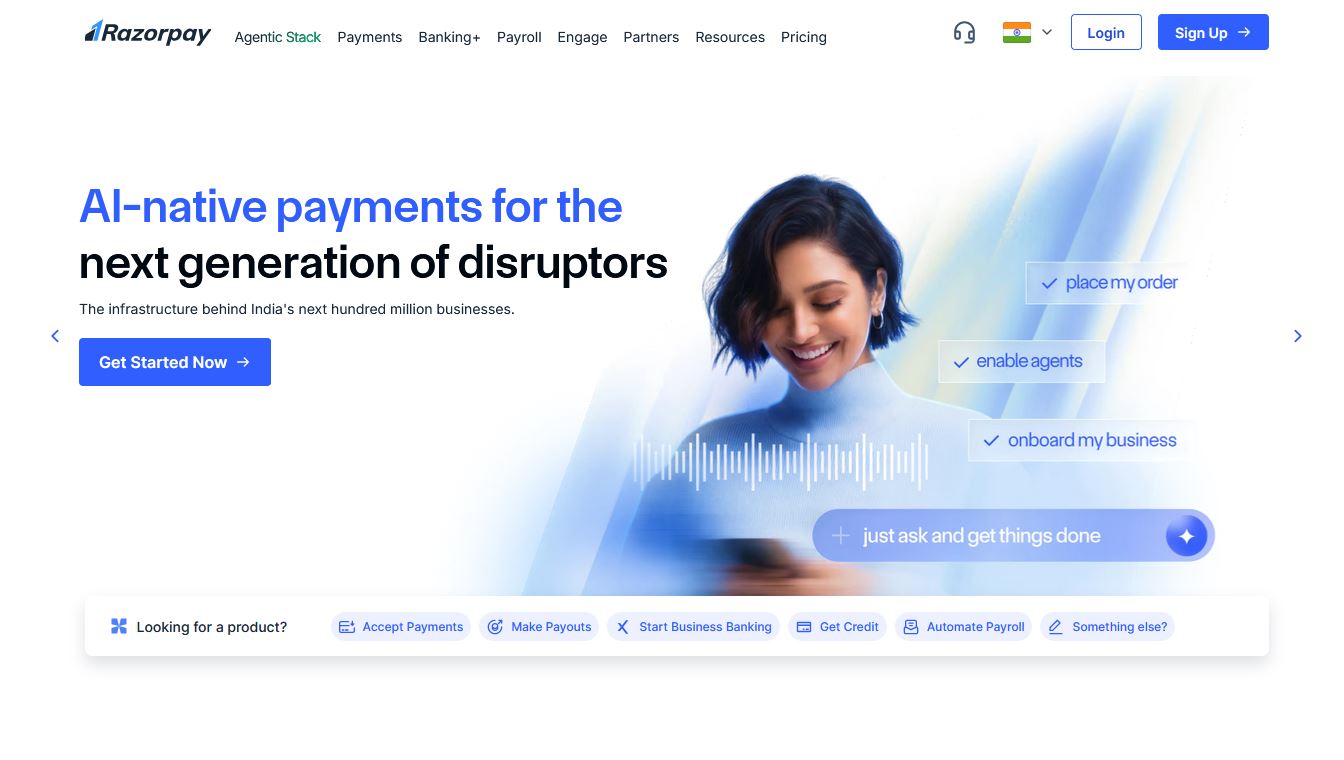
Introduction: The Online Payment Problem
Every day, thousands of Indian entrepreneurs, freelancers, and small business owners lose customers simply because they cannot accept payments online. Customers visit a website, decide to buy — and then there is no payment option. They leave. The sale is gone.
If you have ever faced this problem, Razorpay is the solution you need. In this comprehensive guide, you will learn exactly what Razorpay is, how it works, how to set up your account, and how to start accepting payments in India — even if you have never dealt with a payment gateway before.
What You Will Learn
What a payment gateway is and why you need one • What Razorpay is and how it works • Features, pricing, pros and cons • Step-by-step account setup and KYC • Integration with websites and apps • Razorpay vs PayPal comparison • Frequently asked questions
3. How Razorpay Works — A Simple Flow
5. Razorpay Pricing & Transaction Fees
7. How to Create a Razorpay Account — Step by Step
8. The Razorpay Dashboard — A Quick Tour
9. How to Get Your Razorpay API Key
10. How to Integrate Razorpay With Your Website
11. Razorpay vs PayPal — Which Is Better for You?
12. Countries & Currency Support
15. Frequently Asked Questions (FAQ)
1. What Is a Payment Gateway?
Before diving into Razorpay specifically, it helps to understand what a payment gateway actually does. Think of a payment gateway as the digital equivalent of a card-swiping machine you see at a shop counter. When a customer pays at a physical store, the POS machine connects the customer’s bank to the merchant’s bank and processes the transaction securely.
Online, a payment gateway does the same thing — but digitally, in milliseconds. It encrypts the customer’s payment details, sends them to the bank for approval, and then notifies both the customer and the merchant whether the payment was successful.
Why Every Online Business Needs a Payment Gateway
- Accept payments 24/7 without manual effort
- Support multiple payment methods: UPI, credit/debit cards, net banking, wallets
- Protect customers with encryption and fraud detection
- Automate payment reconciliation and reporting
- Build customer trust with professional checkout experiences
2. What Is Razorpay?
Razorpay is India’s leading full-stack financial services company and payment gateway. Founded in 2014 by Harshil Mathur and Shashank Kumar, Razorpay was built specifically to solve the unique payment challenges faced by Indian businesses.
Unlike global solutions that were retrofitted for India, Razorpay was designed from the ground up to support India’s diverse payment ecosystem — including UPI, India’s homegrown real-time payment system. Today, Razorpay processes payments for over 8 million businesses, from solo freelancers to major corporations like Swiggy, Zepto, and HDFC Bank.
Who Uses Razorpay?
- Freelancers collecting project payments from clients
- E-commerce stores selling physical or digital products
- SaaS startups collecting monthly or annual subscriptions
- Course creators and edtech platforms
- NGOs and non-profits collecting donations
- Healthcare clinics, coaching centres, and service providers
3. How Razorpay Works — A Simple Flow
The payment flow on Razorpay is straightforward. Here is what happens from the moment a customer clicks Pay to when the money lands in your bank account:
| Step | Who Acts | What Happens |
| 1 | Customer | Clicks ‘Pay Now’ on your website or app |
| 2 | Razorpay | A secure checkout window appears — customer chooses UPI, card, wallet, or net banking |
| 3 | Bank | Payment details are encrypted and sent to the customer’s bank for authorisation |
| 4 | Razorpay | Transaction is confirmed; you and the customer both receive instant notifications |
| 5 | Your Bank | The payment amount (minus Razorpay’s fee) is settled to your bank account within T+2 days |
4. Key Features of Razorpay
Razorpay is far more than a basic payment gateway. It is a complete financial infrastructure platform. Here are its most important features:
| Feature | What It Does For You |
| Payment Gateway | Accept UPI, cards (Visa/Mastercard/Amex/RuPay), net banking, wallets, and EMI |
| Payment Links | Share a URL via WhatsApp, email, or SMS — customers pay without needing a website |
| Payment Pages | Create a branded, no-code payment page in minutes |
| Subscriptions | Automate recurring billing for SaaS, courses, or memberships |
| Smart Dashboard | Track payments, refunds, settlements, and reports in real time |
| Smart Collect | Automate bulk payment collection using UPI, NEFT, and virtual accounts |
| RazorpayX (Banking) | Business banking with instant payouts, current accounts, and corporate cards |
| Invoicing | Send GST-compliant invoices and collect payment in one step |
| API & SDK | Integrate into any website or app using developer-friendly REST APIs |
5. Razorpay Pricing & Transaction Fees
Razorpay keeps its pricing simple and transparent. There is no setup fee and no monthly fee for the standard plan — you only pay per transaction.
| Payment Method | Transaction Fee | Notes |
| UPI | 0% – 2% | Varies by volume tier |
| Domestic Cards (Visa / Mastercard / RuPay) | 2% | + GST |
| Net Banking | 2% | + GST |
| Wallets (Paytm, PhonePe, etc.) | 2% | + GST |
| EMI (Credit Card / Cardless) | 1.5% – 2% | Varies by bank & tenure |
| International Cards | 3% | Requires international activation |
💡 Tip on Fees
Businesses processing high volumes can negotiate custom rates with Razorpay. If you expect monthly transactions above ₹5 lakh, contact their sales team for a volume-based pricing plan.
6. Who Should Use Razorpay?
Razorpay is an excellent fit for almost any India-based business that needs to accept digital payments. Below is a quick reference to help you identify if it is right for you:
| Business Type | Why Razorpay Makes Sense |
| Freelancers & Consultants | Send payment links to clients — no website needed |
| E-commerce Stores | Plug-and-play with WooCommerce, Shopify, Magento |
| SaaS & Subscription Products | Built-in subscription billing and recurring payments |
| Course Creators / Edtech | Accept payments for courses, workshops, webinars |
| NGOs & Non-profits | Collect donations with FCRA support and tax receipts |
| Healthcare & Clinics | Online appointment and consultation payments |
| Startups & Enterprises | Enterprise-grade API, RazorpayX banking, and payroll tools |
7. How to Create a Razorpay Account — Step by Step
Setting up a Razorpay account is free and takes less than 10 minutes. Here is the complete process:
Go to razorpay.com and click Sign Up for Free: click here: razorpay.com
- Enter your business email address and set a password
- Verify your email via the confirmation link sent to your inbox
- Fill in your business details: business name, type, category, and website (or app)
- Complete KYC by uploading the required documents (see table below)
- Your account goes live after Razorpay reviews and approves your KYC (typically 1–3 business days)
Documents Required for KYC
| Business Type | Identity Proof | Business Proof |
| Individual / Sole Proprietor | PAN Card + Aadhaar | GST Certificate or Bank Statement |
| Partnership Firm | PAN Card (firm + partners) | Partnership Deed + Bank Statement |
| Private Limited / LLP | Director PAN + Aadhaar | Certificate of Incorporation + MOA/AOA |
| NGO / Trust / Society | Trustee / Director PAN | Registration Certificate + 12A/80G |
8. The Razorpay Dashboard — A Quick Tour
Once your account is live, you will manage everything from the Razorpay Dashboard at dashboard.razorpay.com. Here is what you will find:
| Dashboard Section | What You Can Do |
| Home | View total collections, recent transactions, and settlement status at a glance |
| Payments | See all individual transactions, filter by date/method/status, issue refunds |
| Settlements | Track when money will be credited to your bank account |
| Payment Links | Create and share links; track which ones have been paid |
| Reports | Download GST reports, TDS certificates, and transaction exports |
| Settings → API Keys | Generate your API Key ID and Secret Key for developer integration |
9. How to Get Your Razorpay API Key
If you want to integrate Razorpay with a website or app through code, you will need your API credentials. Here is how to get them:
- Log in to your Razorpay Dashboard
- Click Settings in the left sidebar
- Select the API Keys tab
- Click Generate Key — you will receive a Key ID and a Key Secret
- Copy and store the Key Secret immediately — Razorpay will only show it once
⚠ Security Warning
Never expose your API Secret in client-side code, GitHub repositories, or public files. Treat it like a password. Use server-side code to make Razorpay API calls.
10. How to Integrate Razorpay With Your Website
Razorpay offers multiple integration options depending on your technical setup. You do not need to be a developer to get started.
Option A: No-Code Platforms (Easiest)
| Platform | Plugin / App | Difficulty |
| WordPress / WooCommerce | Razorpay for WooCommerce (free plugin) | ⭐ Very Easy |
| Shopify | Razorpay Shopify App | ⭐ Very Easy |
| Wix | Via Payment Link widget | ⭐⭐ Easy |
| Custom HTML / JavaScript | Razorpay JS Checkout Script | ⭐⭐⭐ Moderate |
| React / Node / Python / PHP | Razorpay REST API + SDKs | ⭐⭐⭐⭐ Developer |
Option B: Payment Links (No Website Needed)
If you do not have a website at all, Razorpay Payment Links are your fastest path to accepting payments. Create a link in 30 seconds from your dashboard, then share it on WhatsApp, Instagram, email, or SMS. Customers click the link and pay — it is that simple.
11. Razorpay vs PayPal — Which Is Better for You?
This is one of the most common questions from Indian business owners. The honest answer is: it depends on where your customers are. Here is a detailed comparison:
| Factor | Razorpay | PayPal |
| Best For | Indian businesses & domestic customers | International / US-based customers |
| UPI Support | ✅ Yes — full UPI, BHIM, Google Pay | ❌ No |
| Indian Cards | ✅ All domestic cards including RuPay | ⚠ Limited — many Indian cards fail |
| International Cards | ✅ With activation | ✅ Excellent — 200+ countries |
| Setup Cost | Free | Free |
| Standard Transaction Fee | 2% (domestic) | 3.49% + ₹3 (India receiving) |
| INR Settlement | ✅ Direct to Indian bank | ⚠ Conversion required, forex loss |
| Subscriptions | ✅ Built-in, powerful | ✅ Available |
| Ease of Setup (India) | ⭐⭐⭐⭐⭐ Very easy | ⭐⭐⭐ Moderate |
| Verdict | ✅ Best for India-first businesses | ✅ Best for global-first businesses |
Our Recommendation
If more than 80% of your customers are in India, start with Razorpay. If you are targeting customers in the USA, UK, or Europe, consider PayPal or Stripe. Many mature Indian businesses use both: Razorpay for domestic and PayPal/Stripe for international.
12. Countries & Currency Support
Razorpay primarily serves Indian businesses. Here is a summary of its geographic scope:
| Scope | Details |
| Business Registration | Must be a registered Indian business (individual / company / NGO) |
| Settlement Currency | Indian Rupees (INR) only — settles directly to Indian bank accounts |
| International Payments | Can accept from international customers (in select currencies) with activation |
| Can I use in USA/UK? | No — you need an Indian business entity. Non-Indian businesses cannot register. |
| Supported Foreign Currencies | USD, GBP, EUR, SGD, AED, and more — converted and settled in INR |
13. Pros and Cons of Razorpay
| ✅ Pros | ❌ Cons |
| Free to sign up — no monthly fee | Only for Indian-registered businesses |
| Supports UPI, which is India’s dominant payment method | KYC verification can take 1–3 business days |
| Excellent developer APIs and documentation | International settlement not available in INR |
| Plug-and-play with WordPress and Shopify | Customer support can be slow during peak periods |
| Payment links work without a website | 2% fee may be high for very low-margin businesses |
| Transparent, flat-rate pricing | International payment activation requires additional documents |
| Trusted by 8 million+ businesses | Limited features for fully global businesses |
| RazorpayX offers business banking in one ecosystem | Subscription billing can be complex to set up initially |
14. Final Verdict
Razorpay is, without question, the best payment gateway for Indian businesses in 2026. It is easy to set up, transparent about pricing, and built specifically for the Indian payments landscape — including UPI, which no global solution matches.
Whether you are a freelancer sending your first payment link or a startup integrating payments into a product, Razorpay offers the right tools at every stage of your business. The free sign-up and zero monthly fee mean there is genuinely no risk in getting started.
Ready to Start?
Create your free Razorpay account at razorpay.com. Sign-up takes under 10 minutes and you can start collecting payments the same day using Payment Links — even before your website is ready.
15. Frequently Asked Questions (FAQ)
What is Razorpay?
Razorpay is India’s leading payment gateway that allows businesses to accept online payments via UPI, credit/debit cards, net banking, and wallets.
Is Razorpay safe and secure?
Yes. Razorpay is PCI-DSS Level 1 compliant — the highest level of payment security certification. All transactions are encrypted and Razorpay uses AI-powered fraud detection to protect both merchants and customers.
Can I use Razorpay in the USA or UK?
No. Razorpay requires a registered Indian business. If you are based outside India, you cannot open a Razorpay account. Alternatives include Stripe or PayPal.
How long does settlement take?
By default, settlements happen on a T+2 basis (two business days after the transaction). Razorpay also offers instant settlement for a small additional fee for eligible businesses.
Is there a monthly fee?
No. Razorpay’s standard plan has no setup cost and no monthly fee. You only pay a percentage per transaction (typically 2% for domestic payments). There are monthly plans available based on your need you can select.
What is the difference between Razorpay and Razorpay X?
Razorpay is the payment gateway for accepting payments. RazorpayX is a separate business banking suite that includes current accounts, instant payouts, corporate cards, and payroll. Both products can be used together for a complete financial stack.
I am a freelancer. Do I require business certificate and other details, which I don’t have?
No. As a freelancer you can set up account as an individual. You just require PAN card, Adhaar and Bank account.
How do I get Razorpay API keys?
Log in to your Razorpay Dashboard → Settings → API Keys → Generate Key. You will receive a Key ID and a Key Secret. The secret is shown only once, so copy it immediately.
Click here to set up your account:
(Disclosure: This article contains affiliate links. If you purchase through my link, I may earn a commission at no extra cost to you. I only recommend tools I genuinely believe in.)