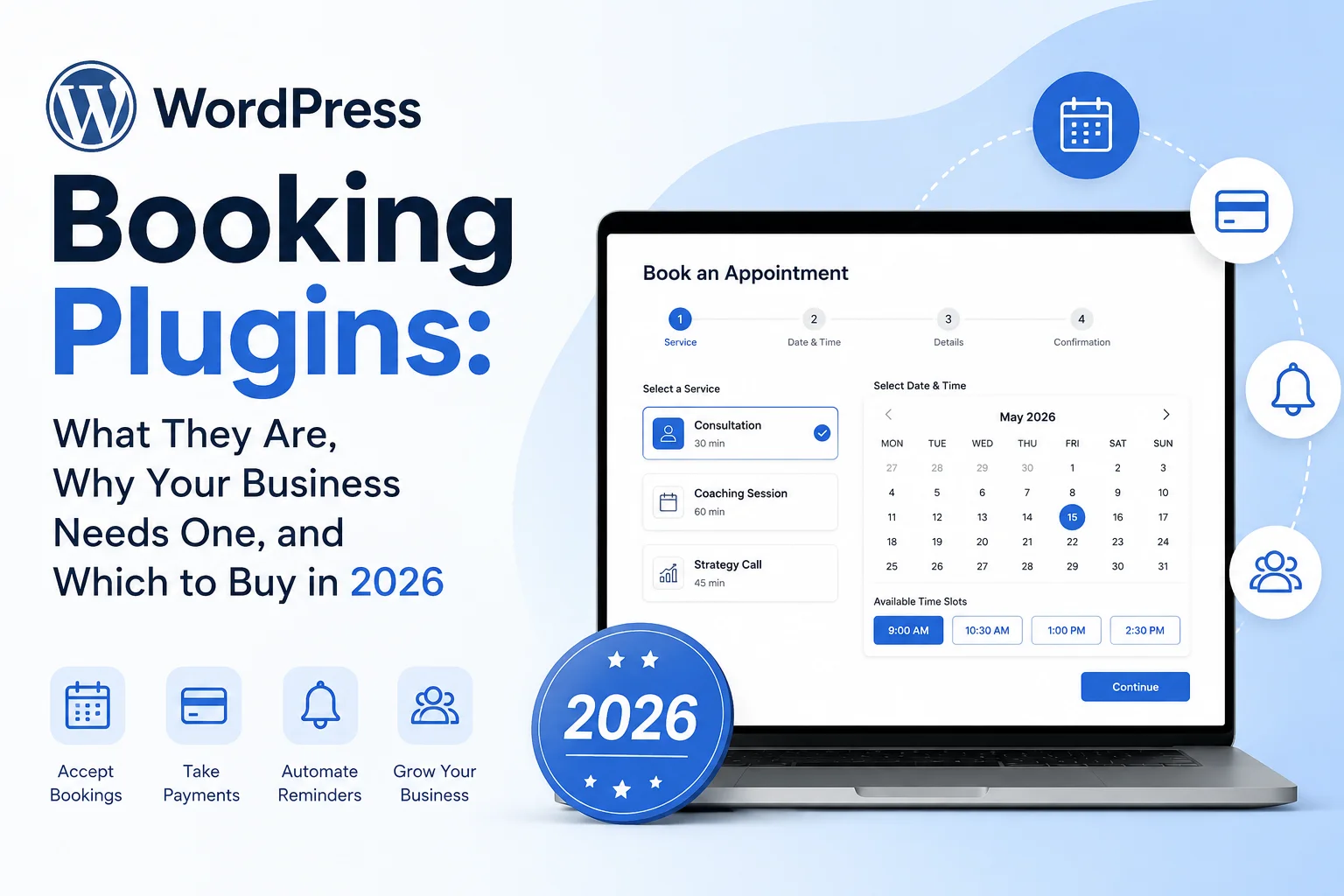
What They Are, Why Your Business Needs One, and Which to Buy in 2026
Introduction: The Booking Problem Every Service Business Faces
You built a beautiful website. You describe your services clearly. You even list your prices. And then visitors arrive — interested, ready to book — and they hit a wall. Your only contact option is an email address or a phone number buried in the footer.
They close the tab.
About 70% of all online appointment bookings happen outside business hours. Your potential clients are browsing at 10pm on a Tuesday, making decisions while you’re asleep. If they can’t book immediately, with frictionless ease, they’ll find someone who lets them.
WordPress booking plugins solve this problem completely. They add a 24/7 automated booking system to your website — letting clients book, pay, reschedule, and receive reminders without you lifting a finger. They handle calendar synchronisation, payment collection, staff management, and follow-up communications automatically.
This guide covers the five best WordPress booking plugins in 2026 — Amelia, Bookly, Simply Schedule Appointments, BookingPress, and WooCommerce Bookings — in complete, honest depth. By the end, you will know exactly what each plugin does, who it’s for, what it costs, and which one your business should be running.
| Quick Summary Best overall for multi-staff businesses: Amelia. Best for modular flexibility: Bookly. Fastest and simplest setup: Simply Schedule Appointments. Best value with everything included: BookingPress. Best if you run WooCommerce: WooCommerce Bookings. Read on for the full breakdown. |
1. What Is a WordPress Booking Plugin?
A WordPress booking plugin adds a fully functional appointment scheduling and reservation system directly to your website. Instead of clients emailing you to check availability or calling your phone to schedule an appointment, they use an interactive booking form on your site to see real-time availability, select a time slot, and confirm their booking — all in under two minutes.
The booking plugin handles everything behind the scenes: it blocks the time in your calendar, sends a confirmation email to the client, sends a notification to you (or the assigned staff member), and triggers automatic reminders as the appointment approaches. When the client arrives, you both know exactly what they booked, when, and what they paid.
How Booking Plugins Work
Most WordPress booking plugins follow the same core workflow:
- Client visits your website: They navigate to your booking page or click a ‘Book Now’ button on any page.
- They select a service: They choose what they want to book — a haircut, a consultation, a fitness class, a photography session.
- They choose a staff member and time: They see real-time availability and pick a slot that works for them.
- They complete the booking: They fill in their details, pay a deposit or full amount if required, and confirm.
- Automatic confirmation: Both client and business receive an instant confirmation email with all the details.
- Automatic reminders: The plugin sends reminder emails (and SMS, if configured) at set intervals before the appointment — dramatically reducing no-shows.
- Calendar sync: The appointment appears in Google Calendar, Outlook, or Apple Calendar automatically.
Every step of this process happens automatically, without any manual intervention from you or your staff.
What Types of Businesses Use Booking Plugins?
WordPress booking plugins are used by any business that operates on appointments, sessions, or reservations. Common use cases include:
- Health and wellness: Medical clinics, physiotherapy practices, dental offices, counselling services, yoga studios, personal trainers, massage therapists
- Beauty and personal care: Hair salons, barbershops, nail salons, spas, tattoo artists, makeup artists
- Professional services: Consultants, business coaches, life coaches, lawyers, financial advisers, accountants
- Education and tutoring: Private tutors, music teachers, driving instructors, language teachers, online course instructors
- Creative services: Photographers, videographers, graphic designers, architects
- Home and trade services: Plumbers, electricians, cleaners, landscapers, handymen
- Fitness and sports: Personal training, group classes, sports coaching, swimming lessons
- Hospitality and venues: Meeting rooms, event venues, holiday rentals, equipment hire
2. Why Your Business Needs a Booking Plugin: The Business Case
2.1 You Are Losing Bookings Right Now Without One
Every minute your website operates without a booking system, you are losing potential clients to competitors who have one. When someone visits your site at 9pm, filled with intent to book, and finds only an email address — the moment passes. They get distracted, they find someone else, or they simply forget. A booking plugin captures that moment. It converts intent into a confirmed appointment immediately, without any back-and-forth.
2.2 It Eliminates the Scheduling Email Chain
The average scheduling email chain takes 3–5 messages and 2–3 days to complete. ‘Are you free Tuesday?’ ‘Which Tuesday?’ ‘Next Tuesday, morning or afternoon?’ ‘Sorry, I’m in meetings all morning.’ A booking plugin compresses this entire sequence into a 90-second online interaction. Your client books the exact slot they want, you receive a confirmation, and the time is blocked. That’s 95% of the friction eliminated in a single implementation.
2.3 Automated Reminders Cut No-Shows by Up to 60%
No-shows are a silent tax on service businesses. An appointment that isn’t attended still costs you a blocked time slot and the opportunity cost of a client who could have booked that time. Automated email and SMS reminders — sent 24 hours and 2 hours before the appointment — reduce no-show rates by 40 to 60%. For a business doing 20 appointments per week with a 15% no-show rate, this can recover 3 additional billable slots every week.
2.4 You Get Paid Upfront — Automatically
Booking plugins with payment integration let you collect a deposit or full payment at the time of booking. This does two things: it dramatically reduces no-shows (people who have paid are far less likely to ghost you), and it improves your cash flow by pulling revenue collection earlier in your workflow. For high-value services, requiring a 25-50% deposit is standard practice — and a booking plugin makes implementing it trivially easy.
2.5 Your Staff Work More Efficiently
For multi-staff businesses, a booking plugin gives every team member their own calendar, their own availability settings, and their own service assignments. Clients can choose a specific staff member or be assigned automatically based on availability. Staff can log in and manage their own schedules, mark days off, and add special hours — without emailing the manager for every change. The administrative overhead of managing a team’s schedule drops dramatically.
2.6 You Get Data You Can Actually Use
Every booking plugin worth using includes analytics: total appointments, revenue, most popular services, busiest time slots, no-show rates, and staff performance. This data helps you make better decisions — when to hire additional staff, which services to promote, when to run offers, and how your business is trending over time. Running a service business without this data is like driving with your eyes closed.
| The Revenue Impact is Real Consider a salon with 5 stylists, each doing 8 appointments per day, 5 days per week. At a 15% no-show rate, that’s 30 lost appointment slots per week. At an average service value of $60, that’s $1,800 in weekly lost revenue. A booking plugin with automated reminders, recovering even 50% of those, adds $900/week — $46,800/year — to the business. The plugin costs less than $200/year. |
3. What to Look for in a WordPress Booking Plugin
Before reviewing the specific plugins, here are the key factors to evaluate:
- Ease of setup: Can you configure the plugin and accept your first booking within an hour? A complex, poorly documented setup is a real productivity cost.
- Booking form experience: Is the client-facing booking form modern, mobile-friendly, and fast? This is what your clients see — it directly affects your conversion rate.
- Calendar integration: Does it sync two-ways with Google Calendar, Outlook, and Apple Calendar? Without this, you’ll have double-booking headaches.
- Payment processing: Which payment gateways are supported? Stripe and PayPal are the baseline. Do you need deposit support? Recurring payments?
- Notifications and reminders: Are automated email reminders built in? What about SMS? WhatsApp? These are your no-show reducers.
- Multi-staff management: If you have a team, can each member have their own calendar, services, and schedule? Is there a staff-facing portal?
- Multi-location support: If you operate from multiple locations, can clients choose where they want to be served?
- Event and group bookings: Can you manage group sessions, classes, and events alongside individual appointments?
- Video conferencing: Does it integrate with Zoom, Google Meet, or Microsoft Teams for virtual appointments?
- Pricing and licensing model: Is it a flat annual fee with all features included, or a modular add-on model where costs accumulate? What are the renewal prices?
| Important: Check for Add-on Costs Some booking plugins advertise a low entry price but charge separately for essential features like SMS notifications, payment gateways, calendar sync, and multi-staff management. Always calculate the total cost of the features you actually need — not just the headline plugin price. A plugin charging $49 plus $30 each for five add-ons costs $199 in reality. |
4. The Best WordPress Booking Plugins in 2026: Detailed Reviews
We have researched, tested, and analysed all five plugins thoroughly. Each review covers features, pricing, honest pros and cons, who it’s best for, and a direct link to get started.
4.1 Amelia — Best All-Round for Multi-Staff Service Businesses
Active installs: 40,000+ (CodeCanyon) + WordPress.org
Best for: Salons, clinics, fitness studios, multi-staff businesses, event-based businesses
Free version: Yes — Amelia Lite (limited)
Amelia is consistently ranked as the most feature-complete, visually polished, and professionally designed WordPress booking plugin available in 2026. It was built specifically for service businesses that need to manage multiple staff members, multiple locations, multiple services, and group events — all from one coherent, beautifully designed system.
What sets Amelia apart is the completeness of its feature set. It is genuinely enterprise-grade in capability — handling everything from individual appointments and recurring bookings to sold-out group events with ticket tiers and dynamic pricing — while remaining accessible to non-technical users. The booking wizard clients see on your website is genuinely impressive: clean, modern, mobile-first, and conversion-optimised. More than 16,000 appointments are booked through Amelia every week, and 20,000 events per month.
The AI-assisted admin panel (integrating with Elementor’s Angie AI) is a notable 2025-2026 innovation. Admins can type natural language instructions — ‘Find all of David’s available slots on Friday and book Sarah in at 10am’ — and the AI handles the backend work. For busy business owners managing complex schedules, this is a genuine productivity gain.
Key Features
- Step-by-step booking wizard: Conversion-optimised multi-step booking form — service, employee, date, time, extras, payment — with fully customisable colours, fonts, and layout
- Multi-staff management: Each staff member gets their own profile, working hours, days off, special days, service pricing, and Google Calendar integration
- Multi-location support: Manage bookings across multiple physical locations, with location shown to clients during booking
- Event management: Full event booking system with capacity limits, ticket types, recurring events, early-bird pricing, and an event calendar view
- Group bookings: Allow multiple clients to book the same time slot with group pricing that scales by number of people
- Recurring appointments: Clients can book repeating appointments — daily, weekly, monthly — in one step
- Service packages: Bundle multiple appointments as a discounted package — clients buy the package and pre-book all sessions
- Deposit payments: Require a partial upfront payment to secure the booking, collect the remainder on the day
- Payment gateways: Stripe, PayPal, WooCommerce, Mollie, Razorpay, and Square (Square is available even in Lite)
- Two-way Google Calendar sync: Each employee’s Google Calendar syncs bidirectionally — bookings appear automatically, and external calendar events block availability
- Outlook calendar integration: For Microsoft-based teams
- Zoom and Google Meet: Auto-generates meeting links for virtual appointments — link goes in the confirmation email automatically
- SMS reminders via Twilio: Automated text message reminders reduce no-shows significantly
- WhatsApp reminders: Via webhook integrations for WhatsApp notification delivery
- Custom booking fields: Add checkboxes, dropdowns, text fields, or file uploads to collect extra information at booking
- Resource management: Track and manage shared resources — rooms, equipment, chairs — that limit concurrent bookings
- Business performance dashboard: Revenue, appointments, no-shows, employee workload, popular services — all visualised in real time
- Customer panel: Clients can log in to view, reschedule, or cancel their own appointments
- AI admin assistant: Natural language instructions via Elementor’s Angie AI for admin tasks
- Elementor and Divi integration: Native widget support for both major page builders
- REST API: For custom development and integration with external systems
Pricing
| Plan | Sites | Annual Price | Lifetime Price | Key Features |
| Lite (Free) | 1 | Free | Free | Basic appointments, limited services, Square payments, no staff management |
| Starter | 1 | ~$49/yr | ~$149 one-time | Full appointments, unlimited services, all payment gateways, Google Calendar |
| Standard | 1 | ~$99/yr | ~$299 one-time | Starter + Zoom/Google Meet, Outlook Calendar, events, SMS, recurring appointments |
| Pro | 5 | ~$315/yr | ~$599 one-time | Standard + 5 sites, resources, packages, REST API, AI assistant, priority support |
| Elite | Unlimited | ~$798/yr | ~$1,998 one-time | All features + unlimited sites, white-label options, advanced reporting |
Note: Amelia offers both annual subscriptions and lifetime licenses. The lifetime license is particularly attractive for agencies or developers building client sites — a one-time investment that covers all future updates. Amelia does not offer a free trial, but provides a 15-day money-back guarantee on new subscriptions. Pricing shown is approximate — check wpamelia.com for current pricing as promotions (Black Friday, etc.) frequently apply.
Pros and Cons
| Pros | Cons |
| ✓ Most complete feature set of any booking plugin in this comparison | ✗ Steeper learning curve than Simply Schedule Appointments |
| ✓ Most polished, modern client-facing booking experience | ✗ Lite (free) version very limited for serious use |
| ✓ Handles both appointments and events in one plugin | ✗ Premium plans can be expensive for solo operators |
| ✓ Multi-staff, multi-location, multi-service from day one | ✗ Some advanced features (resources, API, AI) only on Pro/Elite |
| ✓ Lifetime license available — avoid recurring subscriptions | ✗ SMS reminders require a separate Twilio account |
| ✓ Zoom, Google Meet, Google Calendar, Outlook all supported | ✗ Setup takes longer than simpler alternatives |
| ✓ Deposit payments, group bookings, service packages, recurring | |
| ✓ AI-assisted admin panel saves time on complex scheduling | |
| ✓ 16,000+ appointments booked weekly — proven at scale | |
| ✓ Active development with regular feature updates |
Who Should Choose Amelia?
- Salons, spas, and beauty businesses with 2+ staff members who need a professional client experience
- Medical clinics, physiotherapy practices, and health professionals managing multi-staff schedules
- Fitness studios that run both 1-on-1 appointments and group classes
- Photographers, consultants, and professionals who need both events and appointments in one system
- Any business that wants the most impressive, conversion-optimised booking experience for their clients
- Agencies building booking sites for clients — the lifetime license offers excellent long-term value
4.2 Bookly — Best Modular Booking Plugin for Flexible Feature Control
Active installs: 3.5 million downloads
Best for: Salons, spas, consultants, businesses wanting modular add-ons
Free version: Yes — Bookly Free (basic)
Bookly is one of the most downloaded and longest-established WordPress booking plugins, having been actively developed for over 8 years with 3.5 million total downloads. Its maturity shows: it has proven itself at scale across virtually every type of service business, from hair salons and medical practices to legal consultancies and photography studios.
What makes Bookly distinctive is its modular commercial model. The core plugin is available free from WordPress.org and provides a clean, functional booking experience with customisable forms. Premium capabilities — recurring appointments, payment gateways, SMS reminders, staff cabinet, special hours, and dozens more — are available as individual paid add-ons. You pay only for the specific features your business actually uses.
This modular approach is a double-edged sword. For businesses with specific, limited needs, it’s excellent — you’re not paying for 20 features you’ll never use. For businesses that need many features, costs can accumulate quickly and may exceed the all-inclusive pricing of Amelia or BookingPress. Always map your required features against the add-on costs before purchasing.
Key Features
- Clean, professional booking interface: Mobile-responsive multi-step booking form with colour-coded calendar views — daily, weekly, monthly, and timeline views
- Unlimited staff profiles: Individual schedules, pricing, services, and working hours per staff member
- Google Calendar sync: Sync staff availability with Google Calendar (add-on)
- Customisable booking form: Custom colours, fields, and layout to match your brand
- Multi-location support: Serve clients across multiple locations (add-on)
- Recurring appointments: Let clients book regular repeating appointments (add-on)
- Payment processing: Stripe, PayPal, Square, and WooCommerce via individual payment add-ons
- SMS and email reminders: Automated notifications via email (built-in) and SMS via Twilio or other gateways (add-on)
- Staff cabinet: Individual staff login portal for managing their own schedules (add-on)
- Waiting list: Automatically manage a queue when time slots are fully booked
- Service extras and upsells: Allow clients to add optional extras during booking
- Group bookings and classes: Manage group sessions with capacity limits (add-on)
- WooCommerce integration: Connect bookings to your WooCommerce store for unified payment processing
- HIPAA-ready options: Privacy and security features suitable for healthcare environments
Pricing
| Item | Type | Price | Notes |
| Bookly Free | Core Plugin | Free | Basic booking form, email notifications, unlimited services, admin management |
| Bookly Pro | Base License | $89 one-time | Unlocks premium features; 6 months of support included |
| Individual Add-ons | Each feature | $29–$59 each | Recurring ($39), Payments ($29+), SMS ($29), Staff Cabinet ($49), etc. |
| Add-on Bundles | Grouped packages | $100–$350+ | Bundled collections of popular add-ons at a reduced per-add-on rate |
Note: Bookly Pro at $89 is a one-time payment — no annual subscription for the core plugin itself.
Pros and Cons
| Pros | Cons |
| ✓ 3.5 million downloads — proven reliability at massive scale | ✗ Add-on costs accumulate — can become expensive quickly |
| ✓ 8+ years of active development — extremely mature codebase | ✗ Support included for only 6 months per purchase |
| ✓ Free version functional for basic needs | ✗ Many essential features require separate paid add-ons |
| ✓ Bookly Pro is a one-time payment (no annual fee for core) | ✗ Less visually impressive UI than Amelia |
| ✓ Modular — pay only for specific features needed | ✗ Events/group classes require add-ons — not ideal for class-heavy businesses |
| ✓ Excellent documentation and large community | ✗ Modular complexity means more configuration work |
| ✓ HIPAA-ready privacy features for healthcare | |
| ✓ Works with virtually every business type |
Who Should Choose Bookly?
- Businesses that need a proven, reliable booking system and can carefully manage their specific add-on requirements
- Shops or clinics with very specific feature needs — if you only need 2-3 add-ons, the modular model saves money
- Healthcare businesses needing HIPAA-compatible booking features
- Solo practitioners who need a one-time cost (Bookly Pro) rather than an ongoing subscription
- Developers who appreciate a mature, well-documented API for custom integrations
| Get Bookly — Free version available. Bookly Pro from $89 one-time Click here |
4.3 Simply Schedule Appointments (SSA) — Fastest Setup, WordPress-Native Simplicity
Active installs: 80,000+
Best for: Solo consultants, coaches, freelancers, small teams wanting fast setup
Free version: Yes — generous free tier
Simply Schedule Appointments (SSA) earns its name. Of all the booking plugins in this comparison, it has the fastest setup time — most users are accepting live bookings within five minutes of installation. Its five-step wizard walks you through everything: create a calendar, set your availability, connect your payment method (optional), embed the form, and you’re done.
SSA positions itself as the WordPress-native alternative to Calendly. The booking experience it creates is clean and minimal: clients see your available times, select one, enter their details, and confirm. No excessive steps, no distractions, no friction. For solo professionals and small businesses where simplicity is the priority, this is genuinely the best experience available.
The booking forms embed naturally within your WordPress pages and posts rather than looking like bolted-on widgets. Deep integration with Elementor, Divi, Beaver Builder, and Gutenberg makes placement straightforward in any layout. SSA’s accessibility credentials are also notably strong — excellent screen reader compatibility and keyboard navigation make it a standout choice for accessibility-conscious businesses.
Key Features
- Five-minute setup wizard: The fastest path from plugin installation to a live, accepting-bookings state of any plugin here
- Clean, minimal booking experience: No-friction, step-by-step calendar view that converts visitors into bookings
- Natural WordPress integration: Booking forms look native to your site design — not like embedded third-party widgets
- Unlimited booking types (calendars): Create different booking types for different services, each with its own settings
- Google Calendar two-way sync: Paid plans; bidirectional sync keeps availability accurate
- Outlook/Microsoft 365: Calendar integration available on paid plans
- Stripe and PayPal payments: Collect payments at booking — available from the Plus plan
- Availability rules: Set minimum notice periods, maximum booking windows, and buffer times between appointments
- Custom booking forms: Add fields to collect extra information from clients at the time of booking
- Zoom integration: Auto-create meeting links for virtual appointments
- Team scheduling: Multiple staff members with individual calendars — available on Business plan
- WCAG 2.1 AA accessibility: Industry-leading accessibility — excellent screen reader compatibility
- Elementor, Divi, Beaver Builder integration: Native blocks and widgets for all major page builders
- Gravity Forms and Formidable Forms integration: Embed scheduling within complex forms for advanced data collection
- The Events Calendar integration: Connect event registrations with appointment bookings
Pricing
| Plan | Sites | Intro Price | Renews At | Key Features |
| Basic (Free) | 1 | Free | Free | Unlimited calendars, basic availability, email notifications, unlimited bookings |
| Plus | 1 | $99/yr | ~$129/yr | Free + Stripe/PayPal payments, Google Calendar sync, Zoom, custom fields |
| Business | 3 | $199/yr | ~$249/yr | Plus + team scheduling, Outlook sync, Google Meet, advanced availability rules, 3 sites |
| Business Plus | Unlimited | $399/yr | ~$599/yr | Business + unlimited sites, priority support, advanced reporting |
Note: SSA’s pricing shown are introductory first-year rates. Renewal prices are slightly higher — approximately 25% more than the intro rate. For teams, note that multi-staff scheduling requires the Business plan at $199/year — a meaningful cost jump from Plus.
Pros and Cons
| Pros | Cons |
| ✓ Fastest setup of any plugin in this comparison — live in 5 minutes | ✗ Multi-staff scheduling requires expensive Business plan ($199/yr) |
| ✓ Most beginner-friendly interface — no technical knowledge required | ✗ No built-in events or group class management |
| ✓ Best accessibility (WCAG 2.1 AA) of any booking plugin reviewed | ✗ No SMS reminders — email only |
| ✓ Natural WordPress integration — forms look native, not embedded | ✗ Less feature-rich than Amelia or BookingPress for complex operations |
| ✓ Excellent free tier — unlimited calendars and bookings at zero cost | ✗ WhatsApp and advanced notification options not available |
| ✓ Deep page builder integration (Elementor, Divi, Beaver Builder, Gutenberg) | ✗ Renewal prices slightly higher than introductory rates |
| ✓ Gravity Forms and Formidable Forms integration for complex intake | |
| ✓ Clean, conversion-focused booking experience for clients |
Who Should Choose Simply Schedule Appointments?
- Solo consultants, coaches, therapists, and freelancers who need an elegant, fast-to-setup booking solution
- Small businesses where simplicity and speed of deployment are the highest priorities
- Accessibility-conscious businesses where WCAG compliance is important
- Anyone who primarily needs individual appointment booking without complex multi-staff or events features
- WordPress users who want bookings to feel native to their site rather than a bolted-on tool
| Get Simply Schedule Appointments — Free version available. Paid plans from $99/year Click here |
4.4 BookingPress — Best All-Inclusive Value with the Most Payment Gateways
Active installs: 50,000+ (from website — removed from WordPress.org Feb 2025)
Best for: Multi-service businesses wanting all features included at one flat price
Free version: Yes — generous free tier (from their website)
BookingPress takes a fundamentally different commercial approach from Bookly: instead of charging separately for each feature, BookingPress includes 60+ premium add-ons in every paid plan at no additional cost. For businesses that need multiple features — calendar sync, payment gateways, WhatsApp notifications, staff management, SMS reminders, and more — this all-inclusive model delivers outstanding value compared to the modular pricing of Bookly.
BookingPress also leads this comparison on payment gateway breadth, supporting 20+ payment gateways including Stripe, PayPal, Square, Mollie, Razorpay, PayFast, Authorize.net, and many regional processors. For businesses operating in markets where niche payment processors are required, this breadth is genuinely useful.
One important note: BookingPress was removed from WordPress.org in February 2025. This means it no longer appears in the WordPress plugin directory, and automatic updates through the WordPress dashboard are not available unless you maintain an active download license. The plugin itself continues to be actively developed and sold from the BookingPress website, but this change affects discoverability and the automatic update mechanism. Factor this into your decision — some businesses and agencies prefer to only use plugins available through the official WordPress.org repository.
Key Features
- 60+ add-ons included: No per-feature charges — WhatsApp notifications, SMS gateways, Zoom, Google Meet, calendar sync, deposit payments, coupons, and much more all included
- 20+ payment gateways: Stripe, PayPal, Square, Mollie, Razorpay, PayFast, Authorize.net, Braintree, Moneris, and many regional processors
- Two-way calendar sync: Google Calendar, Apple iCal, and Outlook — bidirectional sync in all paid plans
- WhatsApp notifications: Booking confirmations and reminders delivered via WhatsApp — unique and highly effective for mobile-first markets
- Telegram notifications: Additional messaging platform for client and staff reminders
- SMS reminders: 30+ SMS gateway integrations including Twilio
- Staff management: Individual staff dashboards, schedules, and service assignments
- Zoom and Google Meet: Auto-generate virtual meeting links for remote appointments
- Deposit payments: Require partial payment at booking — included in paid plans without add-on cost
- Coupon and discount system: Create promotional codes and discounts for your services
- Overnight bookings: Support for appointments spanning two calendar days — useful for 24-hour services or accommodation
- Custom booking form builder: Full visual editor for booking form colours, fonts, layout, and custom fields
- Staff portal: Staff members have their own login to manage their schedules
- Analytics dashboard: Revenue tracking, appointment statistics, staff performance metrics
Pricing
| Plan | Sites | Annual Price | Lifetime Price | Key Features |
| Free | 1 | Free (from website) | — | Basic booking, multiple services, email notifications, PayPal, Google Calendar |
| Starter | 1 | $79/yr | ~$199 one-time | All 60+ add-ons included, 1 site, all payment gateways, WhatsApp, SMS |
| Standard | 3 | $179/yr | ~$349 one-time | Everything Starter + 3 sites, Zoom/Meet, Outlook sync, deposit payments |
| Premium | Unlimited | $299/yr | ~$599 one-time | All features + unlimited sites, white-label, priority support |
Note: BookingPress’s all-inclusive model means the $79/year Starter plan genuinely includes what competitors charge $150-200/year for (once add-on costs are counted). Lifetime licenses are available on all tiers for businesses wanting to avoid recurring subscription costs. Remember: since removal from WordPress.org, updates must be applied manually or via a maintained download license. Always verify pricing on the BookingPress website as it may have changed.
Pros and Cons
| Pros | Cons |
| ✓ Best value — 60+ add-ons included at flat price (no per-add-on charges) | ✗ Removed from WordPress.org in February 2025 — no auto-updates via WP dashboard |
| ✓ Most payment gateways (20+) of any plugin in this comparison | ✗ Removal from repository affects trust factor for some businesses |
| ✓ WhatsApp and Telegram notifications — unique differentiators | ✗ Manual update management required without active download license |
| ✓ Overnight booking support for multi-day or 24-hour services | ✗ Smaller community than Bookly or Amelia |
| ✓ Deposit payments included without extra cost | ✗ Less polished visual design than Amelia |
| ✓ Lifetime licenses available for all plans | ✗ Support quality not consistently reviewed at the level of Amelia |
| ✓ Generous free tier (from their website) | |
| ✓ 30+ SMS gateway options |
Who Should Choose BookingPress?
- Multi-service businesses wanting all features (WhatsApp, 20+ payment gateways, calendar sync, deposits) at a flat price without add-on surprises
- Businesses operating in regions where specific payment gateways (PayFast, Moneris, Razorpay, etc.) are required
- Businesses where WhatsApp or Telegram notification delivery is important (popular in Asia, Middle East, and South America)
- Owners of accommodation, 24-hour services, or anything requiring overnight booking support
- Note: If the WordPress.org removal is a concern for your business or agency, Amelia or SSA may be more suitable alternatives that maintain full WordPress.org repository presence.
| Get BookingPress — Free version available (from bookingpress.app). Paid plans from $79/year Click here |
4.5 WooCommerce Bookings — Best for WooCommerce-Native Integration
Active installs: Varies — official WooCommerce extension
Best for: WooCommerce store owners, rental businesses, complex resource management
Free version: No — premium only
WooCommerce Bookings takes the opposite approach from every other plugin in this comparison. Rather than adding payment capabilities to a booking system, it adds booking capabilities to a WooCommerce store. If your business already runs on WooCommerce — or if bookings are one of many product types you sell — this native integration is enormously valuable.
Every booking becomes a native WooCommerce product. This means you get all of WooCommerce’s existing infrastructure for free: the full checkout flow, all WooCommerce-compatible payment gateways, WooCommerce coupon and discount system, WooCommerce order management, WooCommerce email templates, WooCommerce customer accounts, WooCommerce analytics, and compatibility with every WooCommerce extension ever built. For store owners, the data consistency this provides — bookings alongside physical products in one unified system — is genuinely difficult to achieve with standalone booking plugins.
WooCommerce Bookings is particularly powerful for businesses with complex availability and resource scenarios: booking a specific room, equipment, court, or vehicle that has multiple concurrent availability constraints. The resource management system handles multi-resource scheduling in ways that standalone appointment plugins don’t natively support.
Key Features
- Native WooCommerce integration: Bookings are WooCommerce products — full WooCommerce checkout, orders, accounts, and reporting apply automatically
- All WooCommerce payment gateways: Because bookings go through WooCommerce checkout, every WooCommerce payment gateway works — Stripe, PayPal, and hundreds of others via extensions
- Flexible booking time units: Book by hour, day, half-day, custom time periods — or set fixed time slots
- Single and multi-day bookings: Supports both hourly appointments and multi-day reservations (room hire, equipment rental)
- Resource management: Define resources (rooms, equipment, vehicles) that are shared or exclusive, with separate availability tracking
- Participant limits and person types: Set minimum and maximum participants, and create different person types (adult, child) with different prices
- Dynamic pricing: Prices that vary by date, time, season, day of week, or number of participants
- WooCommerce coupons and discounts: All WooCommerce coupon functionality applies to bookable products
- Google Calendar sync: Bookings sync with Google Calendar for availability management
- Confirmation emails: Via WooCommerce’s robust transactional email system, customisable with WooCommerce email customiser plugins
- WooCommerce Reports: All booking data appears in WooCommerce analytics alongside your product sales data
- Customer account management: Clients manage bookings from their existing WooCommerce account
- Deposit support: Requires WooCommerce Deposits extension (sold separately)
Pricing
| Item | Type | Price | Notes |
| WooCommerce Bookings | Core extension | $249/year | Full extension — 1 year of updates and support. Available from WooCommerce.com |
| WooCommerce Deposits | Add-on extension | $79/year | For deposit/partial payment at booking — sold separately |
| WooCommerce Accommodation Bookings | Add-on | $99/year | Adds hotel/accommodation specific features |
Note: WooCommerce Bookings at $249/year is the most expensive plugin in this comparison. Its value is highest for businesses that already rely on WooCommerce for product sales and want bookings seamlessly integrated into the same ecosystem. For businesses running only appointment-based services (no physical products), BookingPress typically deliver better value. Renewal is at the same price ($249/year).
Pros and Cons
| Pros | Cons |
| ✓ Native WooCommerce integration — bookings are WooCommerce products | ✗ Requires WooCommerce — adds significant plugin overhead if you don’t already use it |
| ✓ Access to entire WooCommerce payment gateway ecosystem | ✗ Most expensive plugin in this comparison at $249/year |
| ✓ All WooCommerce coupons, promotions, and discounts work natively | ✗ Less intuitive booking UX than Amelia for appointment-style businesses |
| ✓ Unified customer data — bookings and purchases in one account | ✗ Staff management not as developed as Amelia or Bookly |
| ✓ Complex resource management for equipment, rooms, and vehicles | ✗ Deposits require a separate $79/year extension |
| ✓ Dynamic pricing by date, time, season, or person type | ✗ Best suited for WooCommerce stores — unnecessary complexity for pure appointment businesses |
| ✓ Multi-day and flexible duration bookings handled cleanly | |
| ✓ WooCommerce Analytics includes booking revenue data |
Who Should Choose WooCommerce Bookings?
- WooCommerce store owners who sell physical products alongside bookable services — unified checkout and data are essential
- Businesses needing complex resource management: rental companies, sports facilities, studios with equipment booking
- Hotels, holiday rentals, meeting rooms, and accommodation where multi-day bookings and seasonal pricing are needed
- Businesses that need access to the full WooCommerce payment gateway ecosystem for specific payment methods
- Not recommended for: Pure appointment-based businesses without existing WooCommerce stores — Amelia or BookingPress deliver better value
| Get WooCommerce Bookings — From $249/year. WooCommerce required. Click here |
5. Side-by-Side Comparison: All Five Plugins
Use this table to compare the most important factors across all five plugins at a glance:
| Factor | Amelia | Bookly | SSA | BookingPress | WC Bookings |
| Best for | Multi-staff service businesses | Flexible/modular needs | Solo/small, fast setup | Multi-feature value | WooCommerce stores |
| Free version | Yes (Lite, limited) | Yes (basic) | Yes (generous) | Yes (from website) | No |
| Entry paid price | ~$49/yr | $89 one-time | $99/yr | $79/yr | $249/yr |
| Unlimited sites price | ~$798/yr (annual) or ~$1,998 lifetime | Per add-on licence | $399/yr | $299/yr or $599 lifetime | Not applicable |
| Lifetime licence | Yes | Yes (core + add-ons) | No | Yes | No |
| Multi-staff | All paid plans | Add-on needed | Business plan only | All paid plans | Limited |
| Multi-location | Yes | Add-on needed | No | Yes | Limited |
| Events management | Full (all tiers) | Add-on needed | No | Limited | No |
| Google Calendar sync | Yes | Add-on needed | Plus plan+ | Yes | Yes |
| Outlook sync | Standard plan+ | Add-on needed | Business plan+ | Yes | No |
| Zoom / Meet | Standard plan+ | Add-on needed | Plus plan+ | Yes (included) | No |
| Stripe / PayPal | Yes | Add-on needed | Plus plan+ | Yes (20+ gateways) | All WC gateways |
| Deposit payments | Yes | Add-on needed | No | Yes (included) | Separate $79 add-on |
| SMS reminders | Via Twilio (paid) | Add-on needed | No | Yes (30+ gateways) | No |
| WhatsApp notifications | Via webhook only | No | No | Yes (included) | No |
| WooCommerce native | Integration only | Integration only | Integration only | Integration only | Yes — fully native |
| WordPress.org status | Active | Active | Active | Removed Feb 2025 | WooCommerce.com |
* Prices are indicative as of May 2026. Always verify current pricing on each plugin’s website before purchasing. SSA = Simply Schedule Appointments. WC = WooCommerce.
6. Which Booking Plugin Should You Choose?
Here is a clear, situation-based recommendation guide to help you make the right decision quickly:
| Your Situation | Our Recommendation | Why |
| Salon / spa with 2–5 staff, want best client experience | Amelia Standard (~$99/yr) | Best multi-staff features + most impressive booking UI your clients will see |
| Medical / health clinic with staff scheduling needs | Amelia Pro (~$315/yr) | Multi-staff, multi-location, resources, deposits, events — comprehensive |
| Solo consultant / coach wanting quick setup | SSA Plus ($99/yr) | Live in 5 minutes, clean design, Stripe payments, Google Calendar |
| Fitness studio with classes AND 1-on-1 sessions | Amelia Standard (~$99/yr) | Only plugin handling both events (classes) and appointments naturally |
| Want maximum features at lowest per-feature cost | BookingPress Standard ($179/yr) | 60+ add-ons included — more than competitors charge extra for |
| Need WhatsApp notifications for clients | BookingPress | Only plugin in this comparison with native WhatsApp notification support |
| Run a WooCommerce store selling products + services | WooCommerce Bookings ($249/yr) | Native WC integration — bookings in same checkout, same orders, same data |
| Equipment rental / room hire / accommodation | WooCommerce Bookings ($249/yr) | Resource management and multi-day bookings handled natively |
| Need most payment gateways (incl. regional processors) | BookingPress | 20+ payment gateways — most comprehensive coverage |
| German / DACH audience, want one-time payment | Bookly Pro ($89 one-time) | One-time cost, proven plugin, can add specific add-ons needed |
| Agency building booking sites for clients | Amelia Pro/Elite (lifetime) | Lifetime license covers unlimited client sites at one-time cost |
| Absolutely minimal budget, just need basic bookings | SSA Free or Bookly Free | Both genuinely functional free tiers for basic appointment scheduling |
| The Decision Framework Start with these three questions: (1) Do you have staff? If yes, Amelia handles this best at most price points. (2) Do you already use WooCommerce? If yes, WooCommerce Bookings keeps everything unified. (3) What is your setup time budget? If you need to be live in under an hour, Simply Schedule Appointments is the fastest option. These three questions eliminate most of the uncertainty. |
7. Booking Plugin Recommendations by Industry
Different business types have different priorities. Here is a quick industry-specific guide:
Hair Salons and Barbershops
Amelia or Bookly. Both handle multi-staff salons well. Amelia wins on the client booking experience — clients select their stylist, service, and time in a visually polished interface. Bookly wins on proven track record and HIPAA-adjacent privacy features for confidential client records. If you want WhatsApp booking confirmations (popular in many markets), BookingPress is the choice.
Consultants and Business Coaches
Simply Schedule Appointments or Amelia Starter. SSA is the fastest to set up and creates the cleanest, least-friction booking experience for one-to-one sessions. If you also run group workshops or online courses alongside individual sessions, Amelia’s event management covers both.
Medical and Healthcare Practices
Amelia or Bookly with privacy-sensitive configuration. Amelia’s multi-staff setup handles doctor and specialist scheduling. Bookly has experience in healthcare environments. For practices that need strict data compliance, consult your data protection requirements and ensure your chosen plugin’s data storage aligns with HIPAA or equivalent local regulations.
Fitness Studios and Personal Trainers
Amelia is the clear choice for studios running both group classes and individual training sessions. The events system manages class capacity; the appointments system handles personal training. Staff management handles trainer schedules. Group bookings with capacity limits keep class numbers controlled.
Photographers and Creative Professionals
Amelia or Simply Schedule Appointments. Both integrate naturally with a portfolio website. Amelia’s step-by-step booking wizard can include service extras (prints, albums, additional hours). SSA’s clean design suits the minimal aesthetic many photographers prefer.
Equipment Rental and Accommodation
WooCommerce Bookings is designed for this. The resource management system tracks individual rental units. Multi-day bookings with check-in and check-out times work correctly. Seasonal dynamic pricing handles high and low season rates. If you’re already on WooCommerce, there is no better choice for this use case.
Tutors and Music Teachers
Simply Schedule Appointments handles this perfectly at the entry price point. Individual lesson scheduling, recurring booking options (weekly lessons), and a clean interface that students and parents can use easily without technical knowledge. Amelia is the upgrade path if you also teach group classes or multiple students simultaneously.
8. Getting Started: What to Do After Installing Your Booking Plugin
Whichever plugin you choose, these steps ensure you launch a booking system that actually works and converts:
- Configure your services first: Set up every service you offer — name, description, duration, price, and category. Take the time to write clear service descriptions; clients read these when choosing what to book.
- Set your availability: Define your working hours, break times, and days off. Set a minimum booking notice period (e.g., 24 hours) to avoid same-day bookings you can’t prepare for. Add a buffer time between appointments if you need transition time.
- Connect your payment gateway: Link Stripe or PayPal before going live. Place a test booking (with a $1 or $0 test service) to verify the full payment flow works — confirmation email arrives, calendar is blocked, payment is captured.
- Connect your calendar: Sync with Google Calendar, Outlook, or Apple Calendar. Test by booking an appointment through your website and verifying it appears on your calendar. Block existing commitments in your calendar to prevent double-booking.
- Set up automated notifications: Configure confirmation emails for both clients and staff. Set up reminder emails at 24 hours and 2 hours before appointments. If you have SMS, configure it now — the no-show reduction is immediate.
- Embed the booking form: Place your booking form on at least three locations: a dedicated ‘Book Now’ page, your homepage (above the fold if possible), and your services page. Add a ‘Book Now’ button to your header navigation.
- Test the complete client experience: Open your booking page in a private/incognito browser window and complete an actual booking from the client’s perspective. Check every step: service selection, staff selection, time picker, checkout, confirmation email. Fix any friction points before going live.
- Add a cancellation policy: Include your cancellation and rescheduling policy on the booking confirmation page and email. Most plugins let you add custom text to confirmation emails.
- Set up deposit requirements: If you’re implementing deposits, test the deposit flow specifically. Confirm that the remaining balance reminder works. Deposits are one of the most effective no-show reducers — implement them early.
- Monitor your first week: Check the analytics dashboard daily for the first week. Look for any drop-off points in the booking flow, check that confirmation emails are arriving in client inboxes (not spam folders), and verify that all calendar blocks are appearing correctly.
| The 24/7 Test After setting up your booking plugin, open your site at 10pm and imagine you are a potential client who just thought of booking your service. Can they complete the entire booking process without needing to contact you? If yes, you have solved the booking problem. If any step requires them to contact you or wait for a response, find and fix that step — it is costing you bookings. |
9. Frequently Asked Questions
Do I really need a paid booking plugin, or will a free one work?
For very basic needs — a single service, solo practitioner, no payment collection, simple availability — the free tiers of Simply Schedule Appointments, Bookly, or Amelia Lite are genuinely functional. For most businesses, however, the features that actually drive revenue (payment collection, automated reminders, calendar sync, staff management) require a paid plan. The good news is that even the premium tiers cost less per year than a single missed appointment for most service businesses.
Can clients book appointments on mobile?
Yes — all five plugins in this comparison are mobile-responsive. Amelia and Simply Schedule Appointments are consistently rated as the best mobile booking experiences. More than 58% of web traffic in 2026 comes from mobile devices, so choosing a plugin with an excellent mobile booking experience directly affects your conversion rate.
Can I use a booking plugin if I have multiple staff members at one location?
Yes. Amelia, Bookly, and BookingPress all handle this natively. Each staff member gets their own schedule, their own availability, and their own assigned services. Clients can choose a specific team member at booking, or be automatically assigned to the next available person. Amelia is the strongest performer for multi-staff operations.
Will a booking plugin work with Elementor / Divi / Beaver Builder?
Yes — all plugins in this comparison work with major page builders. Simply Schedule Appointments has the deepest native page builder integration, with dedicated blocks and widgets. Amelia also integrates natively with Elementor (including the Angie AI assistant) and Divi. BookingPress and Bookly work via shortcodes in any page builder environment.
Can I take payments online through a booking plugin?
Yes. All five plugins support online payments. Stripe and PayPal are available in all paid tiers (with SSA requiring the Plus plan+). BookingPress leads with 20+ payment gateways, WooCommerce Bookings leverages all WooCommerce-compatible gateways. For deposit payments specifically, Amelia and BookingPress include this natively — Bookly and WooCommerce Bookings require add-ons.
How do I handle no-shows?
The most effective combination is: (1) require a deposit at booking to create financial commitment, (2) set up automated email reminders at 24 hours and 2 hours before the appointment, (3) add SMS reminders if your audience responds well to text messages, and (4) implement a clear cancellation policy with a minimum notice period. Studies consistently show that each of these individually reduces no-shows, and all four together can reduce no-show rates by 60-80%.
What happens to my bookings if I switch plugins later?
Switching booking plugins is painful. Each plugin stores appointment data in its own database format, and there is no universal migration tool. If you switch, you will typically need to manually export historical bookings and either import them into the new system (if the format is compatible) or accept the loss of booking history. This is a strong argument for choosing carefully before going live, testing thoroughly before committing, and treating your booking plugin as a long-term infrastructure decision.
Is WooCommerce Bookings worth the extra cost?
Only if you already use WooCommerce or have compelling reasons to keep all transactions unified. For a pure appointment-based business (no physical products), BookingPress at $79/year delivers comparable or better booking functionality at a fraction of the cost. WooCommerce Bookings’ premium is justified by its native WC integration — if that integration is what you need, it’s worth every penny.
10. Final Verdict: Our Recommendations
Best All-Round for Multi-Staff Service Businesses: Amelia
For any service business with two or more staff members — or any solo business that wants the most polished, professional booking experience for its clients — Amelia is our top recommendation. Its feature completeness, visual design, event management, multi-staff capabilities, and active development make it the market leader in 2026. The Starter plan at ~$49/year or Standard at ~$99/year covers most businesses. The lifetime license is excellent value for agencies.
Best Proven Modular Option: Bookly
For businesses with a proven 8-year track record, extensive community, and specific, limited feature needs, Bookly’s modular model can deliver excellent value. The one-time Bookly Pro payment is attractive if you only need a few add-ons. For healthcare environments with HIPAA considerations, Bookly has more experience than newer alternatives.
| Get Bookly — Free version available. Bookly Pro from $89 one-time Click here |
Fastest and Simplest: Simply Schedule Appointments
For solo practitioners, consultants, and small businesses where speed of deployment and simplicity are the priorities, Simply Schedule Appointments delivers an unmatched setup experience and a genuinely excellent client-facing booking flow. The free tier is functional, and the Plus plan at $99/year covers most solo-business needs.
| Get Simply Schedule Appointments — Free version available. Paid from $99/year Click here |
Best All-Inclusive Value: BookingPress
For businesses that need multiple features — calendar sync, WhatsApp notifications, 20+ payment gateways, deposits, staff management — all included at a flat price without per-feature add-on costs, BookingPress delivers the best value. Just be aware of the WordPress.org removal and plan your update process accordingly.
| Get BookingPress — Free version available. Paid plans from $79/year Click here |
Best for WooCommerce Stores: WooCommerce Bookings
For businesses running WooCommerce who want bookings and product sales unified in one system — especially rental businesses, accommodation, or businesses with complex resource management needs — WooCommerce Bookings is the only real answer. It’s the most expensive option, but the WooCommerce integration it provides is worth the premium for the right use case.
| Get WooCommerce Bookings — From $249/year. WooCommerce required. Click here |
Conclusion: Stop Losing Bookings Today
Every day your website operates without an online booking system is a day you’re relying on phone calls and email chains to capture clients who have already decided to book with you. That friction — the gap between interest and confirmed appointment — is where you lose customers to competitors who make it easier.
The plugins covered in this guide represent the best the WordPress ecosystem has to offer for booking functionality in 2026. Whether you’re a solo consultant who needs the simplest possible solution, a multi-location salon looking for enterprise-grade staff management, or an e-commerce store wanting bookings unified with product sales — there is a plugin here that matches your exact situation.
Our core recommendation: if you’re unsure where to start, install Amelia’s free Lite version or Simply Schedule Appointments’ free tier today. Both take under an hour to configure and will give you a genuine feel for whether an online booking system works for your business. You can always upgrade as your needs grow.
The cost of any plugin in this guide is less than the value of a single recovered no-show appointment. The ROI case for online booking is not a question — the only question is which system to choose. We hope this guide has answered that for you.
Affiliate Disclosure: This post contains affiliate links to Amelia, Bookly, Simply Schedule Appointments, BookingPress, and WooCommerce Bookings. If you click and purchase through our links, we earn a small commission at no extra cost to you. This helps us keep writing free, honest guides like this one. All opinions are entirely our own.