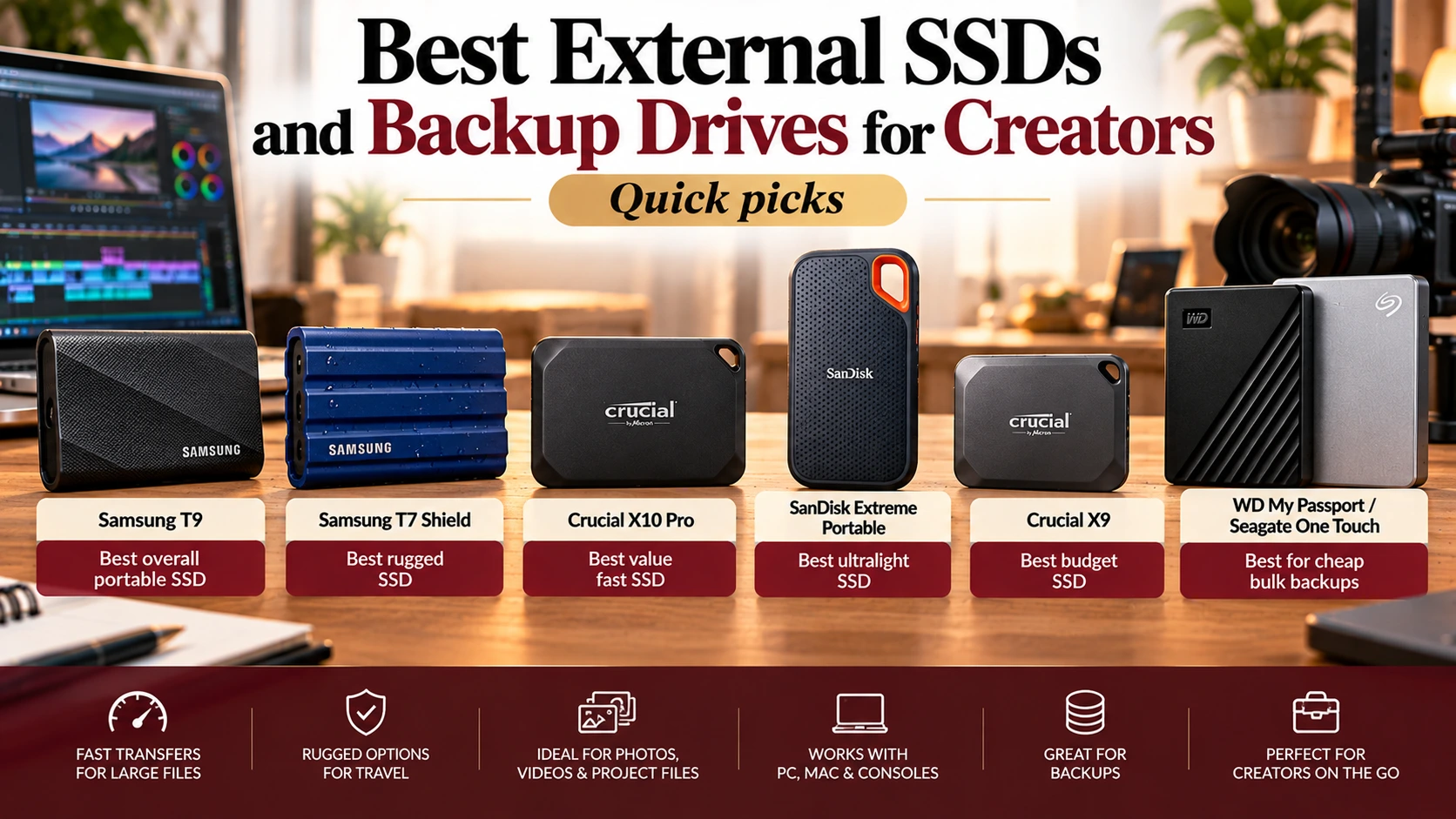
Quick picks
- Best overall portable SSD: Samsung T9
- Best rugged SSD: Samsung T7 Shield
- Best value fast SSD: Crucial X10 Pro
- Best ultralight SSD: SanDisk Extreme Portable
- Best budget SSD: Crucial X9
- Best for cheap bulk backups: a portable hard drive (HDD) such as WD My Passport or Seagate One Touch
Disclosure: As an Amazon Associate, I earn from qualifying purchases. This costs you nothing extra.
Why every blogger and creator needs a backup drive
Your blog drafts, product photos, YouTube footage, and client files may represent years of work. Laptops get stolen, drives fail, coffee gets spilled, and ransomware can lock everything in seconds. Cloud sync alone isn’t a full backup either: if a file gets corrupted or encrypted, the damaged version can sync everywhere.
A fast external SSD makes it easy to edit large files and keep backups current. This guide covers the best drives and a simple backup plan.
How we chose: We have not tested these drives ourselves. Our picks draw on reviews from TechRadar and Dong Knows Tech, plus manufacturer specifications.
Comparison table
| Drive | Type | Interface | Best for | Price tier |
| Samsung T9 | Portable SSD | USB 3.2 Gen 2×2 (20Gbps) | Video editing, fast transfers | Premium |
| Samsung T7 Shield | Rugged portable SSD, IP65 | USB 3.2 Gen 2 (10Gbps) | Travel, outdoor shoots | Mid |
| Crucial X10 Pro | Portable SSD | USB 3.2 Gen 2×2 (20Gbps) | Fast speeds for less money | Mid |
| SanDisk Extreme Portable | Portable SSD | USB 3.2 Gen 2 | Ultralight carry | Mid |
| Crucial X9 | Portable SSD | USB 3.2 Gen 2 | Budget everyday use | Budget |
| Portable HDD (WD My Passport, Seagate One Touch) | Hard drive | USB | Cheap large-capacity backups | Budget |
Check live prices and capacities on Amazon.
Why backups matter: the 3-2-1 rule
Drives fail, even good ones. Cloud storage company Backblaze monitors hundreds of thousands of hard drives in its data centers and publishes their failure rates. In early 2026 it reported a lifetime annualized failure rate of 1.39% across its fleet, rising to a quarterly rate of 1.73% in Q2 2026. (Backblaze Q1 2026; Backblaze Q2 2026) That’s roughly one or two drives in every hundred failing each year, and these are data-center drives, not portable ones that get dropped and carried around.
The 3-2-1 rule is the standard backup advice, recommended by the US Cybersecurity and Infrastructure Security Agency (CISA). It was popularized by photographer Peter Krogh in 2005. (U.S. Chamber of Commerce; Eon)
- 3 copies of your important files (the original plus two backups)
- 2 different types of storage (for example, your laptop and an external drive)
- 1 copy offsite (for example, a cloud backup service or a drive kept at another location)
A simple 3-2-1 setup for bloggers
- Copy 1: your laptop.
- Copy 2: an external SSD or hard drive at home, backed up automatically with Time Machine (Mac) or File History (Windows).
- Copy 3: a cloud backup service, or a second drive kept at a family member’s home or the office.
- Also back up your website through your host or a backup plugin, separate from your computer files.
- Test a restore every few months to make sure your backups actually work.
How to choose an external drive
SSD or hard drive?
| Portable SSD | Portable hard drive (HDD) | |
| Speed | Much faster | Slower |
| Durability | No moving parts; handles bumps better | Moving parts; more fragile if dropped |
| Size | Pocket-sized, light | Bulkier |
| Cost per TB | Higher | Lower |
| Best for | Editing files directly, travel, frequent transfers | Large, cheap backups that stay on a desk |
Many creators use both: an SSD for working files and an HDD for bulk backups.
What to check
- Capacity. 1TB suits most bloggers; 2–4TB for photographers and YouTubers.
- Speed and your ports. “USB 3.2 Gen 2×2” drives (up to about 2,000MB/s) only reach full speed on computers with a matching port. On most laptops, including Macs, they run at around 1,000MB/s, which is still fast.
- Durability. Look for an IP rating (water and dust resistance) and drop protection if you travel or shoot outdoors.
- Encryption. Hardware encryption or password protection protects client files if the drive is lost.
- Warranty. Check the warranty length on the specific listing; it varies by model and region.
- India: buy from the brand’s official store or a reputable seller to avoid fakes, and check for an Indian warranty.
The best external SSDs and backup drives in 2026
1. Samsung T9: Best overall portable SSD
The T9 is Samsung’s first portable SSD to use the faster USB 3.2 Gen 2×2 standard, and TechRadar notes it has replaced the T7 Touch as its top portable SSD. Dong Knows Tech describes it as fast and compact, though its finish attracts dirt. (TechRadar; Dong Knows Tech)
- Pros: very fast on supported ports, compact
- Cons: premium price; full speed needs a Gen 2×2 port
2. Samsung T7 Shield: Best rugged SSD
The T7 Shield wraps a fast SSD in a rubbery IP65-rated case for dust and water resistance. It’s a strong pick for creators who shoot on location or travel often.
- Pros: rugged, reliable, widely available in India and the US
- Cons: slower than Gen 2×2 drives on supported computers
3. Crucial X10 Pro: Best value fast SSD
The Crucial X10 Pro is frequently recommended as the value alternative to the Samsung T9, offering the same 20Gbps USB 3.2 Gen 2×2 interface for less money. (Tech Insider)
- Pros: fast, good value per TB
- Cons: like the T9, needs a matching port for top speed
4. SanDisk Extreme Portable: Best ultralight SSD
TechRadar calls the SanDisk Extreme Portable one of the most compact and lightweight SSDs it has tested, at about 50g and under 9mm thick, and describes it as durable and reliable. SanDisk refreshed the line in February 2026. (TechRadar; Tech Insider)
- Pros: tiny and light, carabiner loop, rugged
- Cons: new-generation models cost more than older versions
5. Crucial X9: Best budget SSD
The Crucial X9 is a small, light drive that offers good everyday speeds at a lower price, making it a good first SSD for writers and bloggers.
- Pros: affordable, compact
- Cons: not as fast as Gen 2×2 drives
6. Portable hard drive: Best for cheap bulk backups
For large backups that sit on your desk, a portable hard drive from WD (My Passport) or Seagate (One Touch) gives you far more storage per rupee or dollar. Use it as your automatic Time Machine or File History backup.
- Pros: lowest cost per TB, large capacities
- Cons: slower and more fragile than SSDs; don’t carry it around daily
For readers in India
Samsung, Crucial, SanDisk, WD, and Seagate drives are widely available on Amazon.in. Indian roundups list the Samsung T9, Crucial X9, and Samsung T7 Shield among the top picks. (ProductHunter.in) Buy from the brand’s official store where possible, since counterfeit storage is a real problem, and pair your computer with a UPS to avoid corruption during power cuts.
FAQs
Is cloud storage enough as a backup?
Not on its own. Sync services like Google Drive or OneDrive can copy corrupted or ransomware-encrypted files too. Combine cloud backup with a local drive, following the 3-2-1 rule.
SSD or hard drive for backups?
SSDs are faster, smaller, and tougher; hard drives are cheaper per TB. Use an SSD for working files and travel, and an HDD for big desk backups.
Why isn’t my SSD reaching its advertised speed?
Gen 2×2 drives need a matching USB port. On most laptops, including Macs, they run at around 1,000MB/s.
How much storage do I need?
1TB for most bloggers and writers; 2–4TB for photographers and video creators.
Can I use the same drive on Mac and Windows?
Yes. Format it as exFAT to read and write on both.
How often should I back up?
Automatically, at least daily for active work. Time Machine and File History can run in the background.
How do I avoid fake drives in India?
Buy from the brand’s official store or Amazon’s own listing, check reviews, and verify capacity with a test tool when the drive arrives.
Final verdict
For most creators, the Samsung T9 is the best portable SSD, with the Crucial X10 Pro offering similar speed for less. Travelers should pick the rugged Samsung T7 Shield, and the Crucial X9 is a great budget start. Add a cheap portable hard drive for automatic desk backups, plus a cloud backup, and you’ve got a complete 3-2-1 plan.
The best time to set up backups is before you need them.
Disclosure: As an Amazon Associate, I earn from qualifying purchases. Product details were checked in October 2026 and may change.
References
- Backblaze. Drive Stats for Q1 2026. backblaze.com
- Backblaze. Drive Stats for Q2 2026. backblaze.com
- U.S. Chamber of Commerce. The 3-2-1 backup rule. uschamber.com
- Eon. 3-2-1 backup rule explained. eon.io
- TechRadar. Best portable SSDs of 2026. techradar.com
- Dong Knows Tech. Best portable SSDs. dongknows.com
- Tech Insider. Samsung T9 vs Crucial X10 Pro vs SanDisk Extreme (2026). tech-insider.org
- ProductHunter.in. Best portable SSDs in India (2026). producthunter.in