Speed, simplicity, and stunning design — without the bloat. Here’s everything you need to know about the theme powering over 600,000 websites.
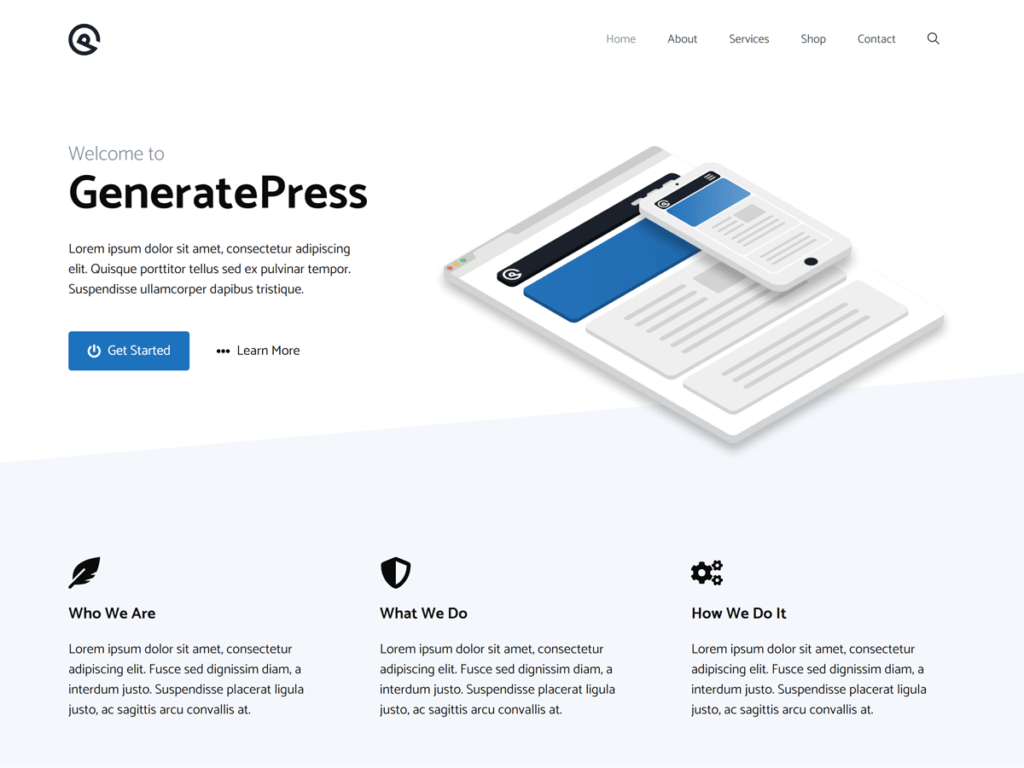
If your WordPress site feels sluggish, bloated, or just hard to customize — it might not be your content, your hosting, or your plugins. It might be your theme.
WordPress powers over 40% of the web, making it the most popular CMS on the planet. With that popularity comes an enormous marketplace of themes — thousands of them, many beautiful, most of them heavy. Page builders packed with animations. Mega-menus with JavaScript dependencies. Themes that load dozens of stylesheets before your visitor even sees a single word.
That’s where GeneratePress flips the script entirely.
This article covers everything you need to make a confident decision: what GeneratePress is, how it works, who it’s for, what it costs, and why it consistently tops every “fastest WordPress theme” list on the internet. Whether you’re a blogger, developer, small business owner, or agency, there’s something here for you.
Table of Contents
2. Why speed matters: the case for lightweight themes
3. Design, features, and what it looks like
4. The free version — is it enough?
5. GeneratePress theme pricing
6. Who should use GeneratePress?
7. How to install GeneratePress (video guide)
8. Is GeneratePress good for bloggers?
1. What is the GeneratePress Theme?
GeneratePress is a lightweight WordPress theme built by developer Tom Usborne, with a relentless focus on three things: speed, stability, and accessibility. First released in 2013, it has since grown into one of the most trusted themes in the WordPress ecosystem — used on over 600,000 websites globally and boasting more than 6 million installations on WordPress.org.
At its core, GeneratePress is a framework theme. Unlike flashy multipurpose themes that try to be everything at once, it gives you a clean, well-coded foundation and lets you build exactly the website you want — without the performance overhead of features you’ll never use.
| Default page size | 7.5kb |
| HTTP requests on load | 2 |
| Active websites | 600k+ |
| Google PageSpeed score | 100 |
That 7.5kb page size is not a typo. Most themes add hundreds of kilobytes before you’ve written a single line of content. GeneratePress starts with less than 10kb (gzipped), meaning your visitor’s browser barely has to work to render your site. The result is page load times that make Google and your visitors very happy.
2. Why Speed Matters: The Case for Lightweight Themes
Before we go deeper into GeneratePress specifically, it’s worth understanding why theme weight is such a critical issue for modern WordPress sites.
Speed is an SEO ranking factor
Google’s Core Web Vitals — Largest Contentful Paint (LCP), First Input Delay (FID), and Cumulative Layout Shift (CLS) — are all directly impacted by your theme’s code quality and file size. A bloated theme that adds 500kb+ of CSS and JavaScript before your content loads is actively hurting your search rankings.
Speed affects conversions
Research consistently shows that even a one-second delay in page load time can reduce conversions by up to 7%. Whether you’re monetizing with ads, selling products, or collecting email subscribers, a slow site is costing you money. A fast-loading site powered by a lightweight theme like GeneratePress gives you a measurable edge.
Speed affects user experience
Nobody waits for slow websites anymore. A visitor who hits a sluggish page bounces — and they don’t come back. With GeneratePress, you’re giving your audience the experience they expect: instant, responsive, smooth.
The performance advantage:
In independent speed tests, GeneratePress consistently achieves perfect or near-perfect scores on Google PageSpeed Insights, GTmetrix, and Pingdom even with premium modules activated.
3. Design, Features, and What It Looks Like
One of the most common misconceptions about GeneratePress is that being lightweight means being plain or limited. That couldn’t be further from the truth. The theme is deeply customizable: it simply doesn’t force unnecessary features on you if you don’t need them.
The design philosophy: modular by default
GeneratePress uses a modular architecture. Features are bundled as optional modules that you activate only when you need them. This means your site never loads code for features you’re not using. Want sticky navigation? Enable it. Don’t need WooCommerce support? Leave it off. The result is a site that’s always as lean as it needs to be.
| Layout control |
| 5 sidebar layouts, flexible header, 5 navigation positions, footer widget areas, and full-width templates — all without touching code. |
| 60+ color controls |
| Granular control over every color on your site — backgrounds, text,links, buttons, headings, borders, and more. |
| Dynamic typography |
| Access to Google Fonts and system fonts with full control over size, weight, spacing, and line-height for every element. |
| Mobile-first responsive |
| A dedicated mobile header, off-canvas navigation, and a layout that looks great on every screen size without extra plugins. |
| Accessible by design |
| WCAG 2.0 compliant, semantic HTML5 markup, and built-in schema.org structured data for SEO and screen readers. |
| Block editor ready |
| Fully integrated with Gutenberg and compatible with Elementor, Beaver Builder, and every major page builder. |
Premium modules unlock even more
The GeneratePress Premium plugin (more on pricing shortly) adds powerful modules on top of the free theme: an advanced Elements builder, WooCommerce integration, sticky navigation, infinite scroll for blog archives, masonry layouts, a custom font library with local Google Fonts hosting (great for GDPR compliance), and display rules that let you change layouts based on post type, category, user role, and more.
New in 2025–2026: Dynamic Block Elements let you design every part of your site — post meta, site footers, hero sections, author boxes, custom post cards — inside the block editor with zero code. Combined with GenerateBlocks Pro, it’s a complete site-building toolkit.
4. The Free Version: Is GeneratePress Theme Free?
Yes, GeneratePress is genuinely free, and the free version is more capable than many premium themes from other developers.
The free theme is available directly from the WordPress.org theme repository, which means you can install it without leaving your dashboard. No account required, no credit card, no trial period. It has over 6 million installations and a 5-star rating on WordPress.org.
Here’s what the free version includes:
- The full lightweight base theme (under 10kb)
- 60+ color controls via the WordPress Customizer
- 5 sidebar layouts and 5 navigation locations
- 9 widget areas and full responsive design
- Dropdown menus (click or hover)
- Translation-ready (available in 25+ languages)
- Full compatibility with all major page builders
- WooCommerce compatibility (basic)
Free is genuinely useful: For a personal blog, a basic portfolio, or a simple business site, the free version of GeneratePress is an excellent starting point. You can always upgrade later — and your customizations carry over.
5. GeneratePress Theme Pricing (2026)
GeneratePress follows a freemium model. The free theme is yours forever. For advanced features, the premium plugin unlocks everything else.
Here’s how the pricing breaks down:
| Plan | Price | What’s Included |
| Free Theme | $0 forever | Base theme, core features, WP customizer |
| GP Premium (Annual) | $59 / year | Premium theme modules, site library, up to 500 sites |
| GP Premium (Lifetime) | $249 one-time | Everything in annual, no renewals ever |
| GeneratePress One Bundle | Bundle price | GP Premium + GenerateBlocks Pro + GenerateCloud, saves $100+/year |
(The prices and included features are subject to changes. Please check the official website to know the present plan and pricing. GeneratePress)
All plans come with a 30-day money-back guarantee: no questions asked. If you purchase an annual license and later decide to upgrade to lifetime, your original payment is automatically deducted from the lifetime price.
Which plan is right for you?
If you’re building one or two sites, the annual plan at $59/year is a straightforward choice. If you’re an agency or developer building multiple client sites regularly, the lifetime license pays for itself quickly. The bundle is worth it if you plan to use GenerateBlocks for advanced page layouts.
6. Who Should Use GeneratePress?
The short answer: almost anyone building a WordPress website who cares about performance. Here’s who it suits particularly well:
- Personal blogs & niche sites
- Affiliate marketing websites
- Small business websites
- Freelancer portfolios
- Agency client sites
- WooCommerce stores
- News and magazine sites
- Membership sites
- Developer starter themes
- SaaS landing pages
Bloggers and content creators
For bloggers, GeneratePress is arguably the best choice on the market. It loads lightning-fast even on shared hosting, integrates cleanly with every major SEO plugin (Rank Math, Yoast), and lets your content take center stage without visual clutter. Many of the web’s highest-traffic blogs including major affiliate sites generating six and seven figures run on GeneratePress.
Developers and agencies
The clean codebase, hook system, and granular customization options make GeneratePress a developer’s dream. You can build completely custom designs without fighting the theme, and the single license covers up to 500 websites — making it one of the best value propositions for agencies.
E-commerce and WooCommerce sites
GeneratePress Premium includes dedicated WooCommerce controls shop layout, cart behavior, product display, and more without loading WooCommerce styles you don’t need. The result is a store that loads faster than 99% of WooCommerce competitors.
7. How to Install GeneratePress Theme
Installing GeneratePress is one of the easiest theme setups in all of WordPress. Here’s the step-by-step process:
Log in to your WordPress dashboard at yoursite.com/wp-admin|
Go to Appearance → Themes in the left sidebar
Click the Add New button at the top of the page
In the search bar, type GeneratePress make sure the developer is listed as Tom Usborne
Click Install, then Activate — your site now runs GeneratePress
(Optional) Purchase GP Premium, download the plugin zip, then install
via Plugins → Add New → Upload Plugin ( Click here to buy the GeneratePress theme )
Go to Appearance → GeneratePress to activate premium modules and enter your license key
Use the Site Library to import a pre-built starter site, or customize
from scratch via Appearance → Customize
Watch: How to Install GeneratePress Theme (Step-by-Step).
This video walks you through the complete installation process, including how to activate Free as well as GP Premium versions of the GeneratePress Theme and import a starter site template. Click here to buy the GeneratePress theme.
8. Is GeneratePress the Best Theme for Bloggers?
If you’re asking whether GeneratePress is the best WordPress theme for bloggers specifically — many of the web’s most respected voices in blogging, SEO, and affiliate marketing would say yes.
Here’s why it works so well for content-first websites:
- SEO-ready out of the box: Clean semantic HTML, built-in schema.org structured data, and a codebase that gives Google exactly what it needs to crawl and rank your content.
- No performance tax: Many bloggers run their sites on shared hosting. A lightweight theme like GeneratePress performs exceptionally even on basic plans.
- Compatible with every tool you use: Rank Math, Yoast, WP Rocket, LiteSpeed Cache, AdSense, Mediavine, AdThrive, Ezoic — GeneratePress plays nicely with all of them.
- Masonry and column blog layouts: With Premium, you get multiple archive display modes — great for magazine-style blogs.
- Infinite scroll: Keep readers engaged without paginated page loads.
- Sidebar control: Easily switch between different sidebar layouts on different post types or categories.
- Bonus for affiliate bloggers: Sites on GeneratePress consistently report improved Core Web Vitals scores after switching — which can translate directly into better rankings, higher traffic, and more affiliate revenue.
9. Final Verdict: Is GeneratePress Worth It?
After looking at everything : the free version, the premium features, the pricing, the performance, the use cases — the verdict is clear: GeneratePress is one of the best investments you can make for a WordPress website.
It’s not the flashiest theme in the marketplace. There are no pre-built animations, no drag-and-drop visual gimmicks, no theme that “does everything.” What GeneratePress offers instead is a rock-solid, blazing- fast foundation that works the way you want, integrates with your tools, and won’t penalize your site’s performance or search rankings.
For $59 a year — less than a coffee per week — you get access to a theme that’s been battle-tested on hundreds of thousands of real websites, backed by a support team with a decade of experience, and updated regularly to stay current with WordPress.
If you’re ready to stop fighting your theme and start building the site you actually want, GeneratePress is the place to start.
Get GeneratePress Premium Today
Join over 600,000 website owners using the fastest WordPress theme on the market. Free version available — upgrade anytime.
(Disclaimer: This post contains affiliate links for GeneratePress; I may earn a commission if you purchase, at no extra cost to you.)